

Mobile app design
At Wzór UX agency you receive an interactive mobile app design for iOS and Android, which our team or your own developers can then build. We designed the EzzyGuide, Fonia and WygodnaDieta apps. A new app can start as an MVP build with the key features only.







Challenges
What challenges does mobile app design help you solve?
Our approach
The gap opens where a screen was drawn in one state and the rest was left for a developer to guess. So we also design the error, the offline view, the empty list and the denied permission, and the interactive design goes to the team that will price the build.
Scope of services
Our approach
We design the first launch so that users reach what they downloaded the app for, without a tutorial several screens long. We test that path with your users on the prototype before the app reaches the store.
Scope of services
Our approach
Instead of two apps we design one, on a shared component library, and introduce differences only where Apple's and Google's guidelines genuinely differ: navigation, the back gesture and the size of touch targets. A change to a component then reaches both versions at once.
Scope of services
Who it is for
Which companies do we design mobile apps for?
Apps for an established company's customers
We design apps for companies that already have customers and want to serve them on a phone without rewriting their whole offer. In the WygodnaDieta app we designed diet selection with a dietitian consultation, add-ons for children and payment by Blik or Google Pay, in mobile and web versions. We simplified the most complex processes there, so the user journey is shorter and clearer, as the company's owner puts it.
New products and startups
We test a new product with users first, and only then comes the full build. For the Fonia cashback app, Product Discovery workshops were followed by more than 60 mockups and a clickable prototype ready for testing, all within four weeks. We trim the first version down to the path that shows whether the idea works.
Platforms for two groups of users
On a platform where two groups of users meet, we design a separate path through the app for each group, because each arrives with a different task. In EzzyGuide the guide adds tours and the traveller books them: we designed two types of account and tested the prototype with both groups. We make sure neither side ends up with an app made for the other.
Web products moving onto the phone
When a browser-based product moves onto the phone, we start by choosing the tasks people will reach for their phone to do, because the whole panel will not fit on a small screen. The rest stays in the web version, and we design the handover between the two so the data is the same in both places.
Apps for field staff
In an app for service technicians, drivers or sales reps, we assume the work will be interrupted halfway and the signal will drop at the worst moment. So every form saves its own state, and whatever was sent offline waits and goes out once the connection is back.
- E-commerce
- Software
- Banking & Finance
- Healthcare
- Energy
- Media
- Aerospace & Defense
- Automotive & Mobility
- Crypto & Blockchain
- Education
- Entertainment
- Fashion & Accessories
- Grocery Retail
- Gaming
- Public Sector
- Insurance
- Logistics & Fulfilment
- Industrial Manufacturing
- Pharma
- Real Estate
- Retail & FMCG
- Cybersecurity
- Services
- Sport
- Telecommunications
- Transport & Travel

Why us?
Why choose our UX agency?
-
Less rework in code
Navigation, flows and states are settled on a prototype. Every change made only once the code exists means developer time and a new release that has to pass review in both stores.
-
Measurement from day one
Alongside the flows we define the analytics events and the moment a user gets their first value. After launch you can see the step where people drop off.
-
Lower risk of store rejection
In-app account deletion, the link to the privacy policy and reviewer access have their own screens in the design. Developers do not have to sketch them in a hurry just before submitting to the App Store and Google Play.
-
A senior team
A team of senior UX designers who have been designing interfaces for nine years, today for large organisations, SaaS companies and software houses, including the EzzyGuide, Fonia and WygodnaDieta apps.
-
Proven client trust
We have designed for 115 brands, and most of them come back to us with another project.
-
Higher quality with AI
A designer with AI tools checks more variants than they could draw by hand and picks the one that works. What reaches you is the tested version, not the first one that came out.
Process
How will we run your mobile app design project, step by step?
-
A conversation with your team

We agree who the app is for and what the first version has to do
We start with the business goal and with your users: who they are, where and in what hurry they use their phone, and what they want to get done in the app. The conversation produces a feature list split into what goes into the first version and what waits.
Key steps
- Business goals and the measures that will tell you the app works
- User roles and the circumstances in which they use the app
- The systems the app has to connect to
- Platforms: iOS, Android or both
Deliverables
- Project brief
- First-version feature list
- User role map
-
Discovery and user flows
We look at how others do it and map the user's path through the app
We review the apps your users already know and the guidelines of both platforms, so we do not design against their habits. Then we map flows for each role and low-fidelity mockups of the key screens, which we test with users before any colour goes in.
Key steps
- A review of competitor apps and patterns in your category
- Apple and Google guidelines for the key screens
- Flows for each user role
- Low-fidelity mockups and first tests
Deliverables
- Competitor app review
- Flow map
- Key screen mockups
-
Interactive app design
We design the interface and turn it into an app you can use on a phone
Built on the flows, the interface of the first-version screens follows your brand and the conventions of both platforms. We put it together as an interactive design you try out on your phones, and we test it with your users before anyone starts coding.
Key steps
- A visual direction in line with your brand
- First-version screen interface for iOS and Android
- Screen states: error, offline, empty list, denied permission
- User tests on a phone
Deliverables
- Interactive app design
- Component library
- Screen state specification
- Test findings
-
Build or design hand-off
Our team or your developers build the app from the same design
We either handle the build and publication in the App Store and Google Play ourselves or hand them over to your developers. For a hand-off we run a session with your team and stay available while they code, because that is when questions about the design come up.
Key steps
- Figma files marked ready for development
- Behaviour and state specification
- Hand-off session with the development team
- Answers to questions during coding
Deliverables
- Files prepared for developers
- Behaviour specification
- App assets
-
Growth after launch
We plan the next version from how people use the app
After launch we compare how people behave with what we assumed: how many reach their first value, where they stop and what they write in ratings. That becomes the plan for the next version, and screens that do not work get redesigned.
Key steps
- Analytics events in place before launch
- A review of behaviour and store ratings
- Fixes to the screens where people stop
- A plan for the next version
Deliverables
- Analytics event list
- Post-launch report
- Next version plan
Methods and technologies
Guidelines, tools and methods we use in mobile app design
-

Figma
In Figma we draw every screen as components with variants for all of its states. We mark the screens ready for development in Dev Mode, so the team knows what will not change.
-

Apple Human Interface Guidelines
Apple Human Interface Guidelines change with iOS, as they did with the new visual language in 2025. We check the design against the version current at the time of work, so the app does not look older than the system it runs on.
-

Material Design 3
Material Design 3 recommends touch targets of at least 48 dp and iOS guidance 44, so a button carried over from iPhone to Android ends up too small. We draw components so they take on the dimensions of both systems without a second design.
-

WCAG 2.2
WCAG 2.2 was written for websites, and W3C describes how to apply it to native apps in a non-normative note that is still a draft. We translate the criteria into app screens ourselves: contrast, enlarged system text and labels for screen readers.
-
Interactive design
You open an interactive design from a link on your phone and use it like a finished app. Your feedback is about something that behaves like an app, so nobody has to translate it for the developers later.
-
Usability testing on a phone
We run usability tests with the phone held in the hand and with people who know their own device. Only then can you see whether a thumb reaches the button and whether the back gesture does what they expect.
Selected work
Mobile app design projects we have delivered
-
Transport & Travel
EzzyGuide
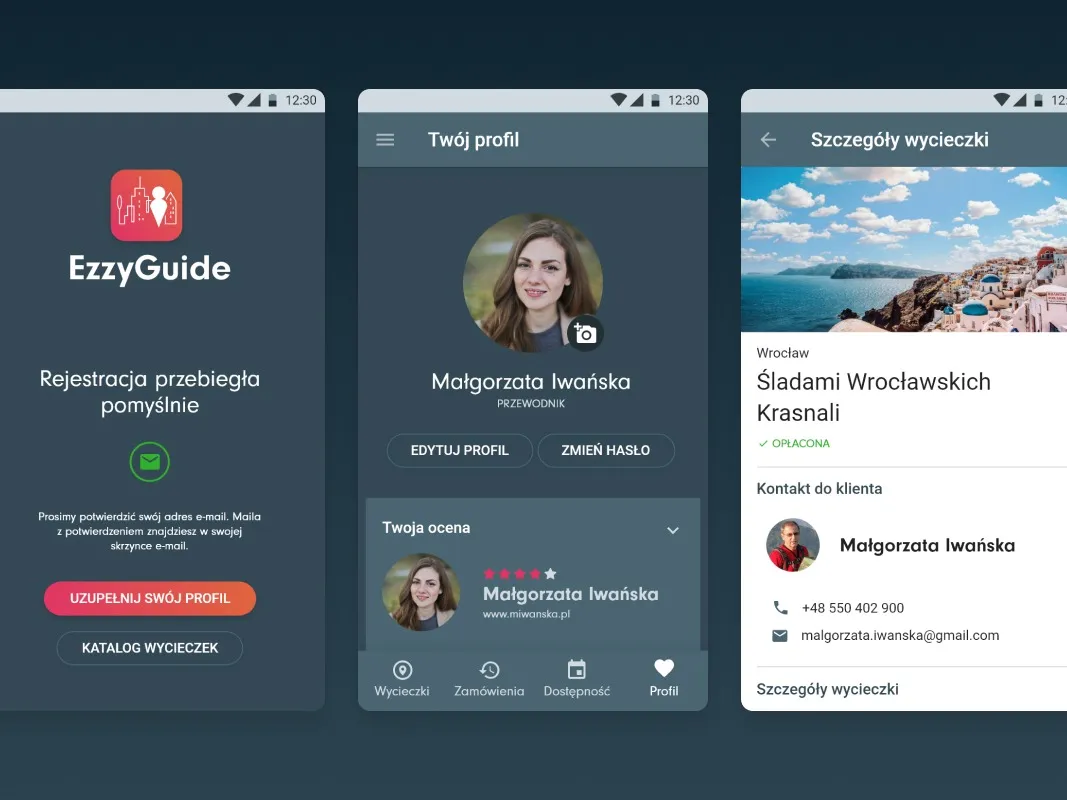
View projectEzzyGuide connects licensed mountain guides with people looking for tours: a catalogue of offers, date booking and contact with the guide, all in one app. We designed two account types, the tour order flow, and guide and traveller profiles.
-
E-commerce
Fonia
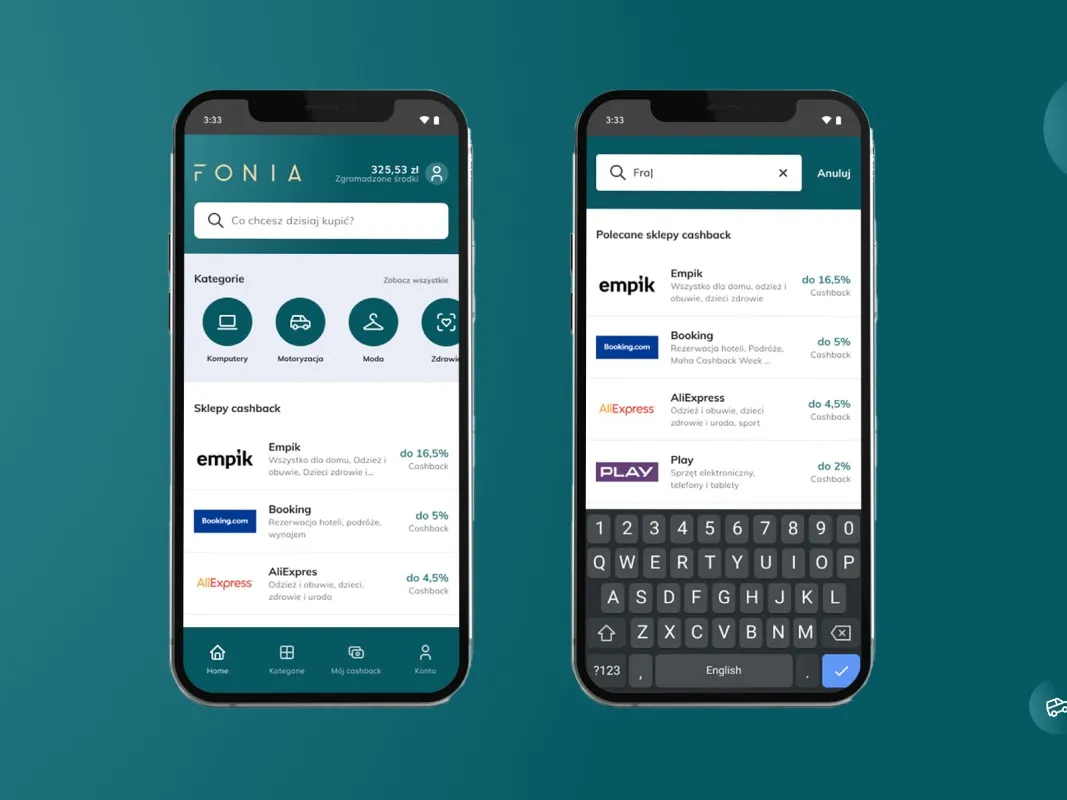
View projectFonia connects online shopping with cashback: users search for a store, shop, and get part of the money back. We designed the full path from the cashback store search, through sign-up and payouts, to an account panel with balance and withdrawals.
-
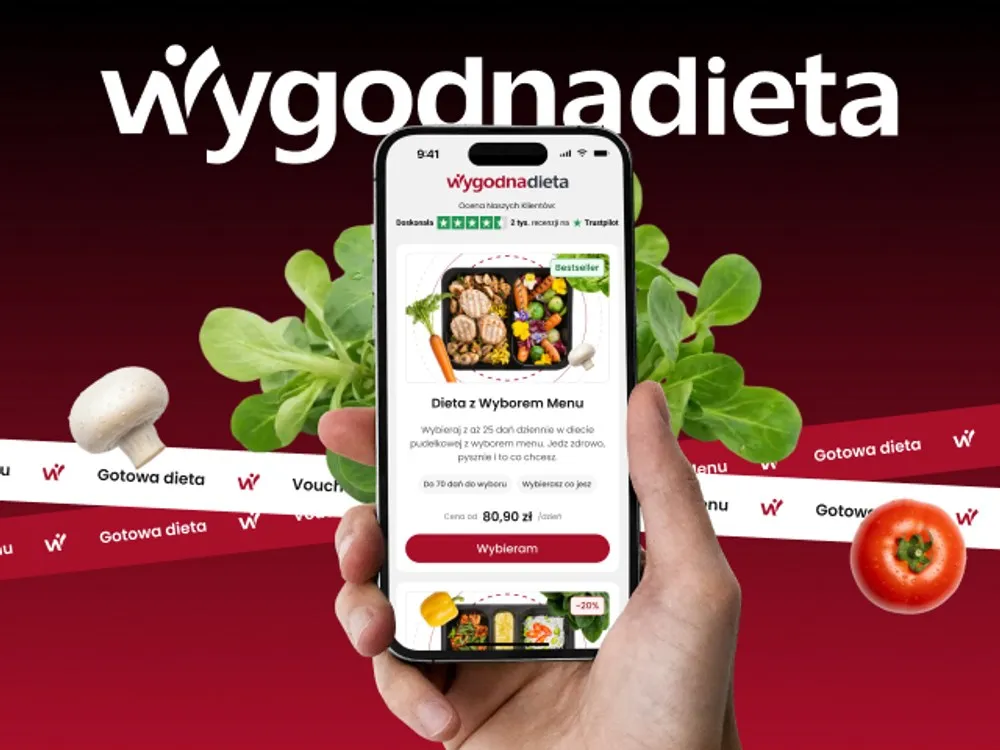
WygodnaDieta
App and online store for a meal-box diet service
- See what else we build Projects
Commission a mobile app design
Flows, an interactive design and phone tests before the first line of code.
Client voices
What our clients say

“Our collaboration with UX Agency Wzór on the new version of the WygodnaDieta.pl mobile and web app went perfectly. The designers truly understood our users and turned that into concrete decisions, simplifying the most complex processes so the user journey is now shorter and clearer. The team responded flexibly to our feedback and proposed thoughtful UX/UI solutions. We wholeheartedly recommend Wzór to anyone looking for experts with passion!”
 Marcin Ostrzycki Chief Operating Officer, Selectivv

“We're glad we chose to work with Wzór UX Agency. The time it took to deliver the project, and their commitment, went beyond our expectations. They did solid work for us, which is why we recommend them at every turn.”
 Kacper Maraszkiewicz Project Manager, EMBIQ

“UX Agency Wzór is a real treasure for us. From the very start, on every one of our UX/UI projects, we can count on their full commitment and professionalism. Their approach to design and to the way they work fits our needs perfectly - from thorough documentation to finished designs that are simply easy to implement. They have a great flow, so everything runs smoothly, and every project looks excellent and is thought through from the user’s side. We wholeheartedly recommend Wzór as a dependable partner for any software house!”
 Paweł Kowalski Managing Director, IBIF

“Working with UX Agency Wzór is a pure pleasure. From the very beginning we could count on their professionalism, creativity and flexible approach to every project. Both the documentation and the finished designs are prepared in a way that makes implementation easy and delivers an excellent user experience. Wzór’s working flow keeps the process smooth, and the end results always exceed our expectations. We warmly recommend UX Agency Wzór.”




























The team
Who will lead your mobile app design project?
-
Aleksandra Bondar
Senior UX/UI Designer
View profileHow can I help you?
“I will design the app's screens in every state and hand them to your developers so they have nothing left to guess.”
-

Katarzyna Adamczuk
Prezes, Analityk Biznesowy
View profileHow can I help you?
“I will prepare a working prototype of the app at a link you can go through on your own phone.”
-

Tadek Wadas
Senior UX/UI Designer
View profileHow can I help you?
“I will test the key paths with your users on a phone and design the app in line with accessibility principles.”
FAQ
Frequently asked questions about mobile app design
How long does mobile app design take?
Mobile app design takes around 6-8 weeks from the start of work to handing the files to developers. Additional user roles, integrations with your systems and a wider scope of user testing extend it, which is why we confirm the timeline once we know the scope.
Do you design an app separately for iOS and Android?
We design an iOS and Android app as one product with a single set of components and differentiate it where Apple and Google follow different conventions. That means navigation, the back gesture and touch target sizes. Screens copied one to one feel foreign on the other platform.
What does mobile app design include?
Mobile app design covers a flow map, the designed screens with their states, an interactive app design and a component library. Developers get Figma files with the screens prepared for coding, a behaviour specification and assets, and we answer their questions while they code as well.
Does mobile app design include development?
Mobile app design does not include development: it ends with handing over the files and the specification. The app is then built from it by our team as part of mobile app development or by your developers, and development is a separate budget and a separate timeline.
Is an app design tested with users before development?
We test the app design with users before development starts. Participants work through tasks on a phone, and we agree the scope of testing together, because the project timeline depends on it.
Does a company need a mobile app, or is a website enough?
A mobile app makes sense when it uses what a browser does not fully offer: the camera, location, notifications or working without a signal. An app that only repeats the website risks rejection in review, because the App Store guidelines require features that go beyond a repackaged website. When that is the case, we say so in the first conversation.
Does the app design take App Store and Google Play requirements into account?
We build App Store and Google Play requirements into the design from the first flows, because some of them concern screens. An app that lets people create an account has to let them delete it from within the app, on Google Play also through a web page, and Apple's reviewer has to be given an active demo account or a fully featured demo mode. We draw those screens along with the rest of the design.
Who owns the copyright to the app design?
The economic copyright to the app design passes to you on acceptance and payment. Along with it you get the source files. We do not use time-limited licences or make you dependent on further work with us.
Can a live mobile app be redesigned in stages?
We redesign a live mobile app in stages, starting with the path where you lose the most users, most often the first launch. You see the effect as early as the first release. When it is not clear where the problem lies, we start with a UX audit.
Related services
Services related to mobile app design
You have an app, but users abandon it.
We will first find where they lose their way, and why.
You have an idea, but no scope yet.
We will lay out the assumptions with you and decide what makes the first version.
The design is ready and waiting to be built.
We will build the app and take it through publication in the stores.