


Industrial Manufacturing
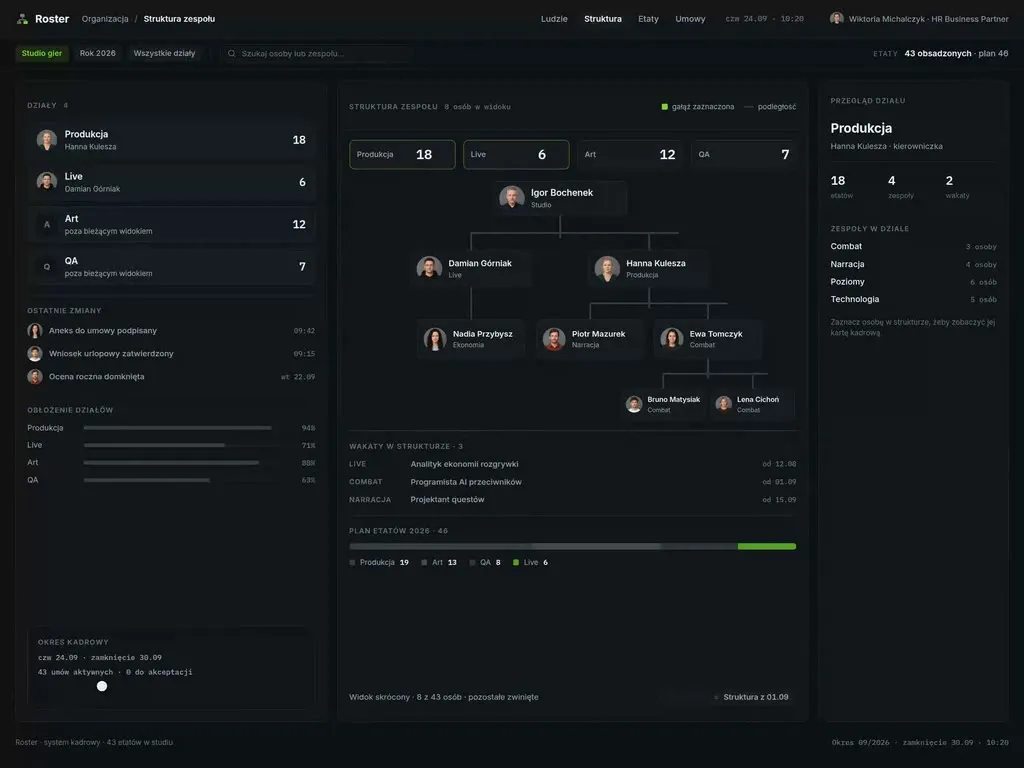
At Wzór UX agency you receive an interactive design of your industrial manufacturing software, be it a quality control system, a MES with operator terminals or a maintenance app, and either our team or your own developers can then build it. For manufacturers we designed, among others, the websites of SpotOn, a company that delivers steel structures from design to assembly, and Trimet, which makes sailing hardware and welded mesh.







Challenges
What challenges do we help solve in industrial manufacturing?
Our approach
When designing an operator terminal, we let a stoppage be reported from a list of reasons with a single tap, on targets large enough for a gloved hand. Supervisors correct their shift's entries before closing it, so in the morning the production manager reads the same stoppage and the same reason that was reported at the machine.
Scope of services
Our approach
We sort the alarms on an HMI panel by priority and give each level its own colour and shape, and when several go off at once, the most important one comes to the front together with the place on the machine it refers to. The operator starts from what the screen has pointed to instead of scrolling a list.
Scope of services
Our approach
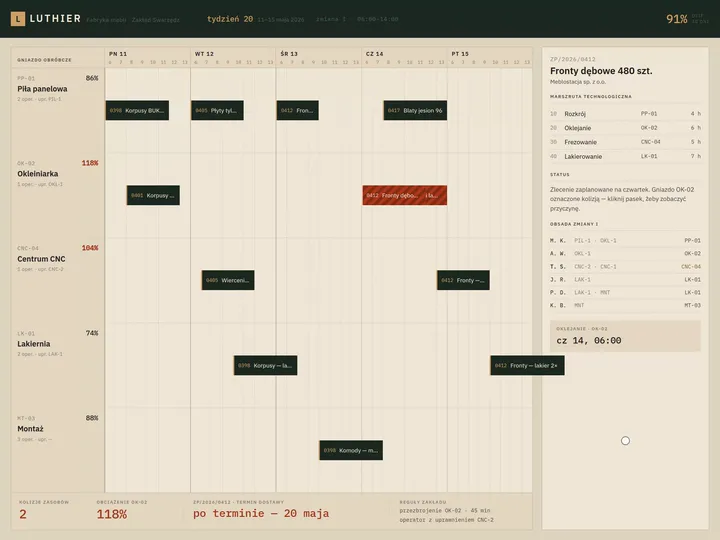
We lay out a production schedule so that the planner drags an order on the Gantt chart and sees the effect at once: an overloaded work centre, no operator with the right certification, a delivery date that slips. That is how we designed Luthier, a production schedule with a work centre board, where dropping a single bar replans the rest of the week.
Scope of services
Who it is for
Which industrial manufacturing companies do we design software for?
MES and operator terminals
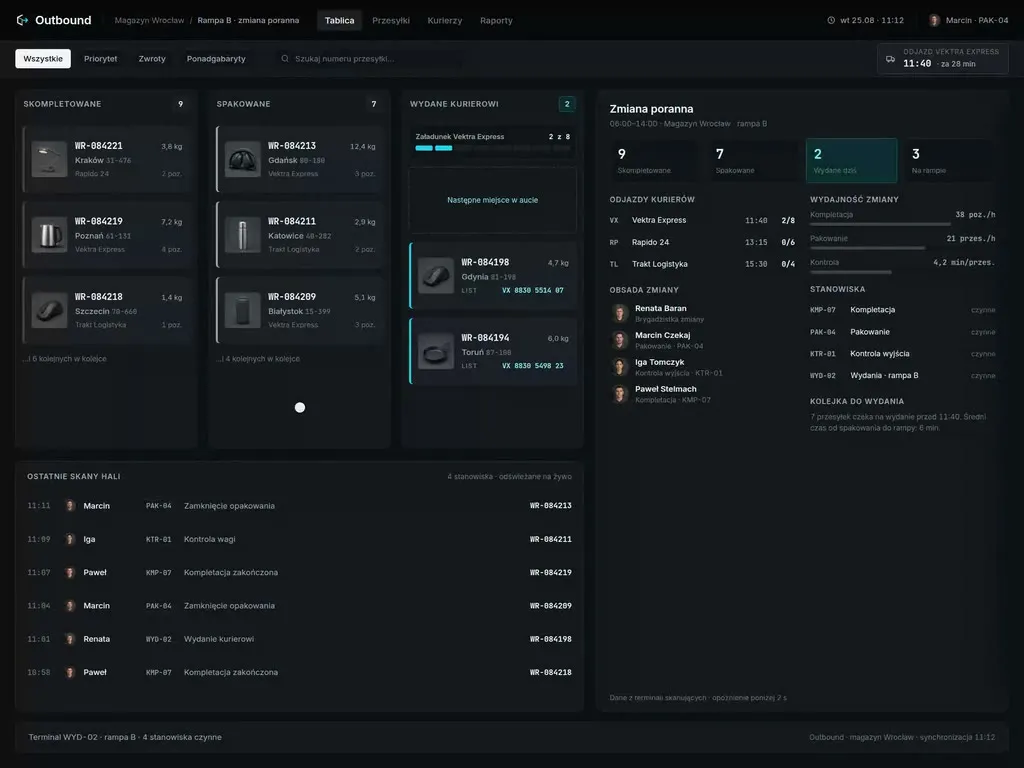
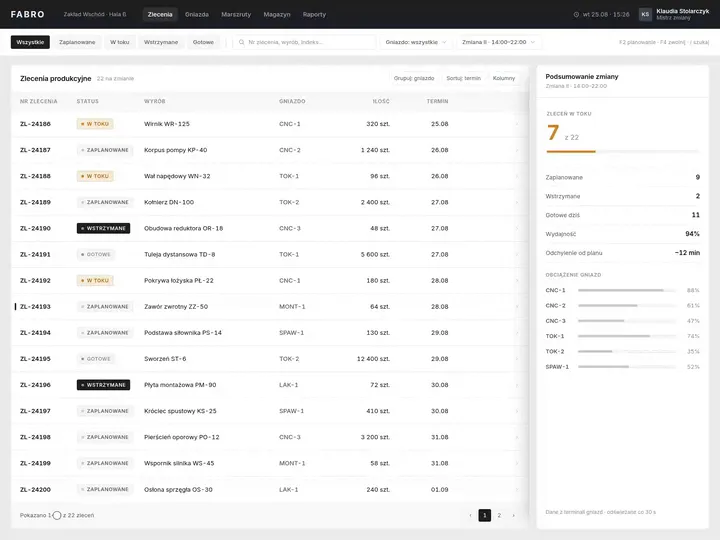
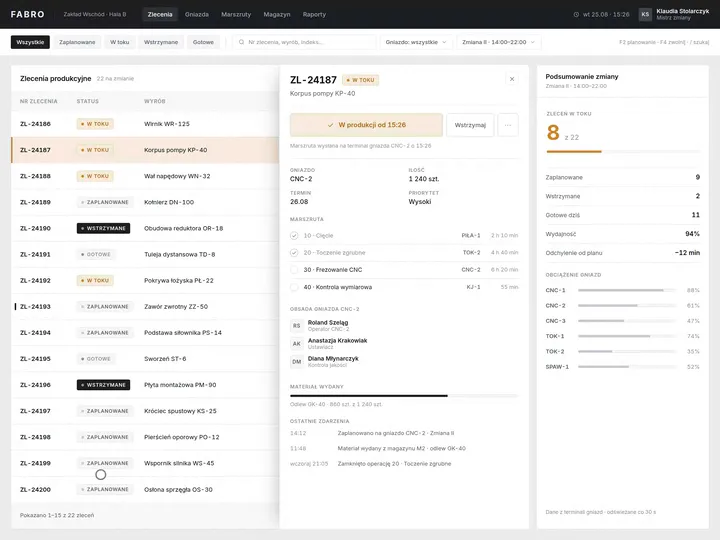
Plants where operators report good parts, scrap and stoppages at the workstation, and supervisors and production managers settle the shift from those reports. We designed Fabro, a production order board, where clicking an order opens its routing and crew, and releasing it to production updates the count of orders in progress straight away. The workstation terminal holds only what gets reported during the shift, and the summaries go to the manager.
ERP and material requirements planning (MRP)
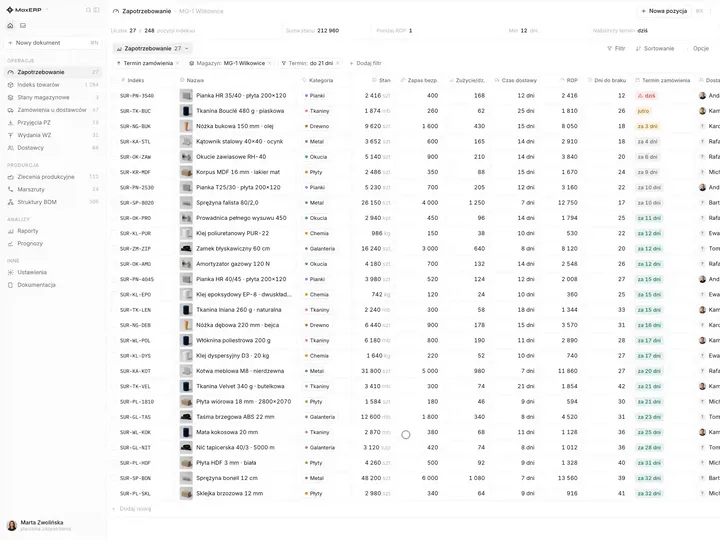
Manufacturers where the planner spreads orders across work centres and the buyer makes sure material does not run out halfway through a batch. In MaxERP, an ERP system with a procurement module, we designed a report that shows the day a raw material will fall below safety stock and offers a ready purchase order to the supplier. When designing scheduling and purchasing, we base them on the same data, so the planner does not promise a date there is no material for.
Quality control and control charts
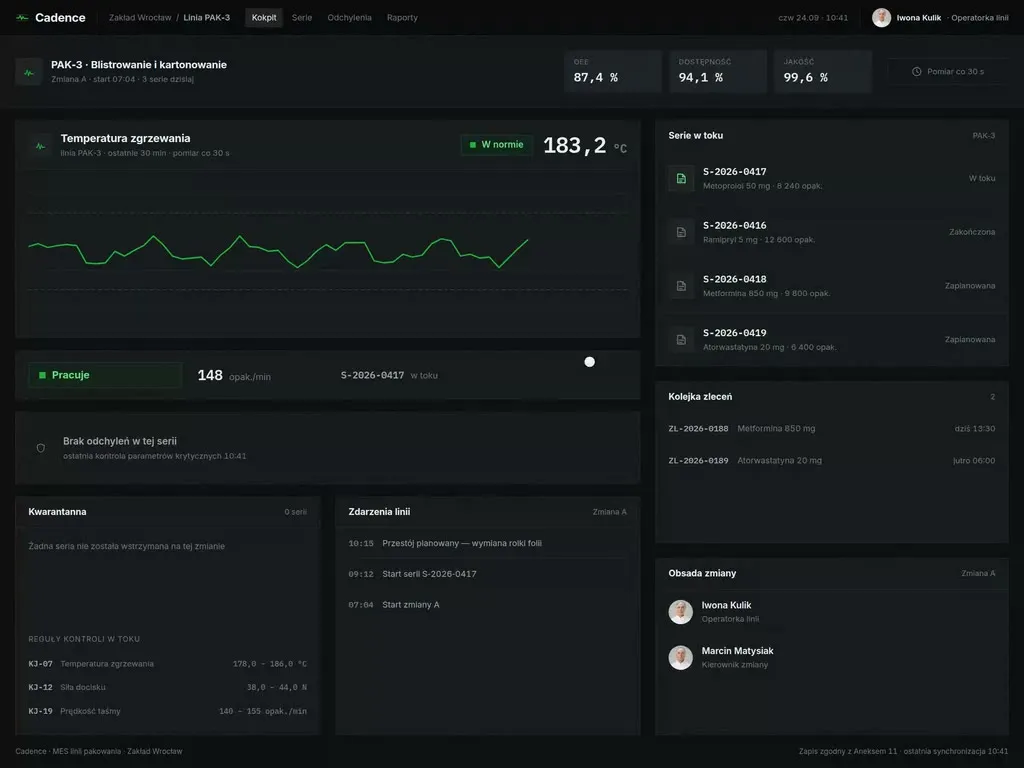
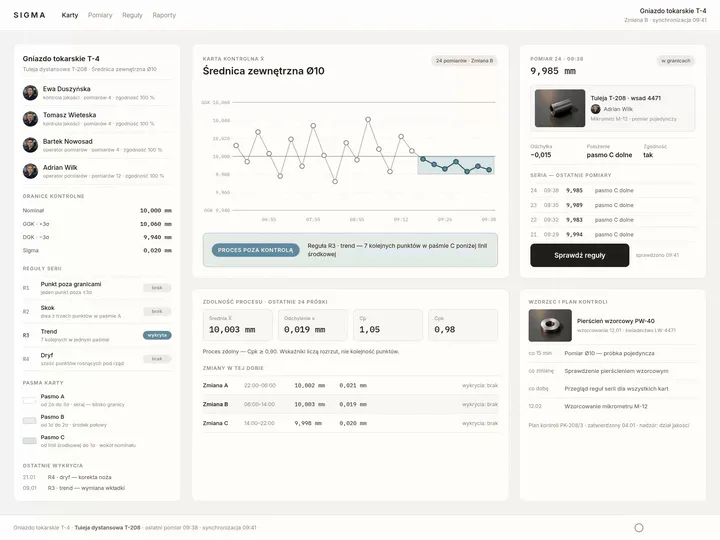
Plants where a quality inspector plots a point on the control chart after every measurement and a quality engineer decides when to stop the process. In Sigma, a quality control system with a control chart, run rules check the pattern of the latest points and light up on a trend even though no measurement has crossed a limit yet. Next to the chart the inspector sees which rule fired and on which measurements.
HMI panels and SCADA
Machine and line builders who hand the customer a machine together with its operator panel, and plants that watch the whole shop floor in SCADA. Operators respond to alarms on that screen for the whole shift, often wearing gloves, so we start a panel design from the alarm list and the display hierarchy, from the view of the whole line down to the details of a single unit.
CMMS and maintenance
Maintenance departments where technicians receive breakdown reports and inspections on their phones while crossing the shop floor, and operators report faults at the machine. A report starts with scanning a code, so the technician sees the equipment's repair history at once, and the stoppage gets a cause that production and maintenance do not have to argue about later.

Why us?
Why choose our UX agency?
-
A shorter path from breakdown to repair
A technician who receives a report with the machine name and a photo of the fault starts the repair without calling the operator back. The line runs again sooner, and maintenance gets back the time that goes into phone calls today.
-
Fewer parts in sorting and complaints
An inspector who gets a signal that the process is drifting while the batch is still running stops it before a lot needs sorting. Fewer parts reach your customers only to be returned as complaints.
-
Shorter training at the workstation
A new person learns a terminal or panel that shows only what the operator needs on their shift faster than a screen with the whole system. You can then staff a free workstation without long training in the software.
-
A senior team
A team of senior UX designers who have been designing interfaces for nine years, today for large organisations, SaaS companies and software houses. Seniors will take on your operator terminal or machine panel, from research at the machines to sign-off.
-
Proven client trust
We have designed for 115 brands, and most of them come back to us with their next project.
-
Higher quality with AI
A designer with AI tools checks more variants of a control chart or an alarm list than they could draw by hand and picks the one that works. What reaches you is a tested version, not the first one that came out.
Process
How will we design your industrial manufacturing software, step by step?
-
A conversation with your team

We set the goals and look at the systems your shop floor runs on today
We sit down with the people responsible for production, quality, maintenance and planning. Together we pick one process to change, such as stoppage reporting or replanning after a breakdown, list the systems the project has to work with and agree the measures of success.
Key steps
- Conversations with production, quality, maintenance and planning managers
- A review of the systems: ERP, MES, SCADA, CMMS
- Choosing the process we start with
- Agreeing the measures: stoppages with a cause, scrap, time from report to repair
Deliverables
- Project brief
- Map of systems and their owners
- List of measures
- Scope of the first stage
-
Discovery on the shop floor
We watch the work at the machines, on every shift
We stand at the operator's workstation, go on a round with a maintenance technician and sit with the planner while they rebuild the week after a breakdown. We note the workarounds: a sheet of stoppages by the machine, a phone call to maintenance instead of a report, a spreadsheet kept open beside the ERP.
Key steps
- Observing workstations on the day and night shift
- A round with a maintenance technician
- A session with the planner at the schedule
- Interviews with operators and supervisors
- A review of breakdown reports and shift reports
Deliverables
- Research report
- Process map with workarounds
- Prioritised list of problems
-
Interactive system design
A design that operators, technicians and planners click through
The screens are designed straight for the target devices: the terminal at the machine, the operator panel, the technician's phone, the planner's monitor. We test the prototype with operators and technicians at the workstations where they will use it and make the changes before it goes to the developers.
Key steps
- Screen architecture by role: operator, supervisor, quality inspector, technician, planner
- Interactive design for the target devices
- Exception states: stoppage, alarm, measurement outside the limits, missing material
- Prototype tests with users
Deliverables
- Interactive design of every screen
- Component library
- Description of behaviour in exceptions
- Prototype test report
-
Build or design hand-off
The new screens reach the shop floor together with the integrations
Our team builds the design, or we hand it over to your developers or to your system vendor. Either way, we spell out where each screen takes its data from: the ERP, the MES, machine controllers through OPC UA or the CMMS, so that the rollout does not stop the line.
Key steps
- Screen and field specification for developers
- Integration map: ERP, MES, controllers and OPC UA, SCADA, CMMS, measuring instruments
- Support for the implementation team
- Tests on test data before launch
Deliverables
- A working system or a package ready to build
- Integration specification
- Pre-launch test report
-
Measuring after launch
We check against shop floor data whether the change worked
After launch we compare stoppages reported with a cause, the amount of scrap and the time from breakdown report to repair with the measurement taken before the change. The order of the next improvements comes from that comparison, not from a wish list.
Key steps
- Measuring stoppages and scrap after launch
- A review of breakdown reports after the change
- Conversations with operators and technicians after launch
- Plan for the next improvements
Deliverables
- Measurement report
- Prioritised list of improvements
- System development plan
Methods and technologies
Systems and standards we work with in industrial manufacturing
-
SAP and Comarch ERP XL
When a plant plans production in SAP or Comarch ERP XL, orders, routings and stock sit in a system that serves the whole company, not just the shop floor. In that setup we agree with your ERP team from the first meeting which views we place next to the system and which need a change in the ERP itself.
-
ISA-95
ISA-95, published as IEC 62264, describes the exchange of information between enterprise planning systems such as ERP and manufacturing control systems such as MES. When your systems exchange data according to this standard, we lay out the operator and planning screens on the same concepts, so developers do not have to translate fields between systems.
-
OPC UA
OPC UA, published as IEC 62541, is the standard through which machines and controllers from different vendors pass data to software. When your machines provide it, the part count and machine status reach the terminal by themselves, leaving only the cause of a stoppage to be entered by hand.
-
ISA-101
ISA-101 is a series of standards on designing, implementing and maintaining HMIs in process automation, written to reduce operator error. When a plant bases its screen rules on it, we design the panel within those rules instead of drawing the visualisation from scratch.
-
Machinery regulation
Regulation (EU) 2023/1230 on machinery, which applies from 20 January 2027, requires the discomfort, fatigue and physical and psychological stress faced by the operator under the intended conditions of use to be eliminated or reduced to the minimum possible, taking into account at least the ergonomic principles it lists, among them adapting the human-machine interface to the foreseeable characteristics of the operators; the requirement only applies when the corresponding hazard exists for the machinery in question when it is used under the conditions foreseen by the manufacturer or in foreseeable abnormal situations. In a panel design we record which operators and working conditions its layout was chosen for.
-
Shift scenarios
Shift scenarios are how we test a prototype: an operator, a technician and a planner go through a shift with a machine breakdown, a rush order and a measurement outside the limits. You then see how the software behaves in the moments it is bought for, not only on a quiet day.
Selected work
Our work for industrial manufacturing
They include websites, product catalogues, a brochure and visual identities for manufacturers and industrial companies, from steel structures to furniture.
-
Industrial Manufacturing
Swish
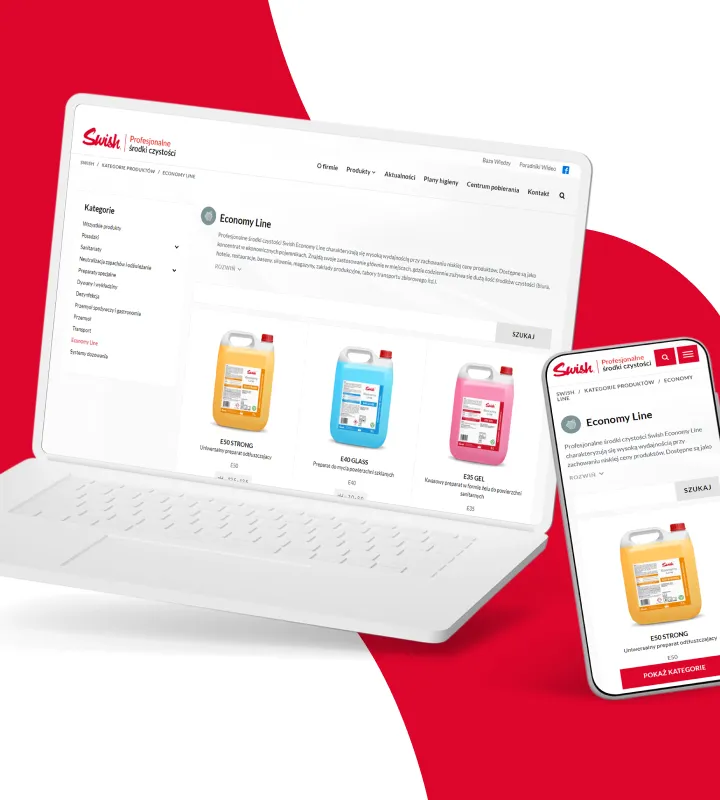
Read case studyWe delivered the UX/UI design for Swish's online product catalogue, focusing on process automation and a no-code WordPress implementation.
-
Industrial Manufacturing
NXC Liquid Cooling
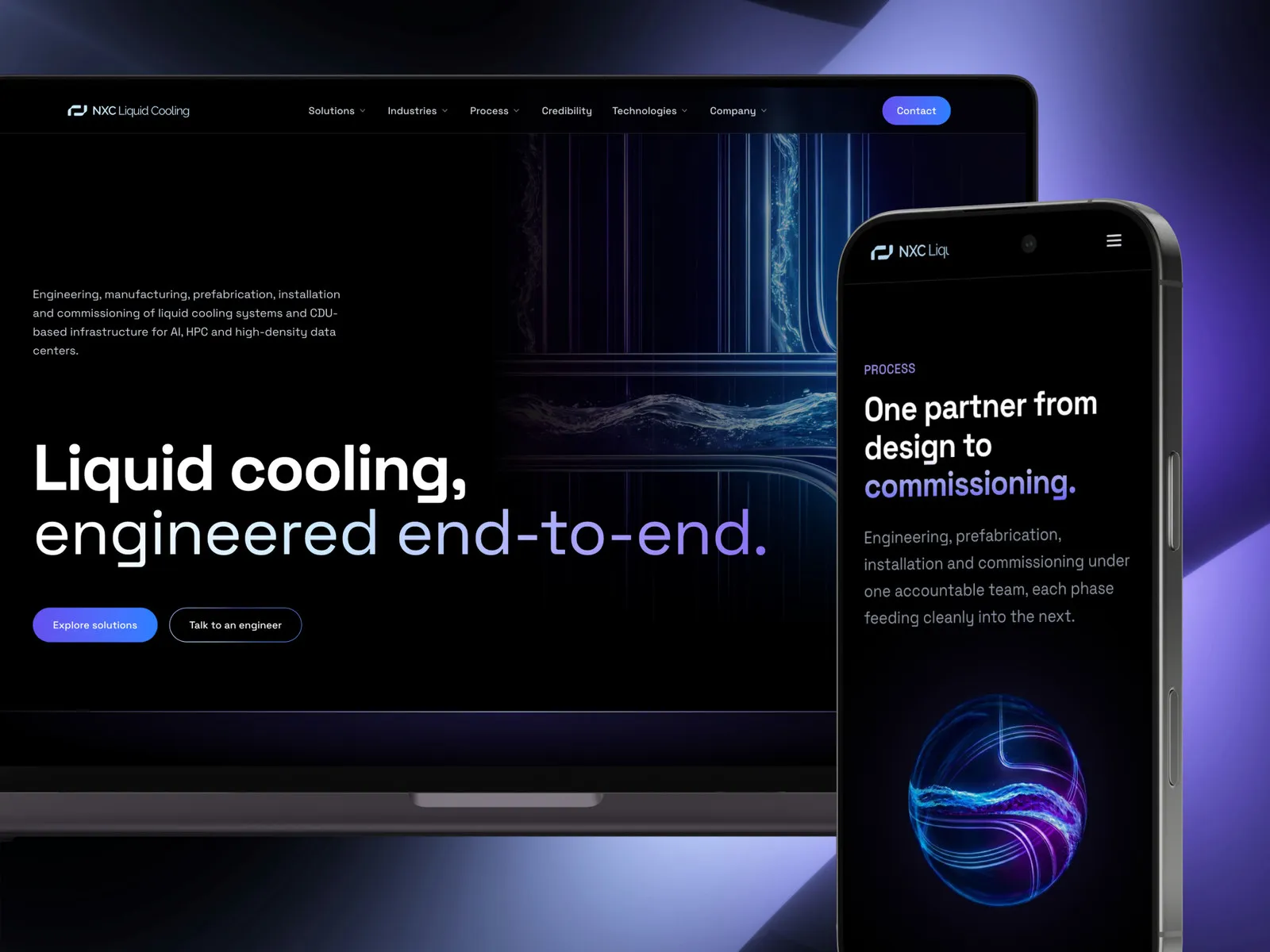
View projectThe website of NXC, a Wrocław company that engineers, prefabricates, installs and commissions liquid cooling systems and CDU-based infrastructure for AI and HPC data centers. A dark interface set in Space Grotesk, twenty pages across four cross-sections - solutions, industries, process, technologies - and English copy written for an engineer rather than for a search engine.
-
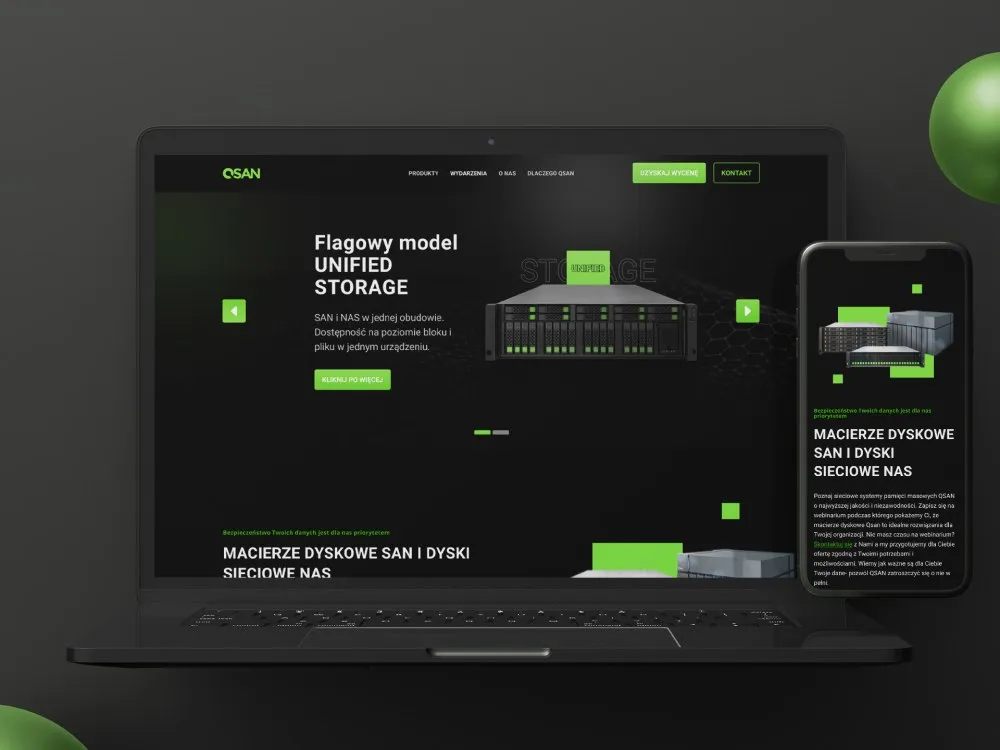
DAGMA
Product page for disk arrays and storage systems
-
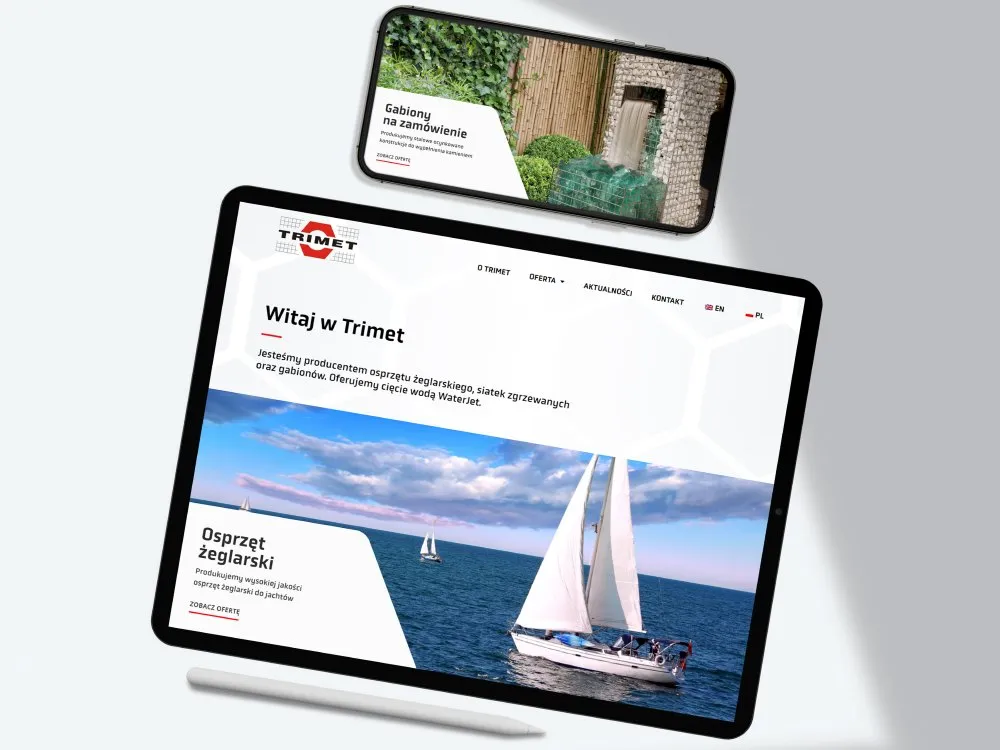
Trimet
Website for a maker of sailing rigging
-
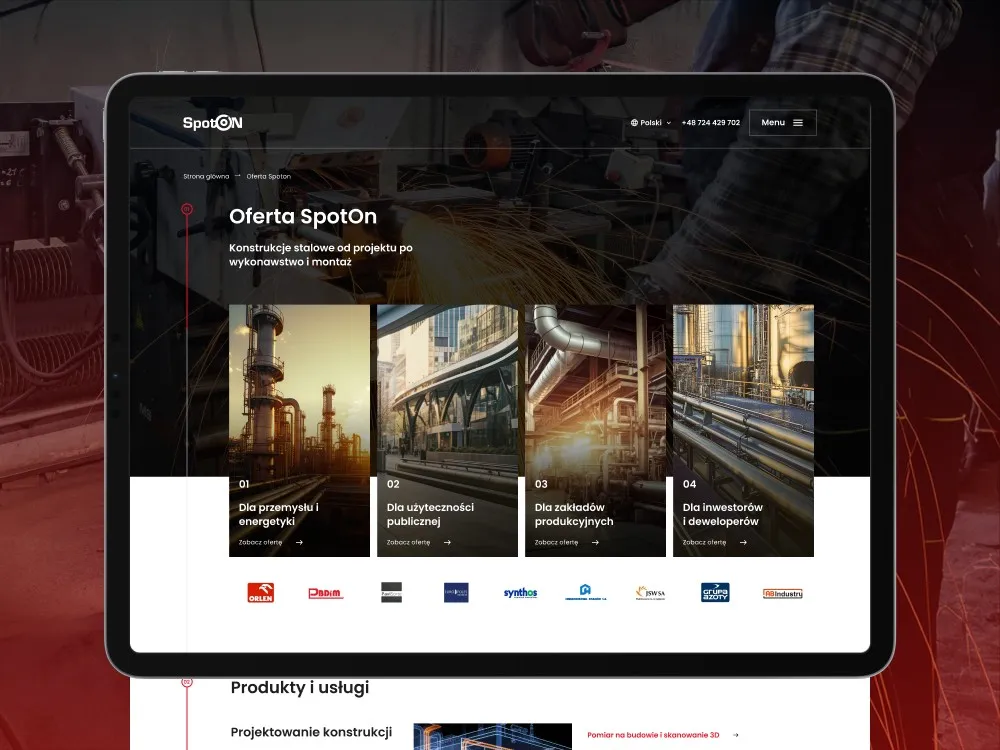
SpotOn
Website for a steel-structures manufacturer
-
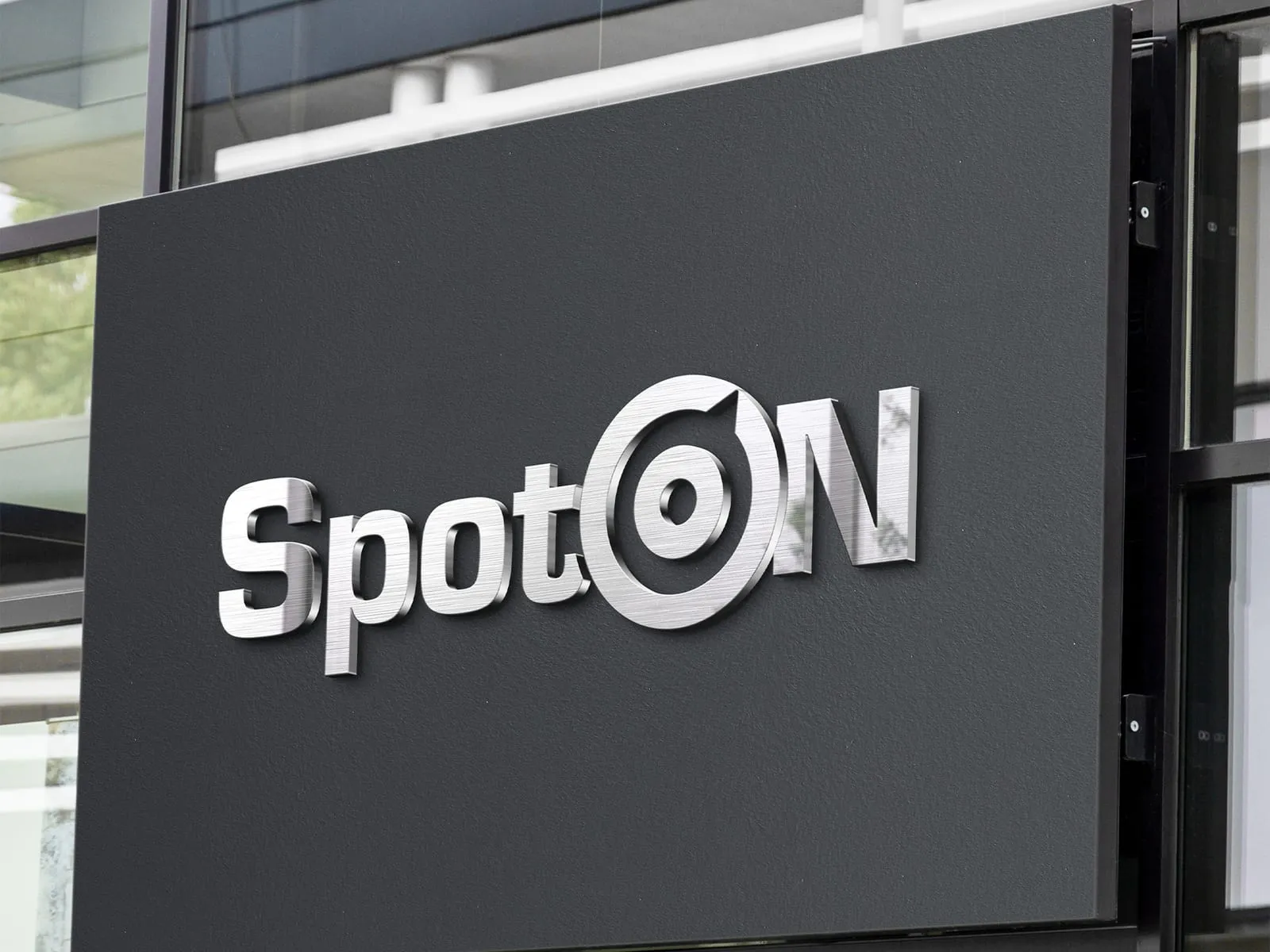
SpotOn
Visual identity for a welding company
-
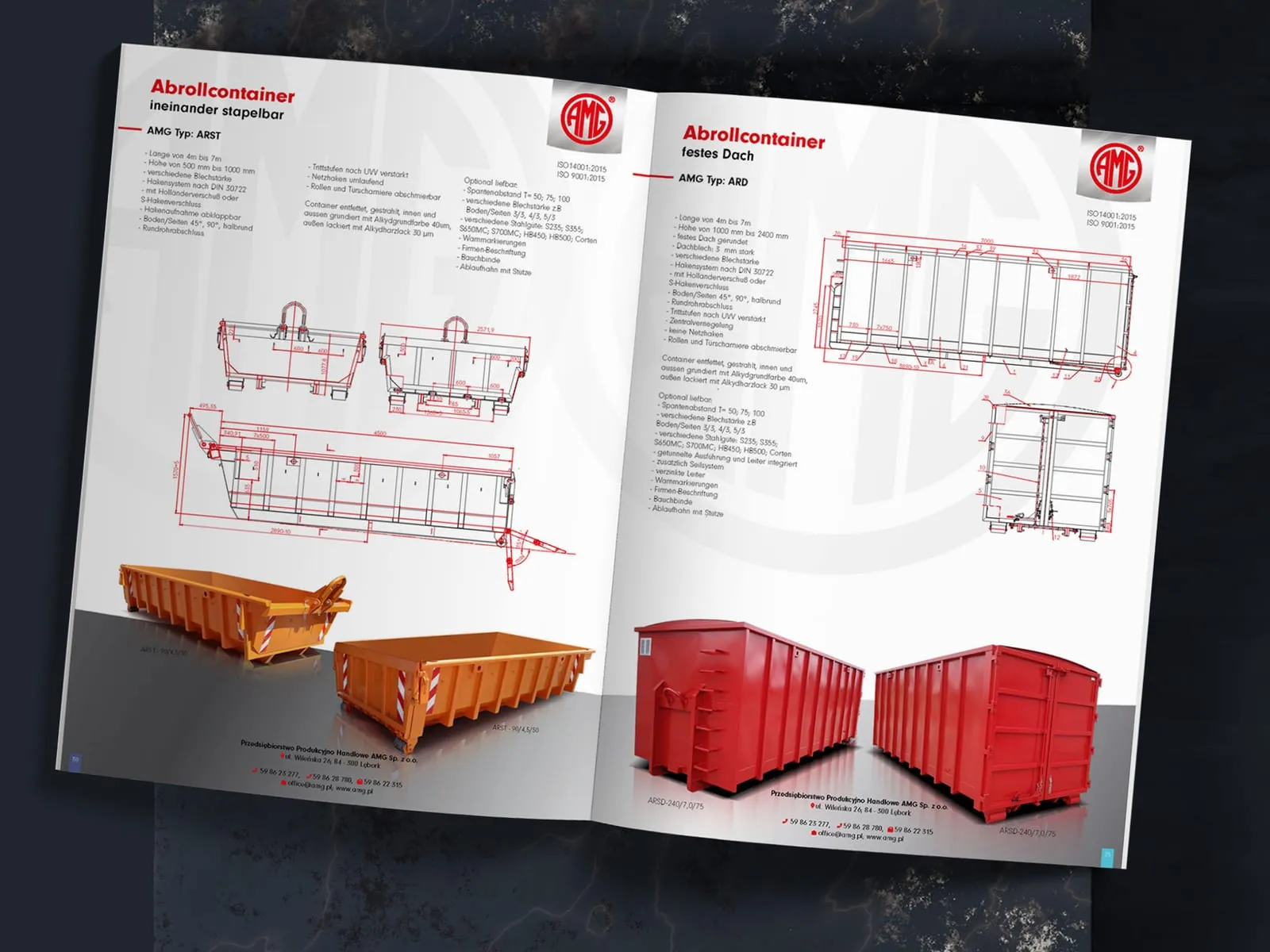
AMG
Catalogue for containers and steel structures
-
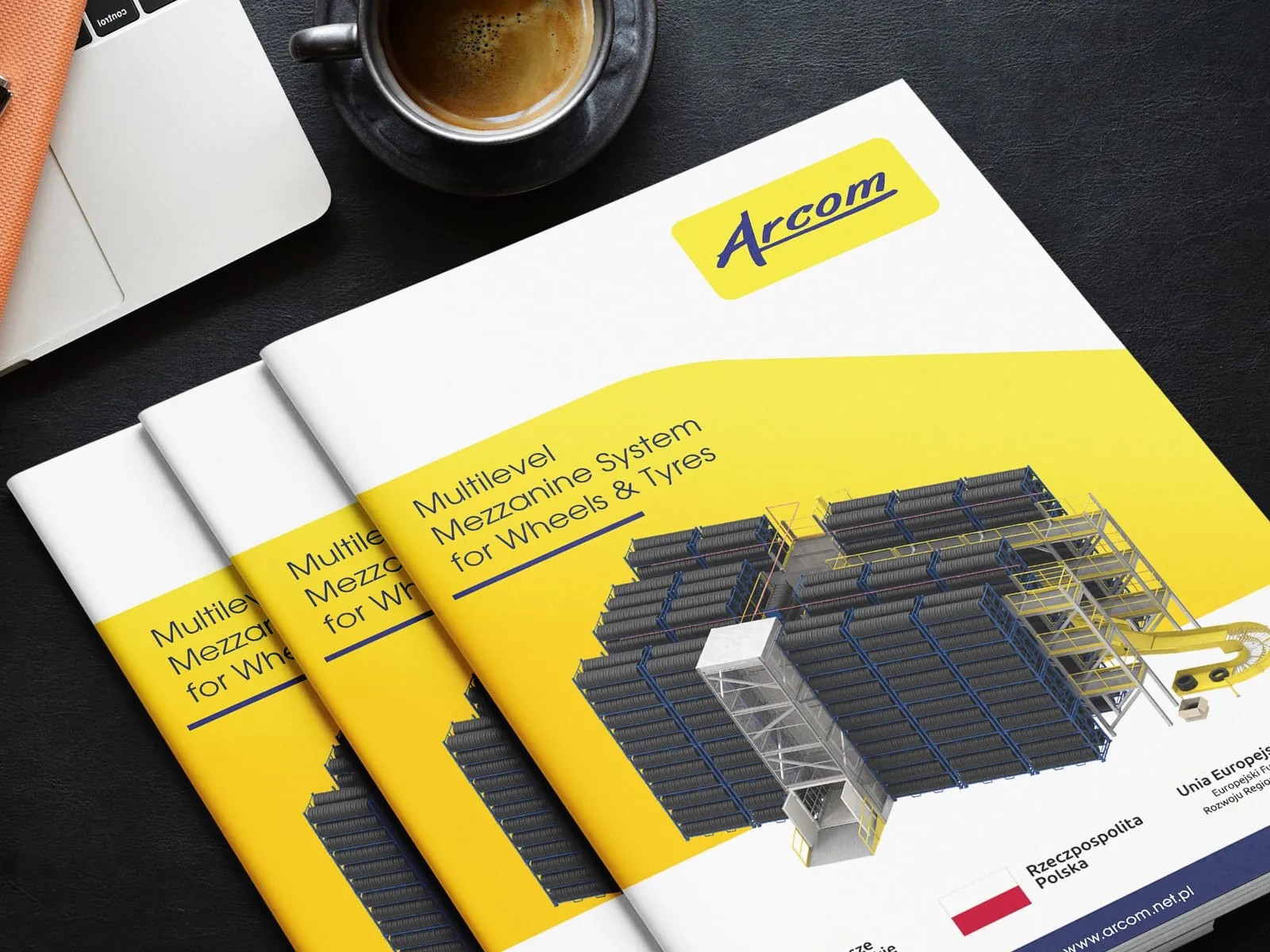
Arcom
Catalogue for a warehouse mezzanine system
-
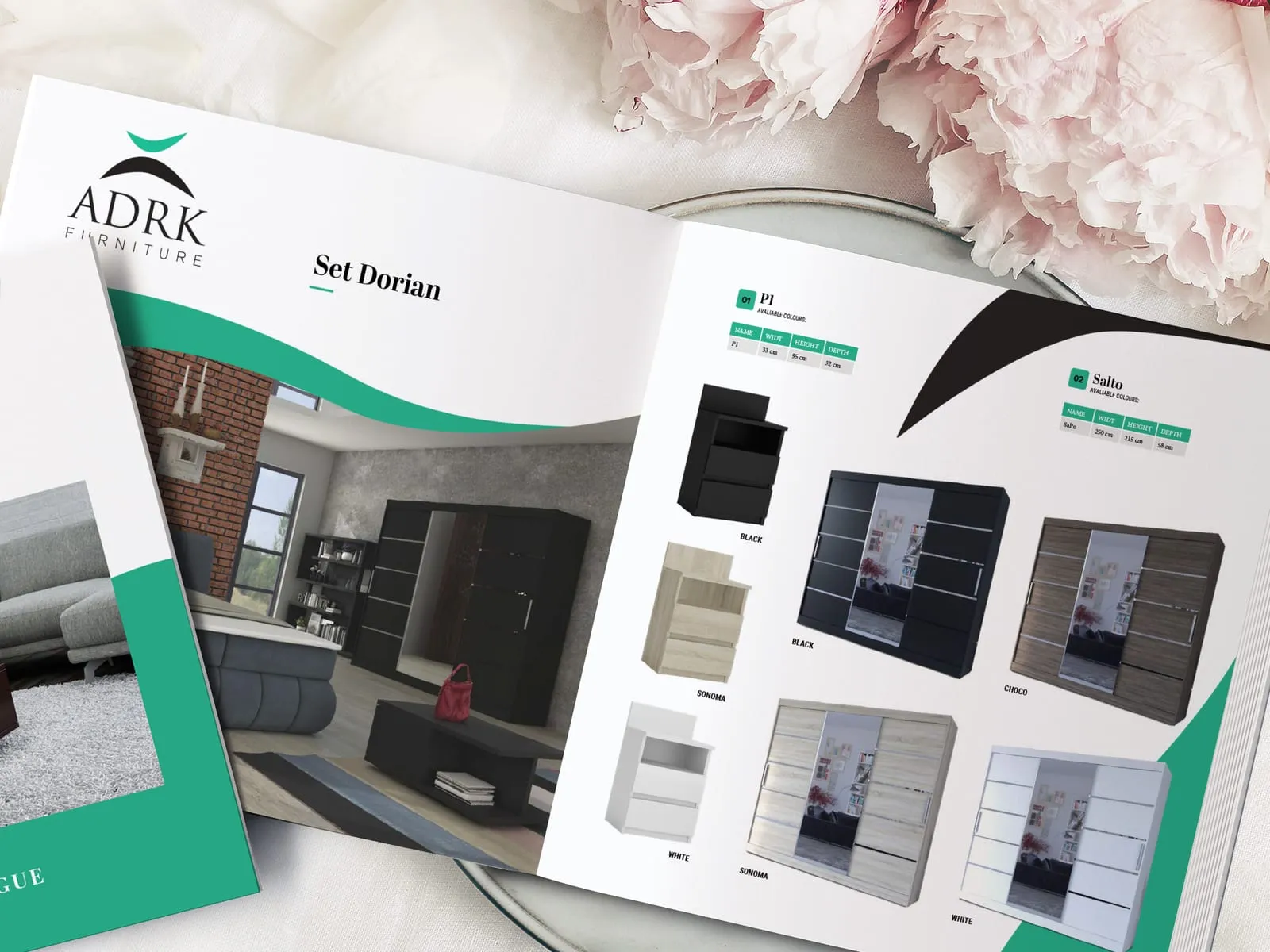
ADRK Furniture
Catalogue for a furniture manufacturer
- See what else we build Projects
Start your industrial manufacturing software project
The operator terminal, the control chart and the maintenance app are designed by one team, from research at the machine to the build.

Client voices
What our clients say
“Working with the UX agency Wzór on the NXC Liquid Cooling website went remarkably smoothly and professionally. The team stands out for its excellent, partner-like approach and its flexibility at every stage of the work. A major advantage was designing directly in code, which significantly shortened the time to launch while ensuring excellent technical and visual quality of the site. The end result meets our expectations 100%. I wholeheartedly recommend Wzór as a reliable partner.”

“UX Agency Wzór has been delivering website and landing page designs for our company for two years now. Every project was soundly planned and efficiently delivered. We particularly value the creative process, in which Wzór generates a range of concepts to choose from.”
“The site UX Agency Wzór built for us has been running fast and smoothly for several years now. Updating content is very simple, so we can keep people posted about upcoming events ourselves. The whole visual treatment matched our expectations, and the team advised us on the technical choices.”

































The team
Who will design your industrial manufacturing software?
-

Aleksandra Bondar
Senior UX/UI Designer
View profileHow can I help you?
“I will design the operator terminal and the control chart for the devices in your plant and test them with operators on their shift, wearing gloves.”
-

Katarzyna Adamczuk
Prezes, Analityk Biznesowy
View profileHow can I help you?
“I will work out how an order passes from the ERP to the MES and on to the terminal at the workstation, so that planning, production and the shop floor see the same data.”
-
Patryk Korycki
CEO, Analityk Biznesowy
View profileHow can I help you?
“I will agree the scope and order of work with you, and during the build I will see to the connections with the ERP, the controllers and the maintenance system.”
-

FAQ
Frequently asked questions about industrial manufacturing software
What is a MES?
A MES, or manufacturing execution system, is software in which a plant records production as it happens: orders, parts produced, scrap, stoppages and material use, often automatically from the machines. Operators report their work in it on a terminal at the workstation, and the production manager sees the state of the shift without waiting for a report. We start a MES project from the entries made at the workstation, because every later indicator comes from what is entered there.
What is the difference between MES and ERP?
MES differs from ERP in the level of detail: ERP covers planning, purchasing and finance for the whole company, while MES tracks production on the shop floor, machine by machine and shift by shift. ERP passes plans and orders to the MES, and the MES sends back production confirmations and material use. In both systems we keep the same names for orders and fields, so that planning and the shop floor talk about the same thing.
What is OEE?
OEE, overall equipment effectiveness, is a measure of machine utilisation calculated as the product of three components: availability, performance and quality. Its value depends on how reliably operators report stoppages and scrap. That is why, when designing a terminal, we put quick and unambiguous logging of a stoppage with its cause first.
What is a CMMS?
A CMMS, or computerised maintenance management system, is the maintenance department's software, in which a plant records breakdown reports, schedules machine inspections and keeps the history of repairs and spare parts. Technicians receive their tasks in it on a tablet or phone. We lay out the form operators use to log a fault so it can be filled in without stepping away from the machine.
What is an HMI panel?
An HMI panel is the screen on which an operator controls a machine or line, follows its parameters and responds to alarms; HMI stands for human-machine interface. Machine builders supply it together with the machine. Operators often glance at the panel from a few steps away while they work, so we set the equipment status and current values in the largest type on the screen.
What is the difference between HMI and SCADA?
An HMI is the operator interface of a single machine or workstation, while SCADA is a system for supervising a whole line or production area, with visualisation, alarms and events, historical trends and reports. An operator at the machine looks at the HMI panel, and in the control room at SCADA screens covering many machines at once. In SCADA we pay closest attention to the path from the overview to the device an alarm refers to.
What is an APS system?
An APS system is software for advanced planning and scheduling of production, which builds the schedule around limited resources: machines, materials, people and tools. The planner usually works in it on a Gantt chart and replans production after a machine breakdown, a shortage of components or the absence of a worker with key certifications. We show a schedule change together with the order dates it will move before anyone confirms it.
What is a control chart?
A control chart is a chart of successive measurements of a process over time, with a centre line and upper and lower control limits, usually three standard deviations from the centre line. It is used to detect that a process is drifting before it starts producing nonconforming parts. On the inspector's screen we place the chart next to the latest measurements of the batch, so they can compare the two without switching views.
Can you change a MES interface without replacing the system?
A MES interface can be changed without replacing the system when the new screens read and write data through the system's interface and the same MES keeps calculating orders, indicators and rules. What changes is what the operator and the manager see, while the production logic stays as it is. We list changes to the logic itself separately, as work for the system vendor.
Related services
Services related to industrial manufacturing software
You know operators bypass the terminal and log stoppages on paper.
Let us start by finding the point in the report where people give up on the system.
You are planning to roll out a MES or replace your ERP.
We will work out what the shop floor, planning and maintenance need before you choose a vendor.
You have a panel or terminal design and want to try it out at the machine.
We will talk it through with you or prepare a prototype for testing with the people who will use it.