

Banking & Finance
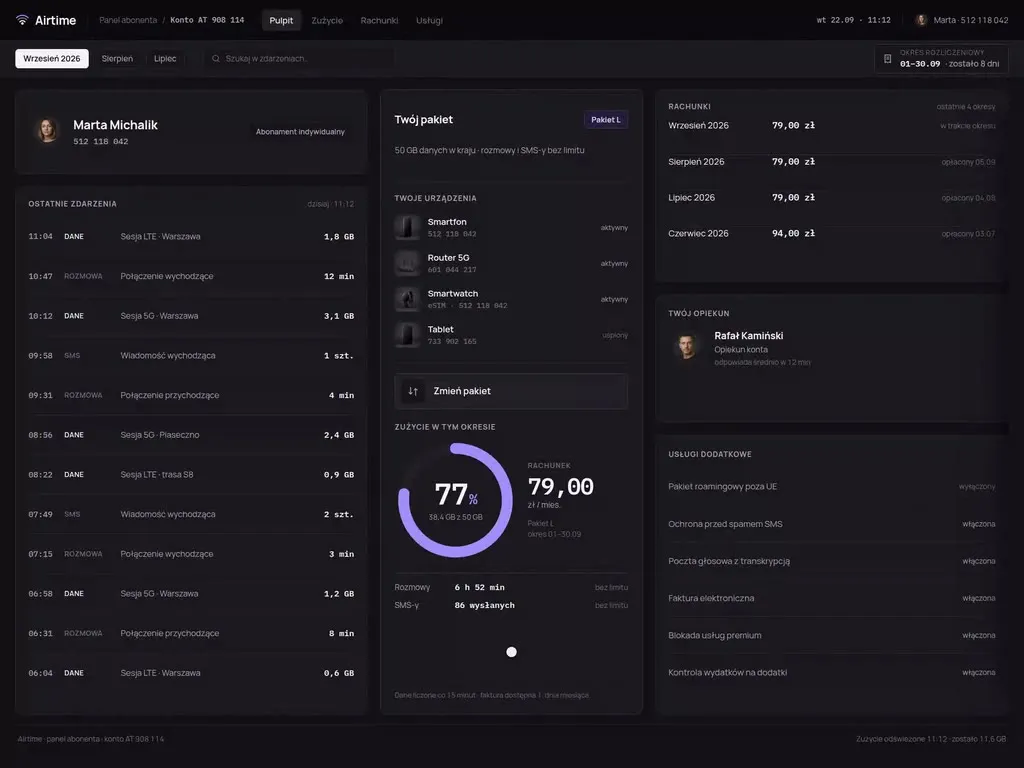
At Wzór UX agency you receive an interactive design of your banking and finance software, be it a banking app, a loan application system or a payment app, and either our team or your own developers can then build it. We have designed the NeoBank banking app and, for financial companies, the Flotino loan service and the Tip Card cashless tipping platform, among others.







Challenges
What challenges do we help solve in banking and finance?
Our approach
We split identity verification into steps, each of which tells the customer what it is for and how much is left. When the document is photographed, we suggest what to fix: glare, a cropped edge or blurred text. Anyone who gets stuck returns to the same step, not to the start of the application.
Scope of services
Our approach
We lay out the application form so the customer attaches a document at the moment the system asks for it and can see at all times what is still missing. The analyst then receives an application that is complete or comes with a list of gaps the customer already knows, so the assessment starts with the documents, not with a phone call.
Scope of services
Our approach
We give customers the new layout to go through before it reaches the app stores. We ask them to do what they do every week, such as a transfer to a saved recipient or blocking a card, and watch where they look for it. We fix any change that made someone lose an everyday task before release.
Scope of services
Who it is for
Which banking and finance companies do we design software for?
Online loan and credit applications
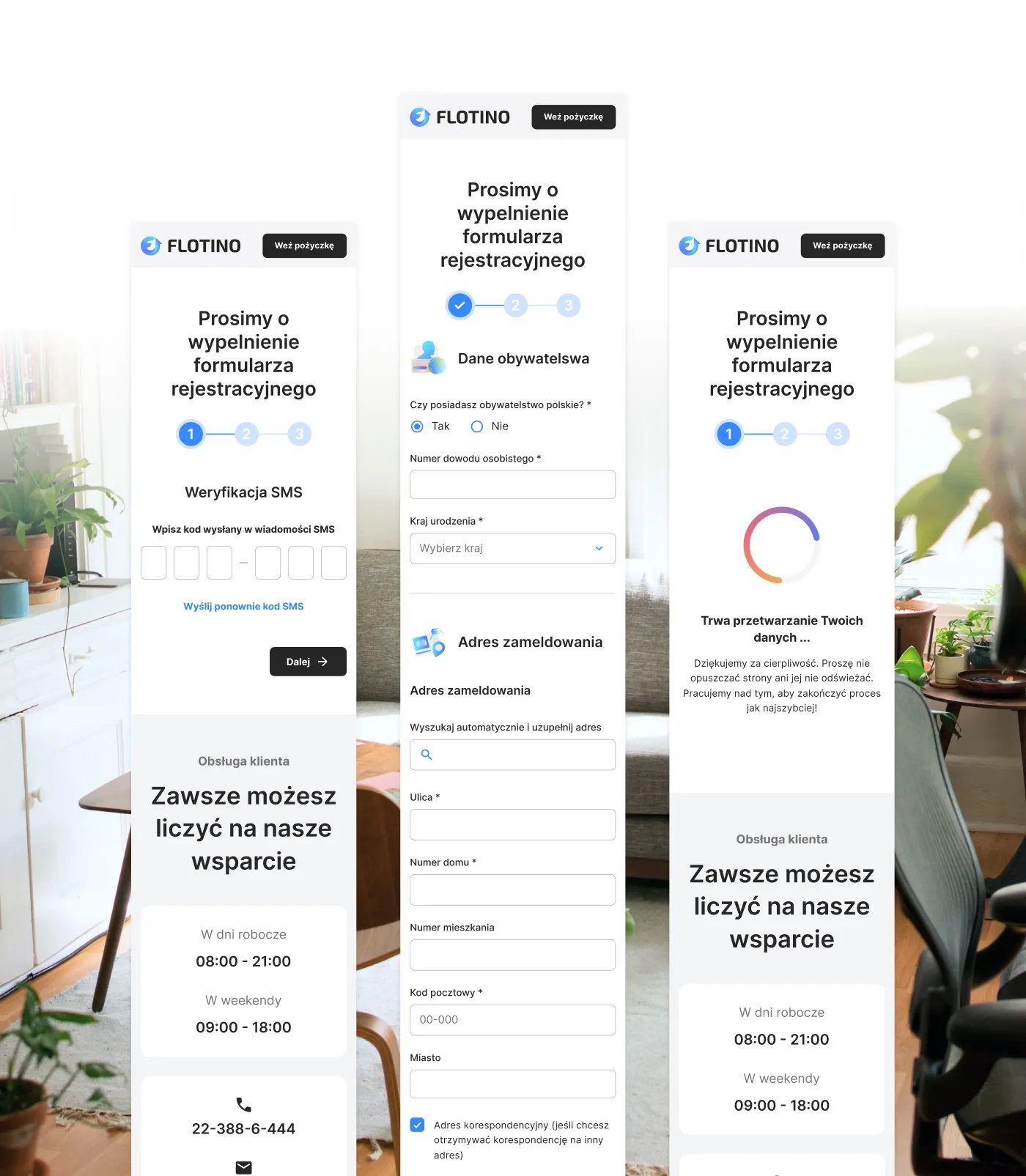
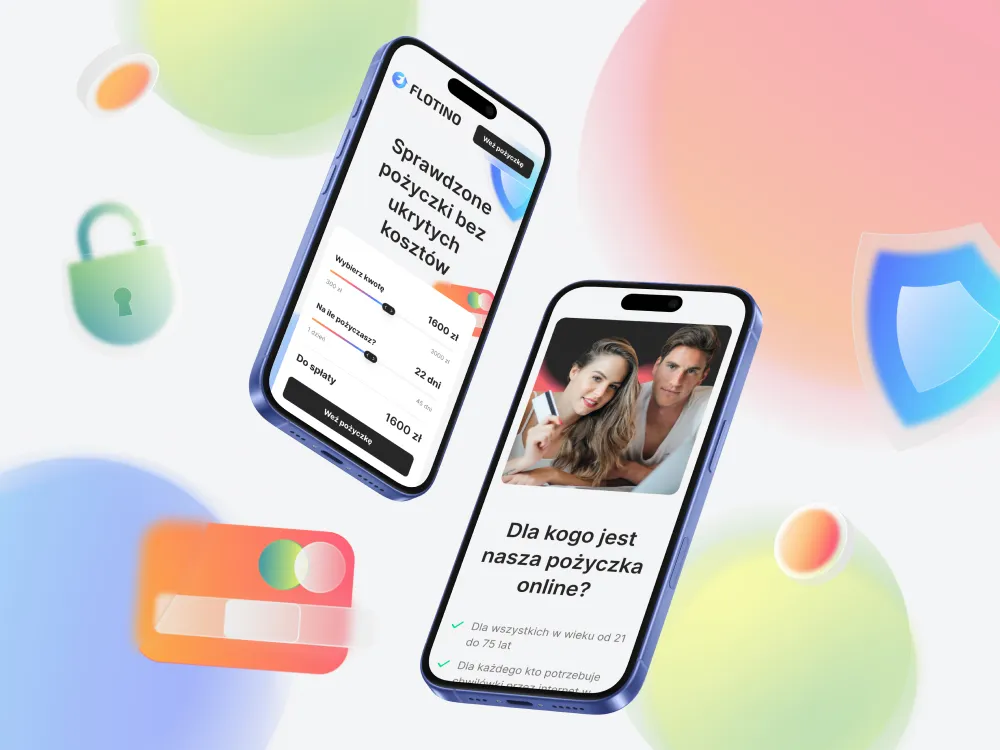
Banks and lenders take applications online, and a credit analyst assesses them in the application system together with the customer's history from BIK, the Polish credit bureau. We designed the Flotino cash loan service with an amount and repayment term calculator on the homepage and an application that leads through SMS verification, personal details and the registered address. We order the application fields in the sequence in which the customer has the data to hand.
Payment apps and wallets
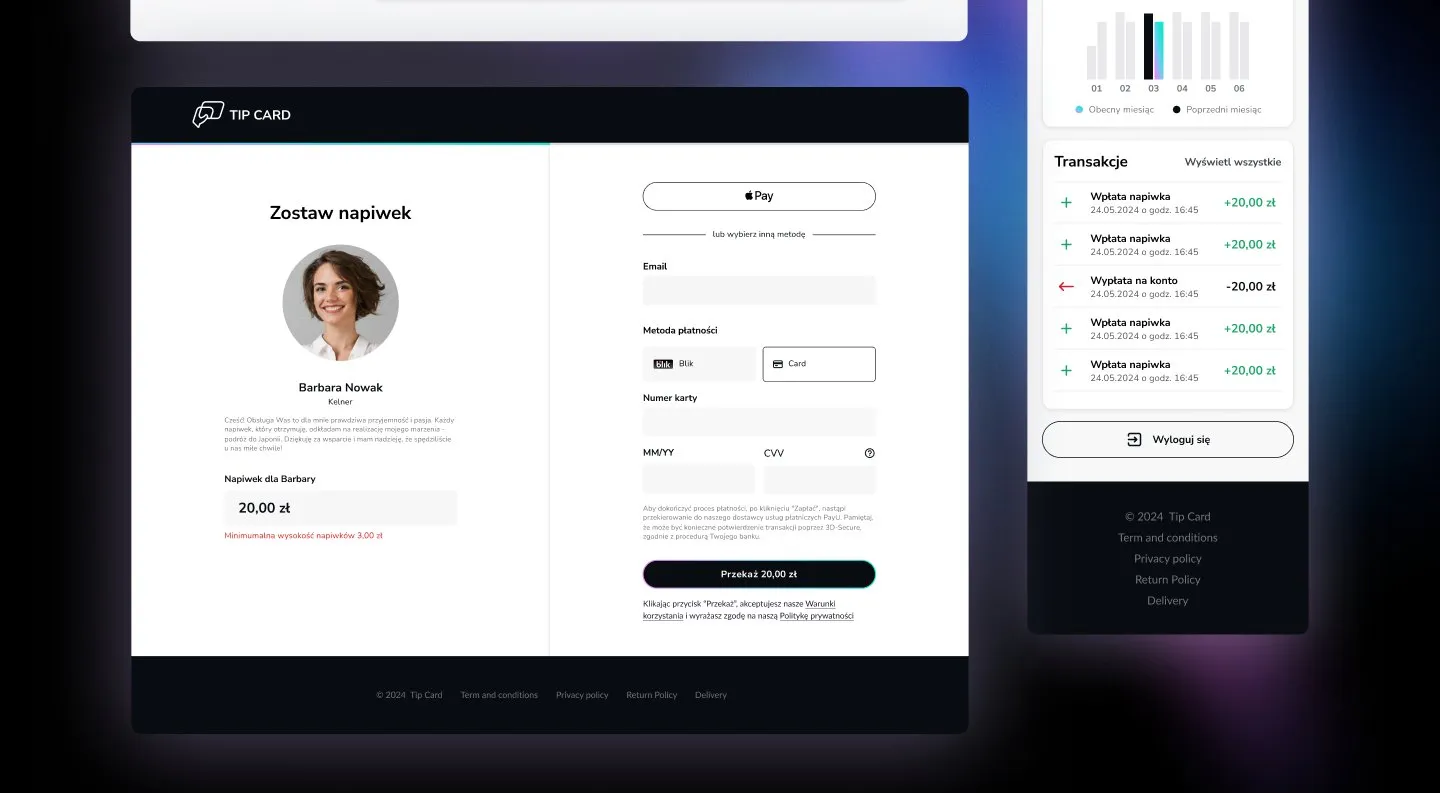
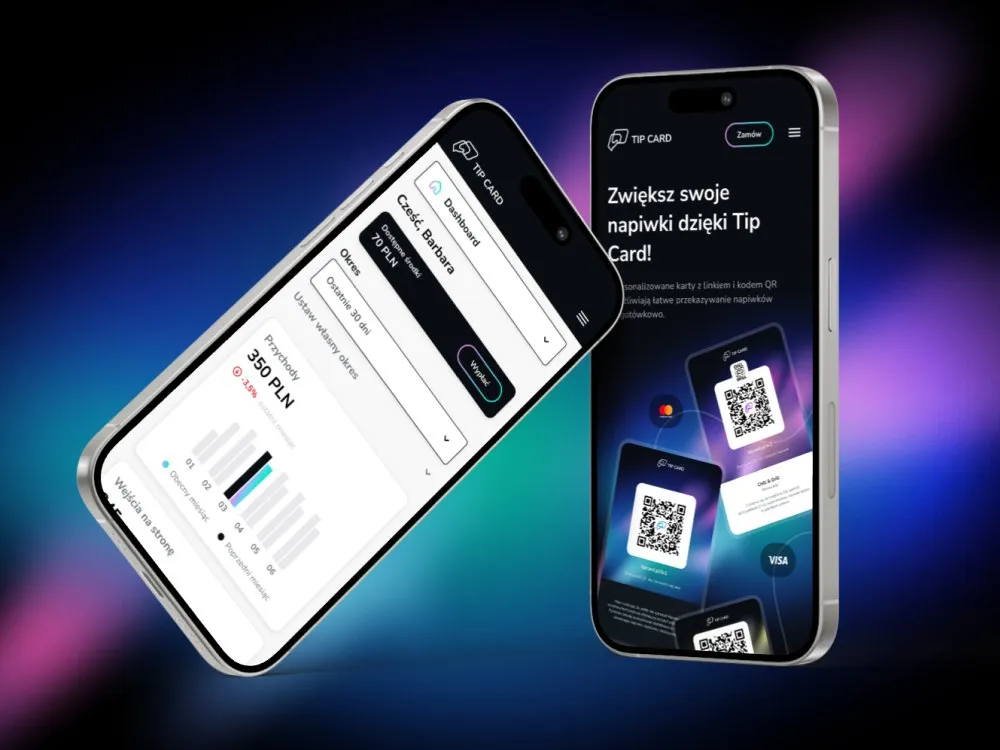
In a payment app money moves from the payer to a recipient who wants to see it in the account and withdraw it when it suits them. On the Tip Card platform a guest leaves a cashless tip by scanning the QR code on a personalised card or on the bill, and the recipient checks in their panel how much they have collected and requests a payout. We make sure the amount and description of a payment read the same for the recipient as for the payer.
Mobile and online banking
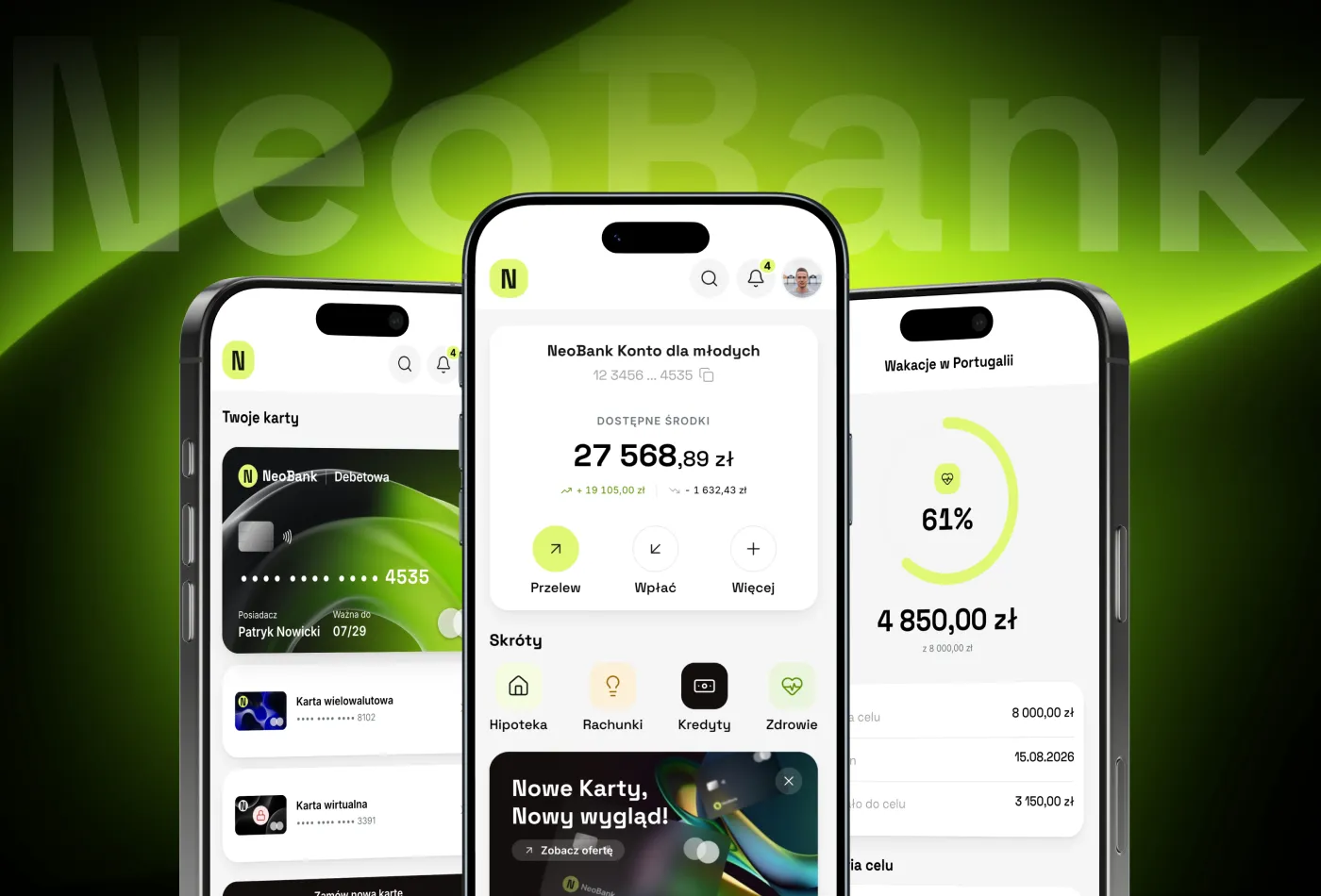
In a banking app the customer checks the balance, makes transfers, pays with BLIK and manages the card, while the bank wants to offer a loan or a deposit in the same place. We keep these everyday tasks on the dashboard and place the bank's offers next to them, so that none of them covers the transfer.
Account opening and identity verification
A new customer opens an account without visiting a branch, so the bank has to identify them remotely: in a video call with an employee or through a recording the system checks on its own, some of which a person then reviews. We draw the customer's screen in front of the camera in parallel with the screen of the employee who sees the document and the customer's video and then decides whether the applicant moves on.
Business online banking
In a company transfers are prepared by someone in finance and approved by the people named in the approval scheme, often two of them, each at a different time. We lay out batches of payments, limits and permissions in business banking so that the approver sees on one screen what they are signing and who prepared it.

Why us?
Why choose our UX agency?
-
Products sold in the app
A customer takes out a loan or opens a deposit on their phone when the path fits into a few screens and does not send them to a branch for a signature. We shape such paths from the tap on the dashboard to the agreement accepted in the app.
-
Fewer cases at the helpline
A message about a declined payment or a blocked card that tells the customer what happened and what they can do closes the case on the screen. We write them alongside the screens instead of leaving them to the end of the build.
-
A shorter path through compliance
We build strong authentication, customer identification and accessibility requirements into the design from the first sketch. The compliance team reviews the prototype before any code is written, so its comments change a screen rather than a finished build.
-
A senior team
A team of senior UX designers who have been designing interfaces for nine years, today for large organisations, SaaS companies and software houses. Seniors will take on your banking app or application system, from research with customers to sign-off.
-
Proven client trust
We have designed for 115 brands, and most of them come back to us with their next project.
-
Higher quality with AI
A designer with AI tools checks more variants of a transfer confirmation screen or an application form than they could draw by hand and picks the one that works. What reaches you is a tested version, not the first one that came out.
Process
How will we design your banking and finance system, step by step?
-
A conversation with your team

We set the goals and the customer path we start with
We sit down with the people responsible for digital channels, the lending product and compliance. We pick the path to change, list the systems the app draws on today and agree how you will know the project has worked.
Key steps
- Conversations with the owners of digital channels, the product and compliance
- A review of the systems: core banking, application system, payments
- Choosing the path we start with
- Agreeing the measures: completed applications, time to decision, helpline contacts
Deliverables
- Project brief
- Map of systems and their owners
- List of measures
- Scope of the first stage
-
Discovery with customers and in the branch
We study how customers and bank staff really use the system
We ask customers to open an account or submit an application on their own phones, and in the branch and the credit department we sit next to the advisor and the credit analyst. We look for workarounds: an ID photo taken for the third time, a note listing missing documents, a spreadsheet open next to the actual system.
Key steps
- Path tests with customers on their phones
- Observing an advisor's work in the branch
- A session at the credit analyst's workstation
- A review of helpline contacts and app store ratings
- Interviews with the compliance team
Deliverables
- Research report
- Path map showing where customers drop out
- Prioritised list of problems
-
Interactive system design
A design the customer goes through like a finished app
We design the screens for the customer's phone and the bank employee's monitor, together with the states that do not show on a first sketch: a declined payment, an expired session, a missing document. Customers go through the prototype before it reaches the developers.
Key steps
- Screen architecture by role: customer, advisor, analyst, administrator
- Interactive design for phone and browser
- Error and decline states together with messages for the customer
- Prototype tests with customers and a review with compliance
Deliverables
- Interactive design of every screen
- Component library
- Message and error copy
- Prototype test report
-
Build or design hand-off
The new screens reach the bank's systems together with the integrations
Our team builds the design, or we hand it over to your developers or to the system vendor. Either way, we spell out where each screen takes its data from: the core system, the application system, BIK, the payment operator or the identity verification service.
Key steps
- Screen and field specification for developers
- Integration map: core banking, application system, BIK, payments, identity verification
- Support for the implementation team
- Device tests and an accessibility review before release
Deliverables
- A working system or a package ready to build
- Integration specification
- Pre-launch test report
-
Measuring after launch
We check against app data whether the change worked
After release we compare the share of completed applications, time to decision and helpline contacts with the measurement taken before the change. That comparison shows which path we improve next.
Key steps
- Measuring completed applications and drop-outs at each step
- A review of helpline contacts and store ratings
- Conversations with advisors and analysts after launch
- Plan for the next improvements
Deliverables
- Measurement report
- Prioritised list of improvements
- System development plan
Methods and technologies
Systems and standards we work with in banking and finance
-
Core banking
When an app runs on a core banking system such as def3000 or Asseco Core Banking, every screen takes the balance, history and limits from it, and its limitations only show with real data. So from the first meeting we agree with the system team what data we get straight away and what needs a change on the vendor's side.
-
Loan origination system (LOS)
A loan origination system (LOS), such as Ferryt or Altkom Loan Origination, carries an application from submission to payout, and the customer and the analyst see it from two sides. We design the customer's form and the analyst's queue on the same fields, so nobody enters the same information twice.
-
PolishAPI
Through PolishAPI third parties, such as fintech apps, read information on the customer's bank account or initiate a payment from it. We shape the access screen so the customer sees who gets access, to which data and for how long.
-
BLIK
A BLIK code is valid for two minutes, and in that time the customer copies it from the bank app into the shop or terminal and confirms the payment with a PIN. We lay out the code and confirmation screens so both fit into the time at the till before the code expires.
-
BIK
A financial institution checks the credit history in BIK, the Polish credit bureau, for a loan, an instalment purchase and online borrowing. In the application we state in one plain sentence when and why the bank looks into BIK, instead of hiding it in a list of consents.
-
Prototype on fictional data
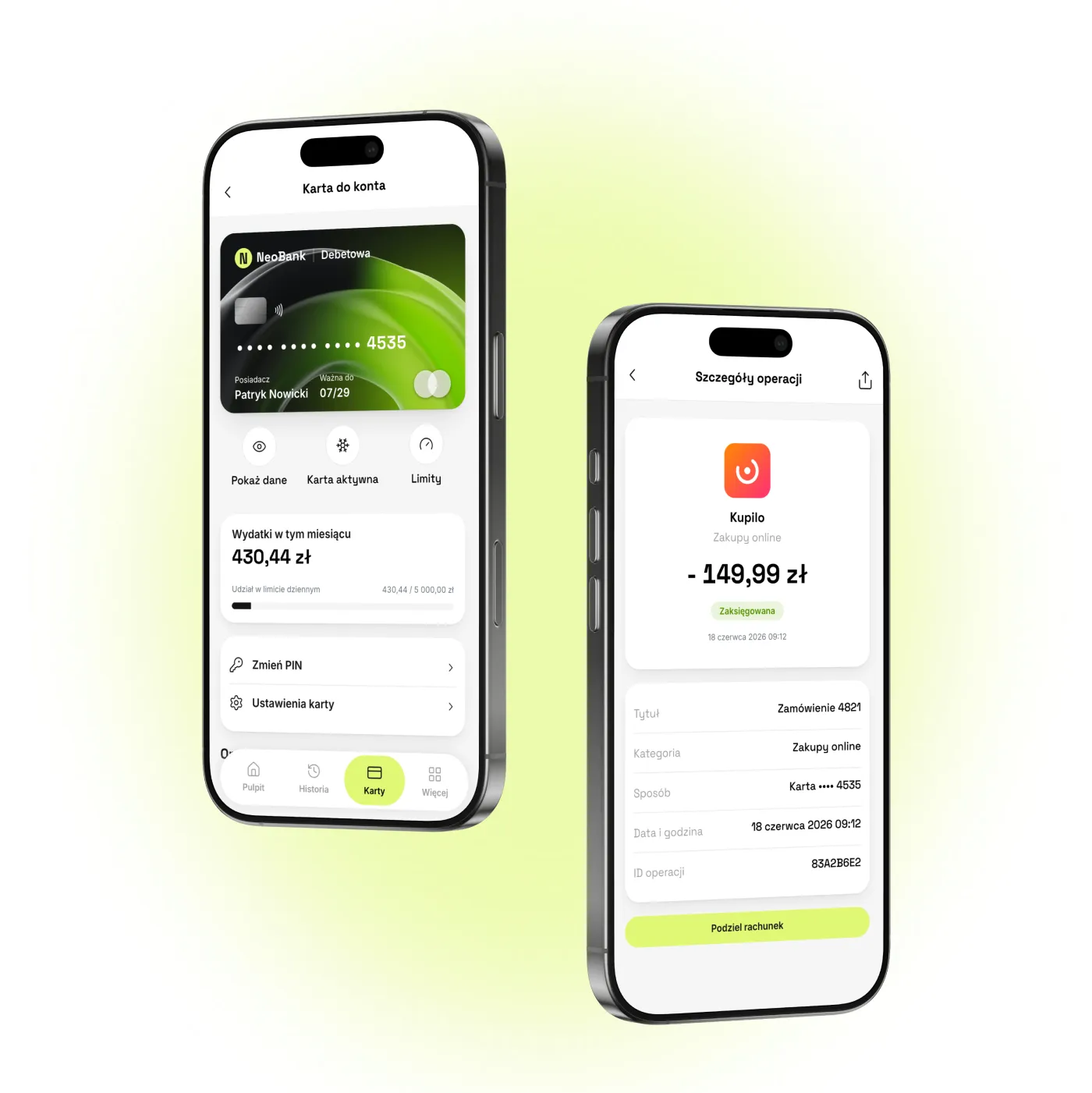
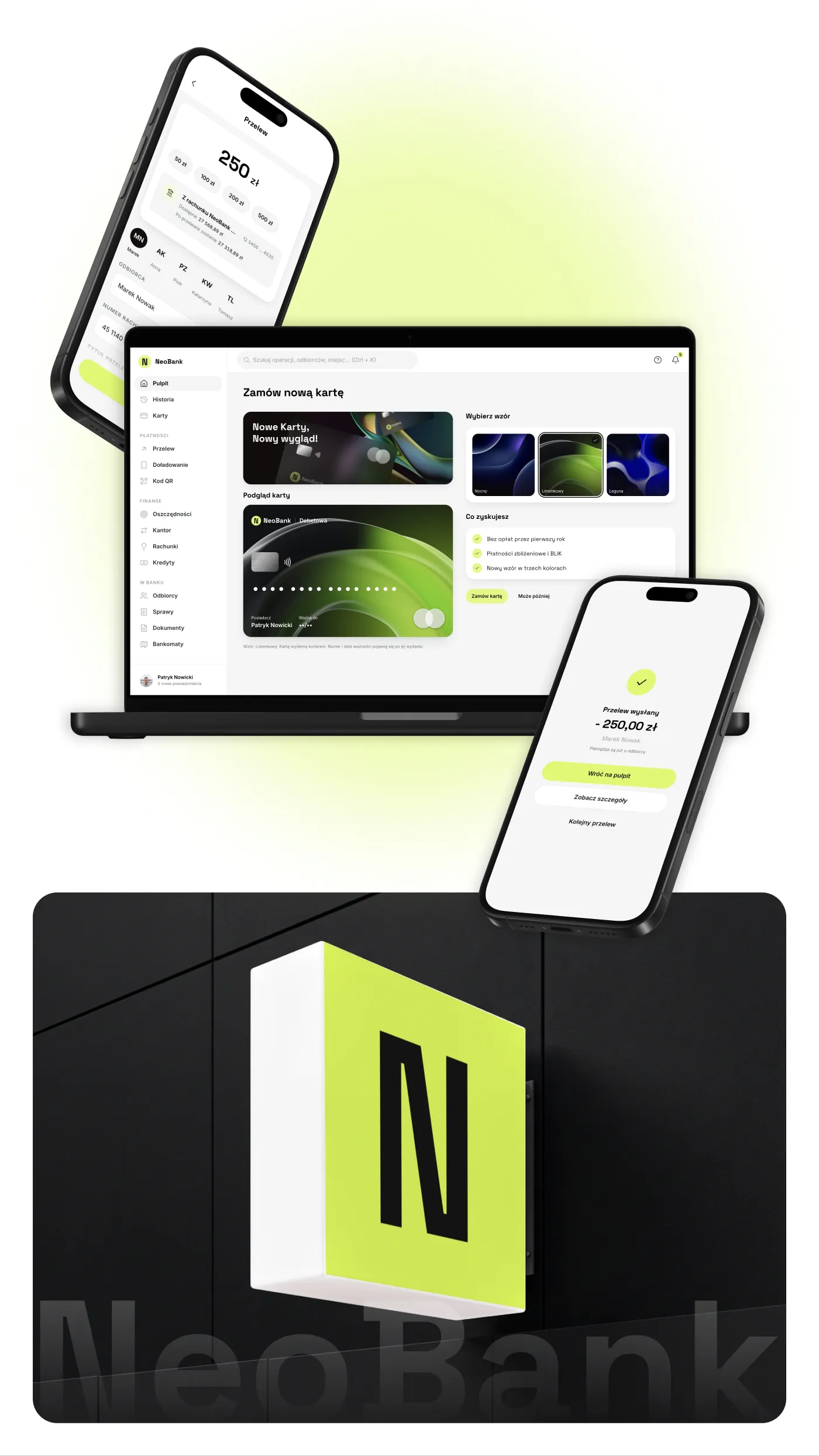
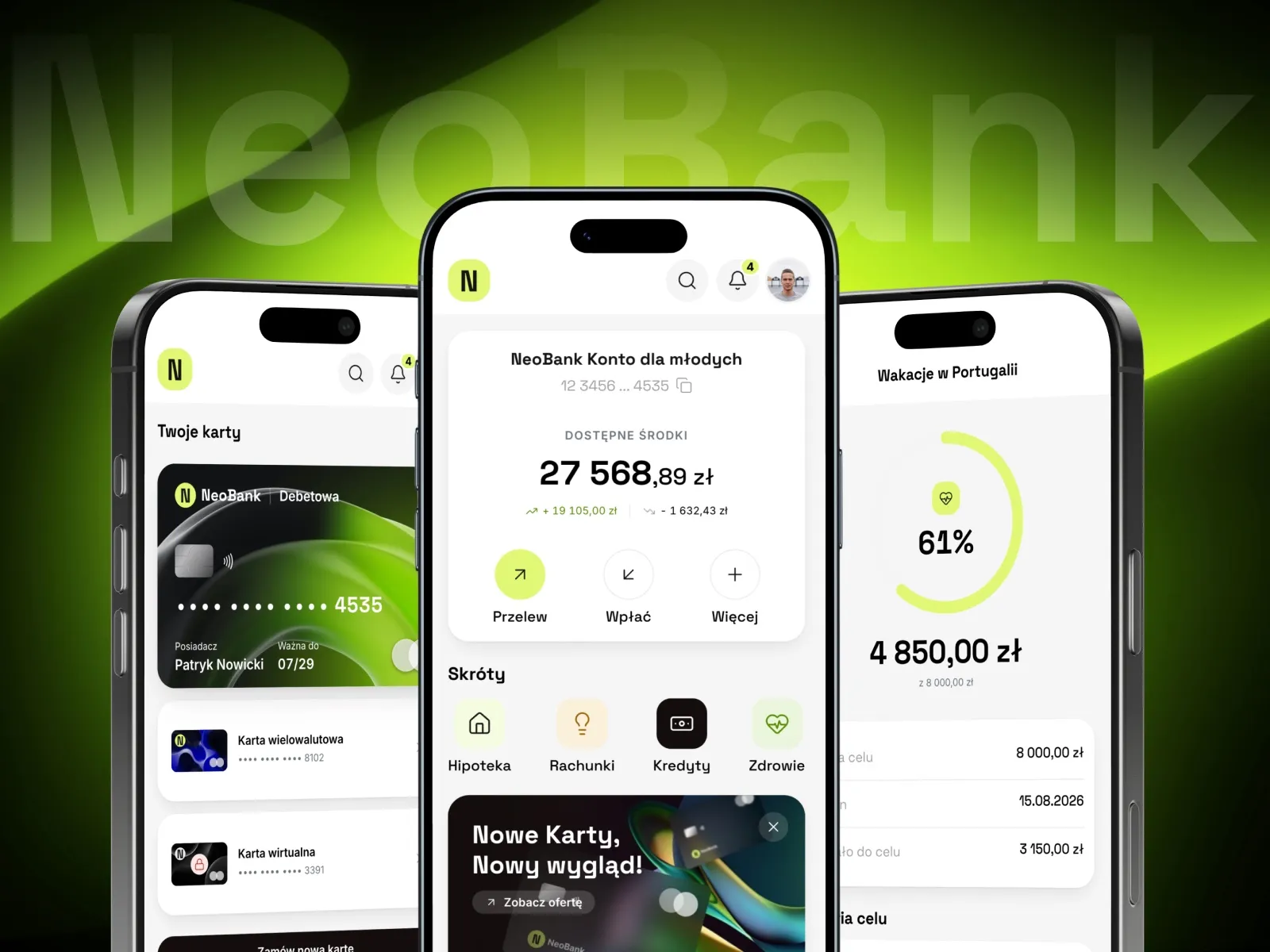
A prototype on fictional data lets us show a banking app to customers in tests and to the compliance team without access to real accounts. That is how our NeoBank prototype works: the balance, history and card are generated, and a transfer works from choosing the recipient to confirmation.
Selected work
Our work in banking and finance
The projects in this section are the NeoBank banking app, a loan service, a cashless tipping platform, a cashback app, websites for an accounting office, an advisory firm and an insurance broker, and a visual identity for an investment firm.
-
E-commerce
Fonia
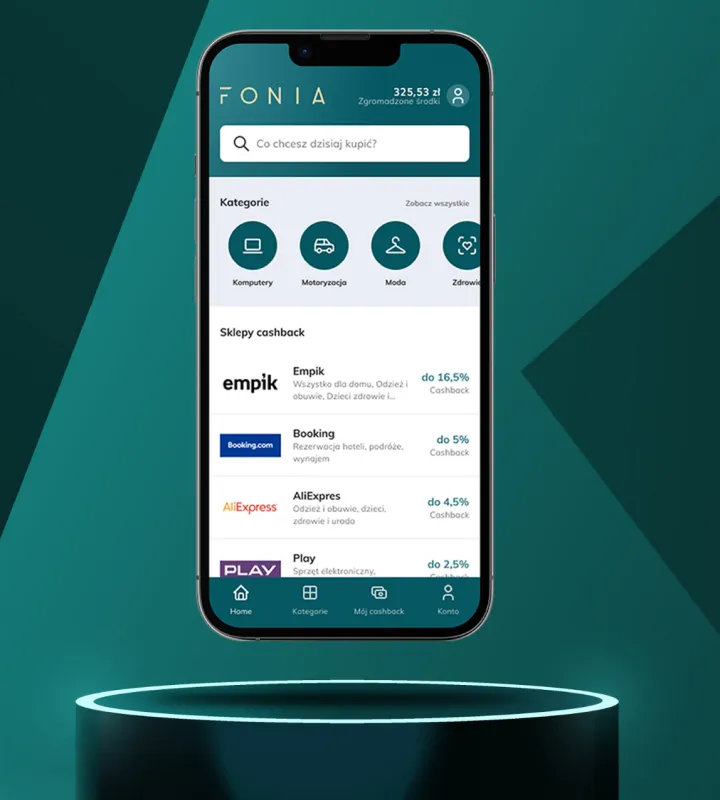
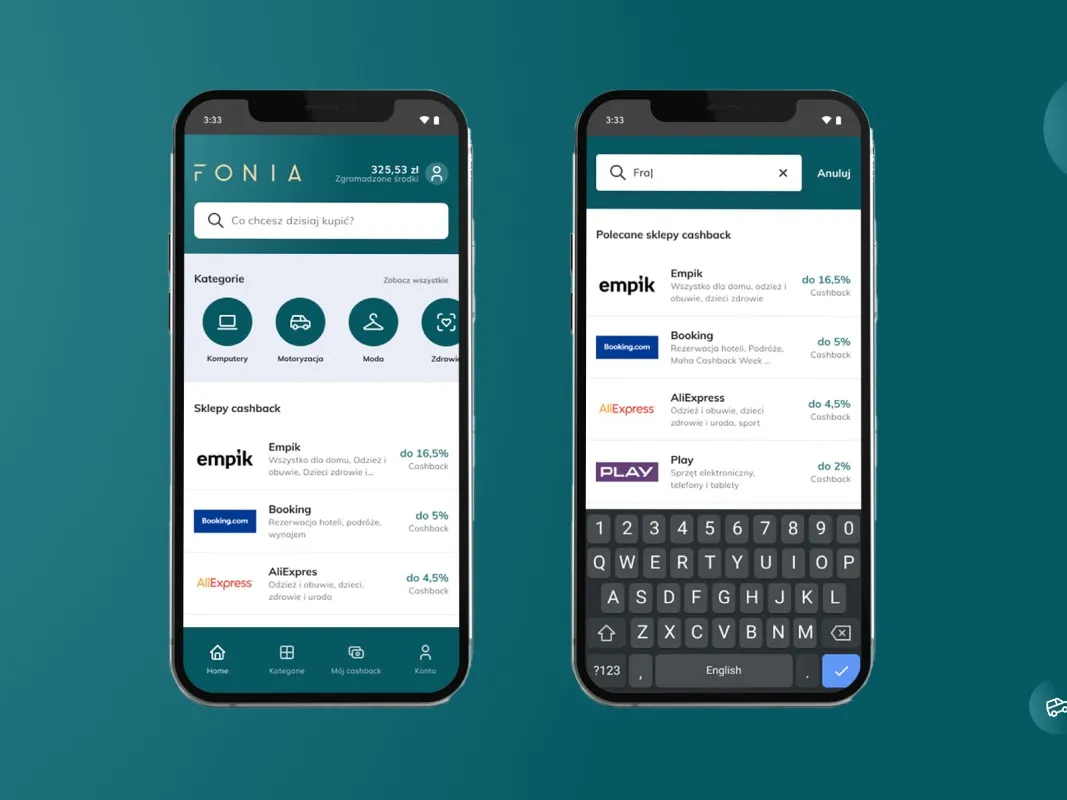
Read case studyWe built a cashback app that gives users a convenient space for online shopping where they can save money.
-
Banking & Finance
NeoBank
View projectThe NeoBank banking app: a dashboard with the balance and shortcuts, payment cards, transfers, a currency exchange, a loan repayment schedule and savings goals with progress bars. Mobile and desktop.
-
Flotino
Online cash loan service
-

PWS Konstanta
Website for an insurance broker
-
Fonia
A cashback app for online shoppers
-
Tip Card
Cashless tipping platform
-
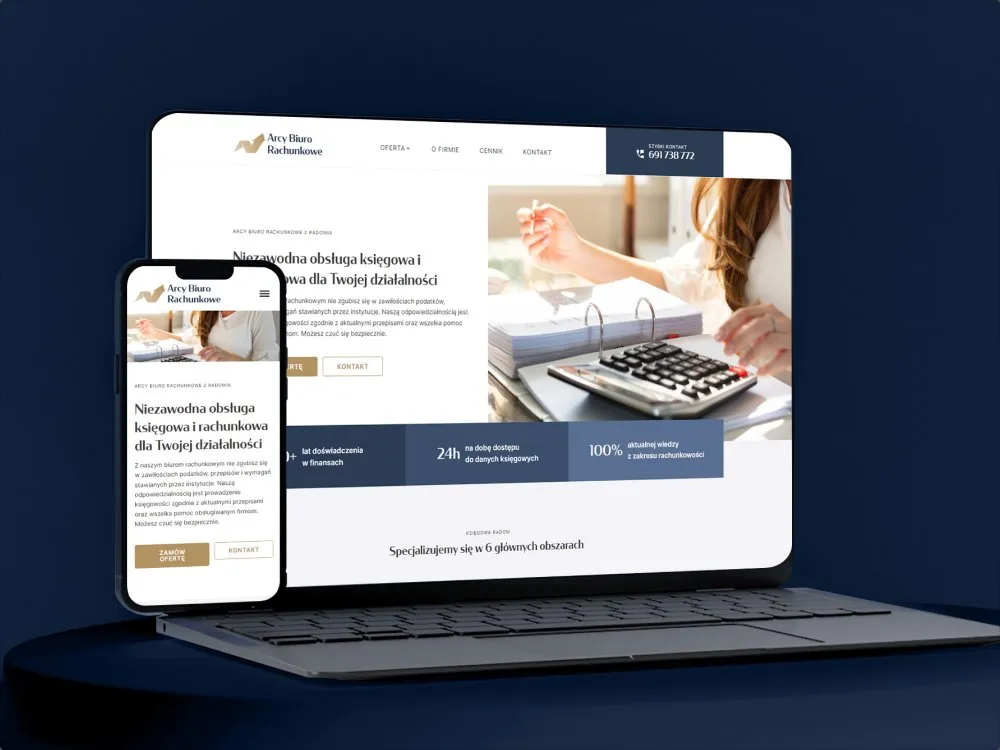
Arcy Biuro Rachunkowe
Website for an accounting office
-

Prospektrum
Website for the advisory firm Prospektrum
-

TOMCZAK
Visual identity for an investment firm
- See what else we build Projects
Start your banking and finance software project
One team designs your banking app, application system or payment app, from research with customers to the build.

Client voices
What our clients say
 Marcin Ostrzycki Chief Operating Officer, Selectivv

“We're glad we chose to work with Wzór UX Agency. The time it took to deliver the project, and their commitment, went beyond our expectations. They did solid work for us, which is why we recommend them at every turn.”
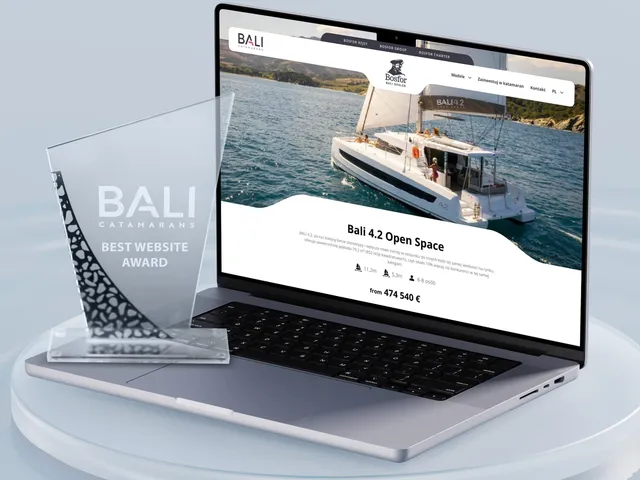
 Maja Wieloch-Silecka Operations Director, Bosfor Group

“Working with the Wzór team was a genuinely great experience! They always answered our questions quickly and were flexible about our comments. They have no shortage of creative ideas and are at the same time thoroughly reliable and on time. The end result fully met our expectations; we recommend them to anyone looking for professionals who care.”
 Piotr Alberski Chief Operating Officer, Agencja XO Media

“Our clients expect us to act fast and effectively across a very wide scope - from building a brand, through a website with a store, to running an effective sales campaign. Not an easy task, but doable when you have a tight-knit team and partners who take on challenges on the fly. For us, quality, accountability and commitment are key, and working with UX Agency Wzór gives us that 100%.”




























The team
Who will design your banking and finance system?
-

Aleksandra Bondar
Senior UX/UI Designer
View profileHow can I help you?
“I will design the account opening path and the transfer confirmation screen, and then test them with customers on their own phones.”
-

Katarzyna Adamczuk
Prezes, Analityk Biznesowy
View profileHow can I help you?
“I will map out with you the path of an application from the customer's form through the application system and BIK to the analyst's decision, so it is clear which system is responsible for each step.”
-
Patryk Korycki
CEO, Analityk Biznesowy
View profileHow can I help you?
“I will agree the scope and budget of the project, and during the build I will keep watch over the connections to identity verification and to the bank's core system.”
-

Tadek Wadas
Senior UX/UI Designer
View profileHow can I help you?
“I will test the prototype with people who are just opening an account and with the analysts who assess applications, and turn every place where they stop into a fix.”
FAQ
Frequently asked questions about banking and finance software
What systems run in a bank?
A bank runs a core system (core banking) that keeps the accounts and books the transactions, and around it online and mobile banking, a loan application system, customer identification systems and tools for branch advisors. The customer sees only a small part of them, usually the app and the application forms. We design that visible part and record, for every field, which system supplies it.
Can a banking app be changed without replacing the core banking system?
A banking app can be changed without replacing the core banking system when the new screens take their data through interfaces the core system already provides. Loan application systems are deployed alongside the core system in the same way. At the start of the project we check with the bank's team which data cannot be retrieved today and list those gaps separately.
What is KYC?
KYC (Know Your Customer) is the procedure in which a bank or another financial institution identifies a customer, verifies their identity and then monitors their relationship with the institution on an ongoing basis. In Poland, identification and identity verification are among the customer due diligence measures listed in the anti-money laundering act of 1 March 2018. In the app KYC is usually a few steps, and at each of them we explain to the customer why the bank is asking.
How does video verification work in a bank?
Video verification in a bank means that a customer opening an account remotely shows their ID card and their face to the camera, and a bank employee or the system compares the document photo with the person in the video. The Polish Financial Supervision Authority (KNF) accepted this method in its position of 5 June 2019 and listed, among other things, showing the ID from both sides at different angles and an SMS code the consultant sends to the customer's phone during the call. We announce these steps before anyone turns on the camera, so the document is to hand.
What is a verification transfer?
A verification transfer is the first transfer from the customer's account held at another institution, which the institution uses as an extra confirmation of their identity when an account is opened remotely. The KNF expects it as an additional security measure in video verification and notes that the data from such a transfer will only support the verification. In the account opening path we display the account number and payment reference ready to copy, and then whether the money has already arrived.
How does an online loan application work?
In an online loan application the customer, on a website or in an app, chooses the amount and repayment term, enters their details and income and confirms their identity, and the institution checks their credit history in BIK. If the decision is not made automatically, the application goes to a credit analyst together with the documents. We order the fields so that nobody breaks off the application to look for a document they do not have with them.
Does a banking app have to meet accessibility requirements?
Banking apps in retail banking services are subject to the accessibility requirements of the Polish Accessibility Act of 26 April 2024, which came into force on 28 June 2025, except for some of its provisions. Among other things, the act requires customer identification methods, electronic signatures, security and payment services to be perceivable, operable, understandable and robust, and information to be provided in Polish or, with the consumer's consent, in another language at language proficiency level B2. When designing a banking app, we therefore also cover login and authorising payments in prototype tests, not just the dashboard.
What is strong customer authentication?
Strong customer authentication (SCA) is confirming identity with at least two independent elements from three categories: knowledge, such as a PIN, possession, such as a phone, and inherence, such as a fingerprint. The term is defined in the PSD2 directive, which, for remote electronic payment transactions, requires elements that dynamically link the transaction to a specific amount and a specific payee, and Delegated Regulation 2018/389 adds that the payer is then notified of the amount and the payee, with the authentication code linked to them. So we place the amount and the payee above the spot where the PIN is entered, not below it.
What is the difference between online and mobile banking?
Online banking runs in a browser, most often on a computer, while mobile banking runs in an app on the phone, which at many banks is also used to confirm operations ordered in the browser. More and more customers now use only the app. Both are one system for us: an operation started in the browser and confirmed on the phone looks the same in both.
Related services
Services related to banking and finance software
You know customers drop out halfway through an application or account opening.
Let us start by finding the step where they give up and the reason they do it.
You are planning a new app or a change of system vendor.
We will work out what customers, advisors and compliance need, before you choose a vendor.
You have screen designs and need to check accessibility requirements before the build.
We will go through them with a screen reader and keyboard, or talk you through every screen, before they reach the developers.