

Software
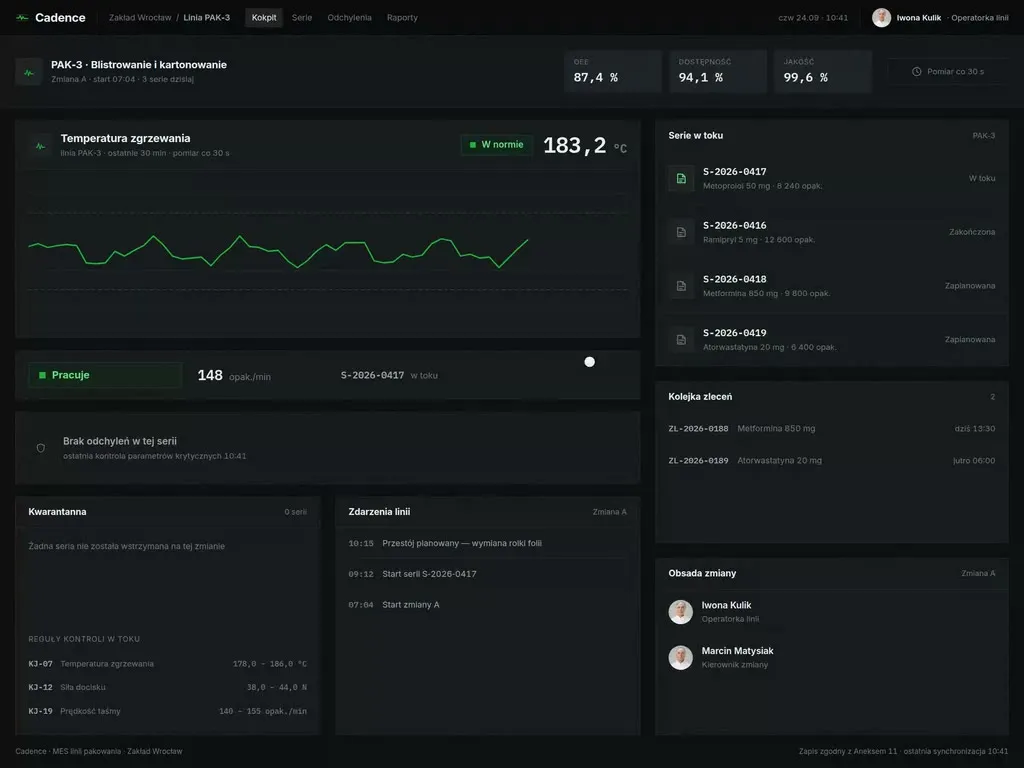
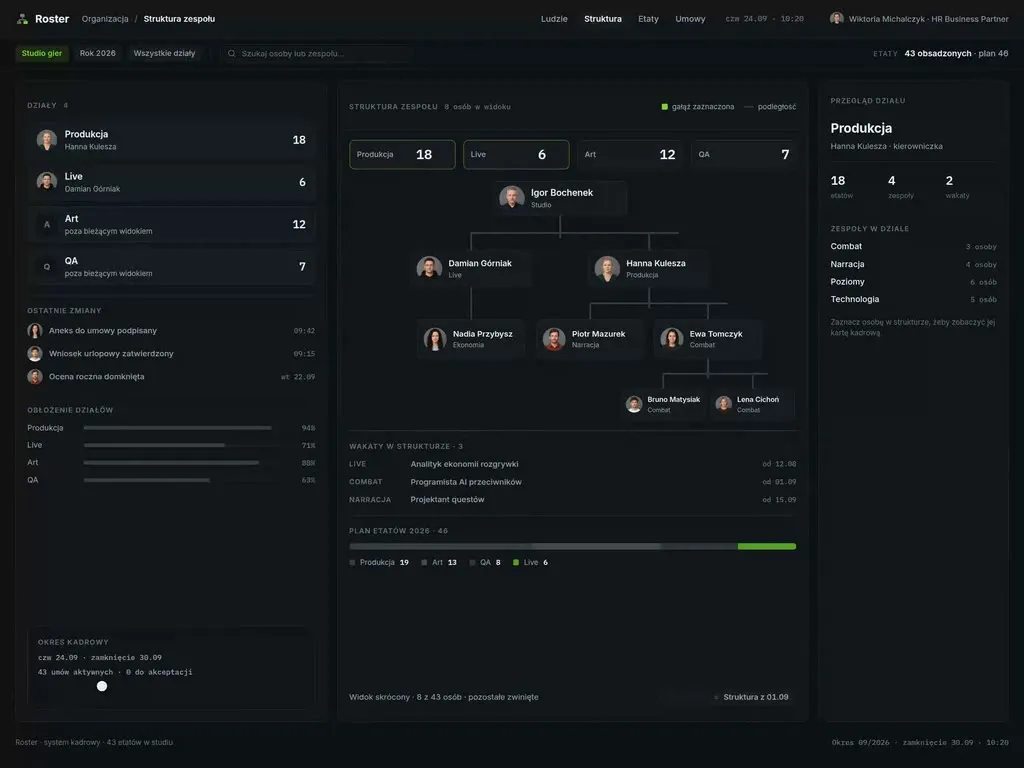
At Wzór UX agency you receive an interactive design of software for SaaS companies, be it the onboarding of a new account, self-serve plans and payments or the admin panel on your customer's side, and our team or your own developers can then build it. The Puls CRM app and the Canary release console were created this way.







Challenges
What challenges do we help SaaS companies solve?
Our approach
Together with you we look in the usage data for the action after which accounts stay longer, and we shape the first session around it. Settings that do not lead to it wait in the product for later.
Scope of services
Our approach
Before the customer confirms, the plan change screen shows when the new plan starts and what will appear on the next invoice. The billing system works out the charge for the part of the period, and support sees the same payment history on the account as the customer, so nobody recalculates it in a spreadsheet.
Scope of services
Our approach
We design the admin panel for the person in the customer's IT department who connects company sign-in and the staff directory. They go through the SSO and SCIM setup on their own, step by step, and finish it with a test sign-in, without a ticket to your support team.
Scope of services
Who it is for
Which SaaS companies do we design software for?
Release consoles and product analytics
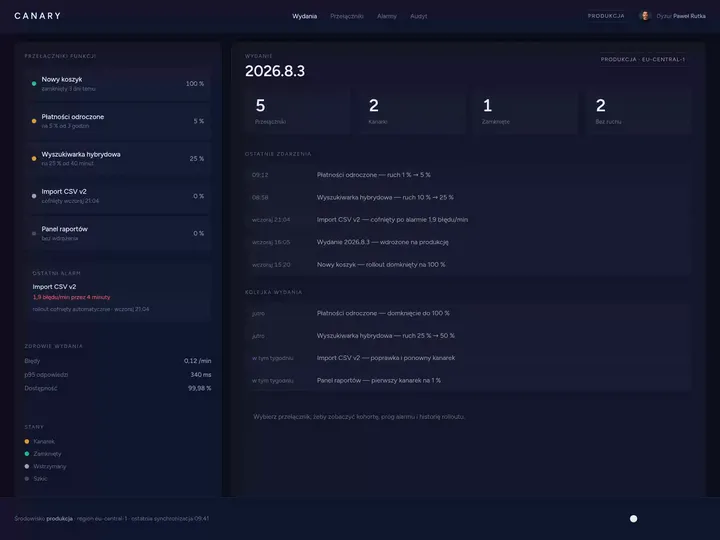
Product teams and developers who check after every release that a new feature has not broken the product. In the Canary release console we designed a feature toggle with a slider for traffic in the variant, and next to it an error chart with an alert threshold. When designing such a console, we make sure the on-call developer sees on one screen whether errors went up after the feature was switched on for everyone.
Onboarding and activation of new accounts
SaaS companies where a new customer opens an account on their own, without a sales rep, and the first days in the product decide whether they stay. For them we design a list of first steps that a new user can come back to without losing progress. The customer success team sees at which step each new customer is and gets in touch with the ones who are stuck.
Self-serve plans, payments and invoices
Subscription products where customers change their plan, number of users and payment card themselves. In the billing panels we design, the current plan, the next payment date and invoices to download sit on one screen. Customers download a whole year of invoices with one button, for their accountants for instance.
Admin panels on the customer's side
Products bought by companies, where someone from the customer's IT team manages staff accounts, roles and sign-in. We arrange the user list around an auditor's questions: who has access, since when and who granted it. The audit log opens from every user's record, so the administrator does not search the whole company history.
Multi-organisation accounts and partner access
Products where one person works in the accounts of several companies, for example an accountant at an accounting office working for their clients. The name of the company whose account someone is working in stays on every screen, so a document does not end up in the wrong company's account. The company's administrator, not your support team, invites the partner into the account.

Why us?
Why choose our UX agency?
-
New modules in use without training
A new module has a start screen with an example and a single button, so customers who have used the product for years start using it without a webinar. The customer success team then does not book separate demos for every account.
-
More upgrades to a higher plan
The product shows a plan limit next to the work the limit stops, together with the plan that lifts it. Customers learn about the limit at the moment they have a reason to raise it.
-
Easier renewal of annual subscriptions
Before an annual subscription ends, the administrator sees in the product which modules their team used over the past year. The renewal conversation starts from that data, not from the invoice.
-
A senior team
A team of senior UX designers who have been designing interfaces for nine years, today for large organisations, SaaS companies and software houses.
-
Proven client trust
We have designed for 115 brands, and most of them come back to us with their next project.
-
Higher quality with AI
A designer with AI tools checks more variants of a billing panel or a user list than they could draw by hand and picks the one that works. What reaches you is a tested version, not the first one that came out.
Process
How will we design software for your SaaS company, step by step?
-
A conversation with your product team

We set the goals and map the parts of the product a customer passes through
We sit down with the people responsible for product, sales, customer success and support. We write down the customer's path from sign-up to subscription renewal, pick the part of the product to change and agree how you will know the project has worked.
Key steps
- Conversations with the product manager, customer success and support
- A review of plans, roles and customer types
- A list of systems: the product, billing system, product analytics, CRM
- Agreeing the measures: activation of new accounts, support requests, customers leaving
Deliverables
- Project brief
- Map of the customer path and systems
- List of measures
- Scope of the first stage
-
Discovery with new accounts and support requests
We study the product in onboardings, support requests and with customer administrators
We watch a new customer being onboarded together with the customer success team, read support requests from recent weeks and talk to administrators on the customers' side. We look for workarounds: a spreadsheet of accounts being onboarded, a canned reply with instructions for replacing a card, accounts that support creates by hand.
Key steps
- Observing a new customer's onboarding with customer success
- A review of support requests and their reasons
- Interviews with new users and customer administrators
- Analysing product events from sign-up to activation
- Following a payment and invoice through the systems
Deliverables
- Research report
- Map of the customer path showing where people work around the product
- Prioritised list of problems
-
Interactive design

A design your team clicks through with their own plans, roles and accounts
The screens are built on your data: plans, roles and sample customer accounts. We test the prototype with new users and with administrators on the customers' side before it reaches the developers.
Key steps
- Screen architecture by role: new user, customer administrator, person who pays, support
- Interactive design on data from your accounts
- Exception states: a declined payment, an expired invitation, a user in two organisations
- Prototype tests with users and administrators
Deliverables
- Interactive design of every screen
- Component library
- Description of behaviour in exceptions
- Prototype test report
-
Build or design hand-off
The new screens reach your product together with the integrations
Our team builds the design, or we hand it over to your developers. Either way, we spell out what comes from the billing system and which way an invoice travels to KSeF.
Key steps
- Screen specification for developers
- Integration map: billing system, invoicing software connected to KSeF, identity provider via SAML and SCIM, product analytics
- Support for the implementation team
- A test payment and invoice before launch
Deliverables
- A working product or a package ready to build
- Integration specification
- Pre-launch test report
-
Measuring after launch
We check against usage data and support requests whether the change worked
After launch we compare the activation of new accounts, support requests about billing and customers leaving with the measurement taken before the change. That comparison tells us which screen to improve next.
Key steps
- Measuring activation of new accounts
- A review of support requests after launch
- Conversations with customer success and customer administrators
- Plan for the next improvements
Deliverables
- Measurement report
- Prioritised list of improvements
- Product development plan
Methods and technologies
Systems and standards we work with at SaaS companies
-
Stripe Billing
When you bill customers through Stripe Billing, its customer portal lets them change their card, plan and billing details and download invoices without involving support. We agree with you what stays in the Stripe portal and what goes into the product itself, so that nobody moves between two looks while handling one matter.
-
KSeF
The Polish VAT Act requires a correcting invoice to give the KSeF identification number of the invoice it corrects, unless that invoice was never assigned such a number. So we put the KSeF number next to the invoice in the billing history, and support does not have to look it up in the bookkeeping software when correcting it.
-
SAML and OpenID Connect
SAML and OpenID Connect are the protocols through which business customers connect your product to SSO sign-in at their identity provider. Which of them to support first we choose based on the identity providers your largest accounts use.
-
SCIM
SCIM is the protocol through which the customer company's staff directory creates and changes user accounts and groups in your product. In the admin panel, users from the directory carry their own marker, so the administrator knows to edit their details in the directory, not in the admin panel.
-
OpenFeature
OpenFeature is an open, vendor-neutral API standard for feature flags, independent of the tool the team uses to manage them. For a new feature behind a flag we design both versions, flag on and flag off, so customers still waiting for it do not see an empty space.
-
Amplitude and Mixpanel
Amplitude and Mixpanel count events in the product, such as finishing setup or importing data, and measure activation from them. When you measure your product in Amplitude or Mixpanel, each step of the first session gets its own event in the design, so the sign-up funnel can be counted without adding code after launch.
Selected work
Our work for SaaS companies
The projects from this industry are the Puls CRM app and a website for a company that builds mobile tools. Next to them stand product pages and a landing page for a producer and a distributor of security software, a website for a data-driven advertising agency and a visual identity for a medical software brand, which belong mainly to cybersecurity, media and healthcare.
-
Software
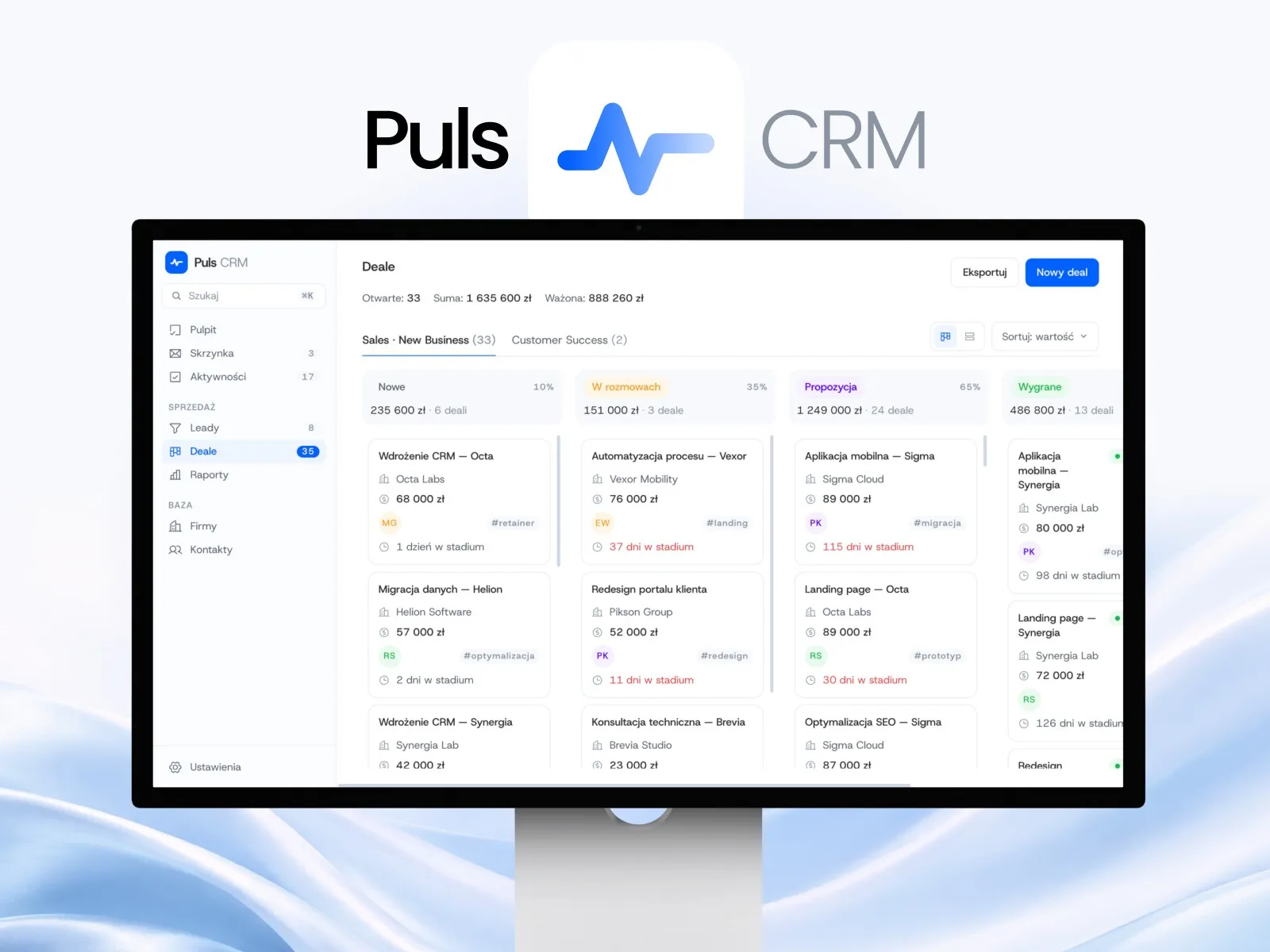
Puls CRM
View projectThe Puls CRM app: a sales pipeline as a kanban with stages and deal values, leads with statuses and one-window conversion into a deal, a shared inbox of customer conversations, a company and contact base, and a dashboard with tasks for today. Desktop and mobile versions.
-
Software
Mobilizacja Biznesu
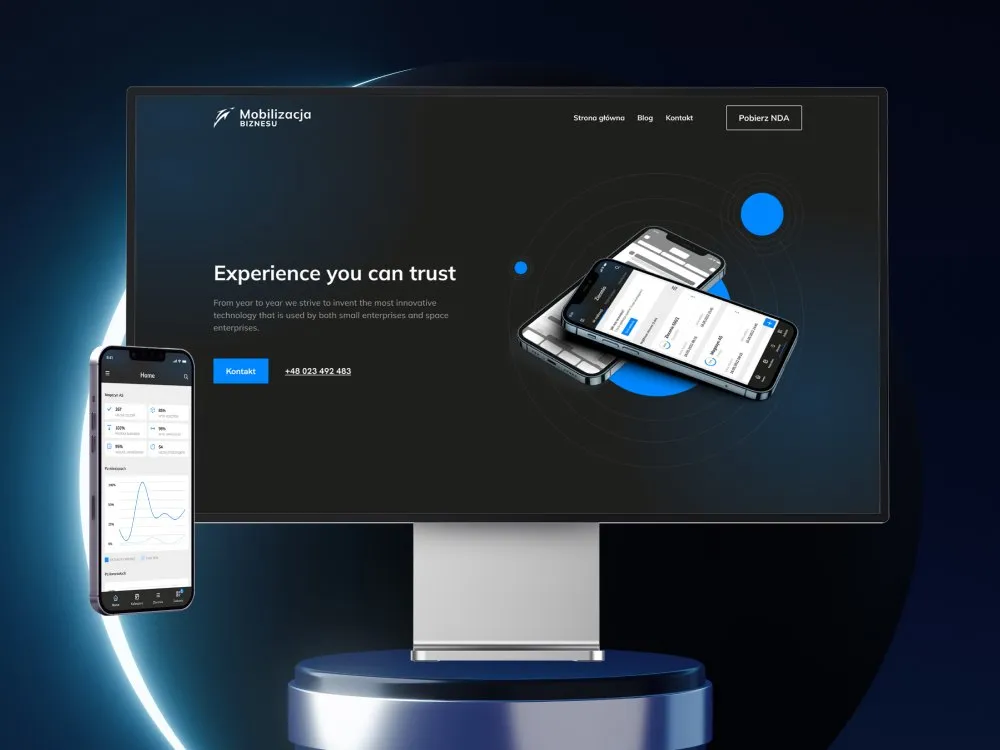
View projectThe website for Mobilizacja Biznesu - a company building mobile tools and supporting the digital transformation of businesses. A dark, technical layout with a blue accent, an "Experience you can trust" hero, benefit sections, a process description and case studies. Desktop and mobile.
-
DAGMA
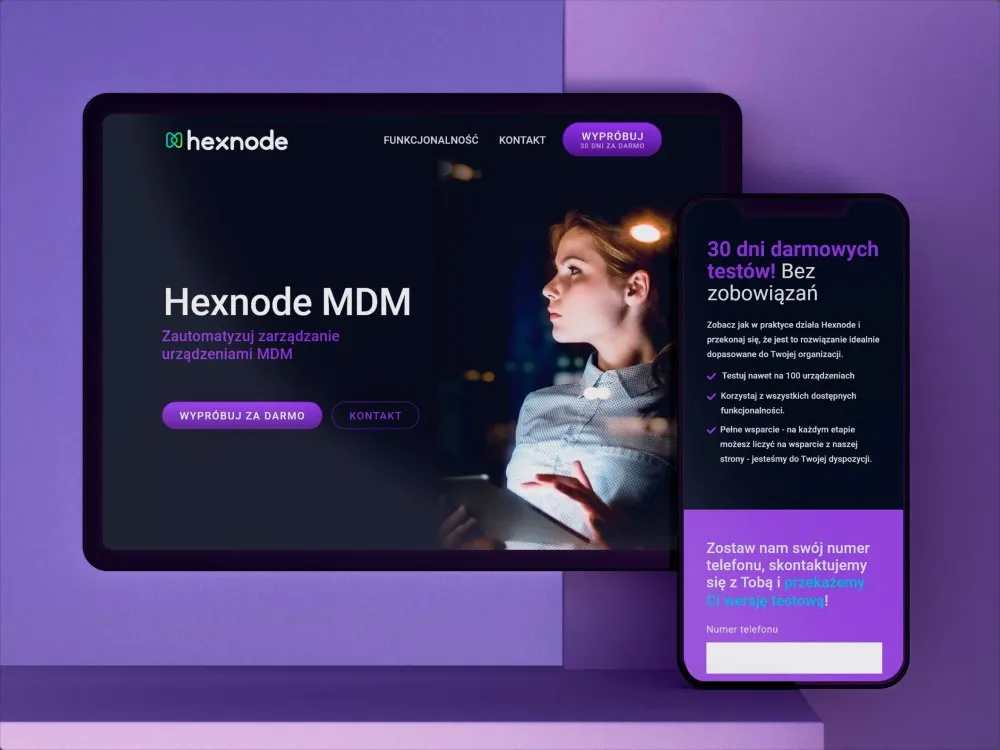
Product page for the Hexnode MDM system
-
Acronis
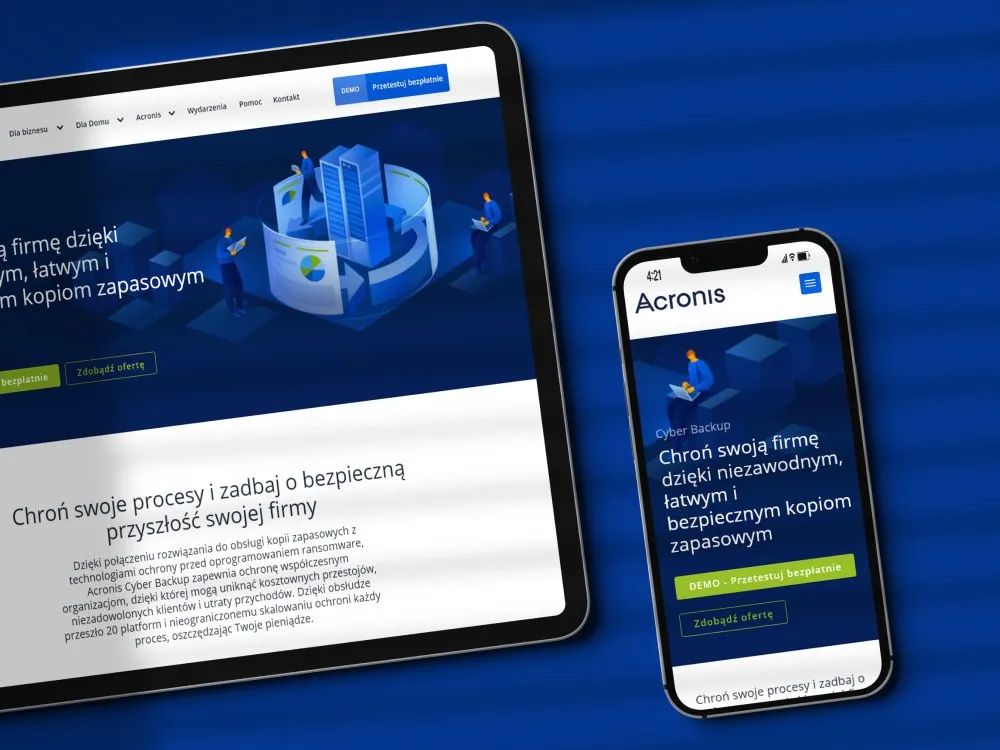
Product page for ransomware protection
-
Selectivv
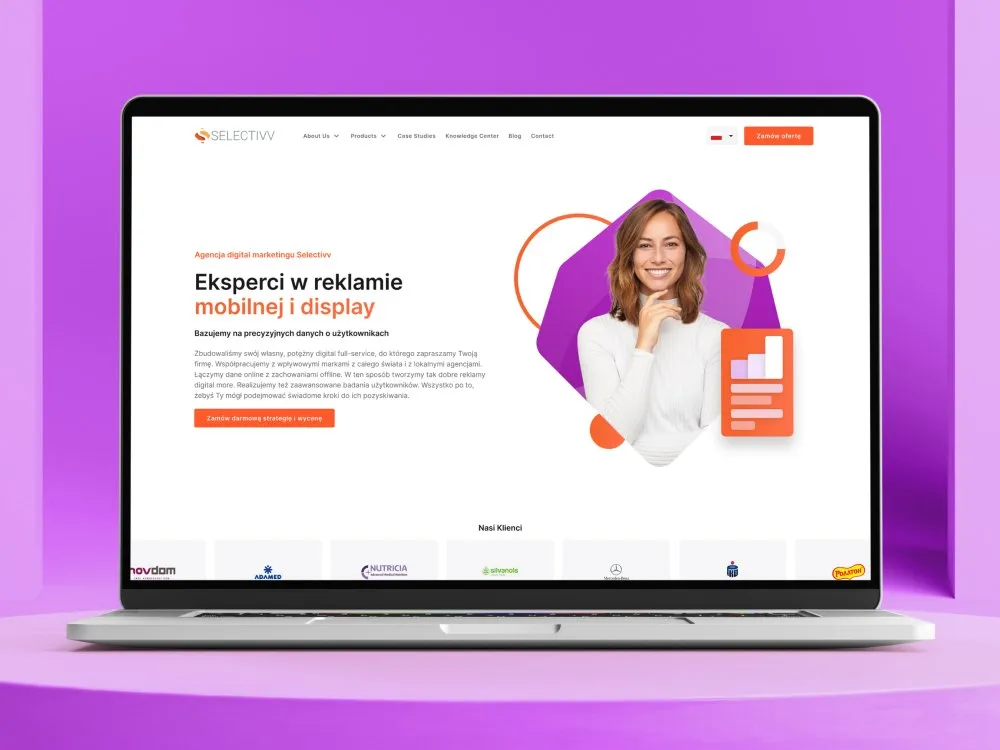
Website for a data-driven marketing agency
-
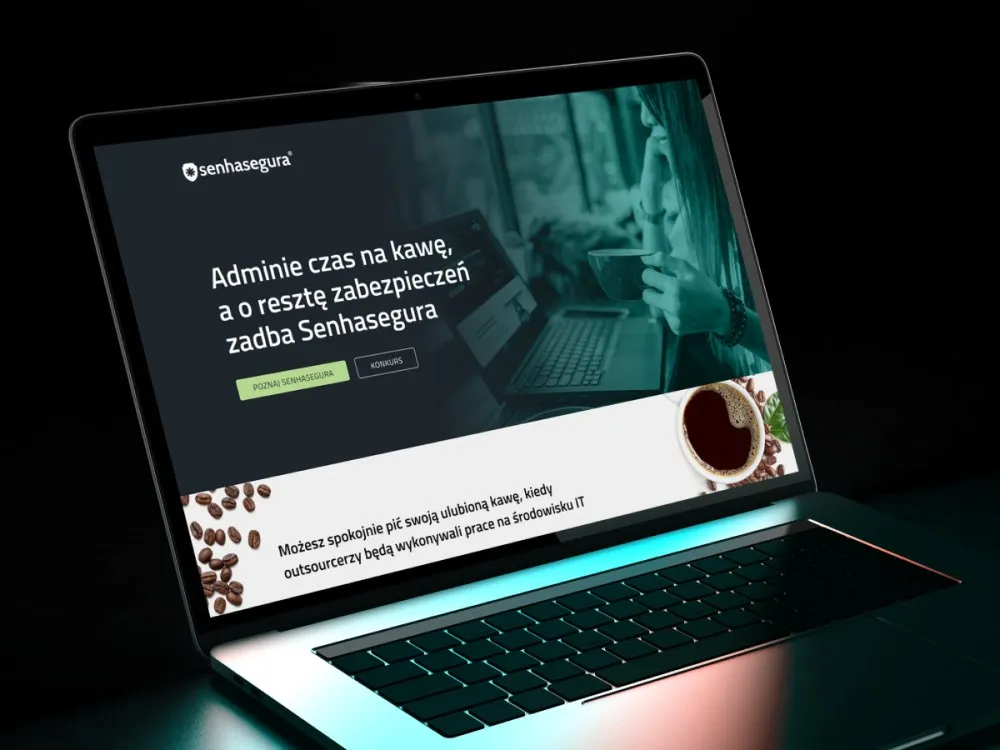
Senhasegura
Coffee time - Senhasegura handles security
-

Unison
Visual identity for a medical software company
- See what else we build Projects
Start a software project for your SaaS company
Onboarding, billing panel, admin panel and release console from one team, from the first conversations with your customers to the build.

Client voices
What our clients say
 Marcin Ostrzycki Chief Operating Officer, Selectivv

“After analysing suppliers’ offers we chose UX Agency Wzór. We’re glad we decided to work with them. The time in which the commissioned projects are delivered and their commitment exceed our expectations. They do solid work for us, which is why we recommend them at every turn.”

“UX Agency Wzór has been delivering website and landing page designs for our company for two years now. Every project was soundly planned and efficiently delivered. We particularly value the creative process, in which Wzór generates a range of concepts to choose from.”
“The site with app views that UX Agency Wzór built for us surprised me with how legible it is, and with exactly the design mood I was after. On top of that the collaboration was efficient and pleasant. I recommend them.”





























The team
Who will design software for your SaaS company?
-

Aleksandra Bondar
Senior UX/UI Designer
View profileHow can I help you?
“I will design the first steps in the product and the billing panel, starting with the screens your customers open most often.”
-

Katarzyna Adamczuk
Prezes, Analityk Biznesowy
View profileHow can I help you?
“I will map out with you the permissions to data in reports, so a manager on the customer's side sees their own team's results, not the whole company's.”
-

Tadek Wadas
Senior UX/UI Designer
View profileHow can I help you?
“I will check that every screen can be used with a keyboard alone and with a screen reader, and turn the results into a list of fixes.”
-
Patryk Korycki
CEO, Analityk Biznesowy
View profileHow can I help you?
“I will agree the scope and budget with you, and during the build I will make sure the payment and company sign-in integrations go live without interrupting your users' work.”
FAQ
Frequently asked questions about software for SaaS companies
What is a SaaS application?
A SaaS (Software as a Service) application is a provider's software running in the cloud, which the customer uses through a web browser or a program interface. The customer does not manage the network, servers or operating systems it runs on, and within the application changes at most limited user-specific settings. When designing a SaaS application, we therefore begin with the roles of the people who will work in it and what each of them can change in the settings.
What does multi-tenant mean in SaaS?
Multi-tenant in SaaS means that the same provider resources serve many customers, or tenants, at once. In products for businesses the tenants are organisations, and one user can belong to several of them with a different role in each. For every setting we decide whether it belongs to the organisation or to the user.
What is SaaS onboarding?
SaaS onboarding is a new customer's first steps in the product, from sign-up to the moment the product first gives them what they expected from it. The time it takes to get there is called time to value. We plan onboarding separately for someone who opens an account and someone invited into it, since the two begin in other places.
What is user activation?
User activation is a new person reaching the action that shows they have experienced the core value of the product, and the activation rate is the percentage of new users who reach it. In a project management tool it might be creating a project and adding collaborators. In team products we measure the activation of a single person and of an entire client company as two different things.
What is churn?
Churn, or the churn rate, is the percentage of customers who stopped using a product or paying for it in a given period. Some of it is not the customer's decision but a failed payment, which is why billing systems retry the charge; in Stripe the recommended default is 8 tries within 2 weeks. We count the two kinds of leaving apart, since each comes from a different person at the client.
What are feature flags?
Feature flags are switches a team uses to alter the behaviour of a live product without deploying new code. A flagging decision takes context into account, such as which user is making a request. Flags that stay for good, like higher-plan features, are handled apart from flags that last one release.
What is SSO?
SSO (single sign-on) is an authentication process in which one account gives seamless access to multiple applications, generally through a federation protocol. For a business customer it means an employee signs in to your product with the same account they use for the company's other applications. We put the SSO option on the sign-in screen next to the password and recognise the company by the domain of the email address.
Do invoices from a subscription system have to go through KSeF?
Invoices from a subscription system have to go through KSeF if they are issued by a taxpayer covered by the obligation: since 1 February 2026 the Polish VAT Act has required taxpayers to issue structured invoices using the National e-Invoicing System (KSeF). Among other exceptions, the obligation does not apply to invoices for individuals who do not run a business. Taxpayers covered by the obligation whose sales including tax did not exceed PLN 200 million in 2024 could issue electronic or paper invoices instead of structured ones until 31 March 2026. From 1 April to 31 December 2026 any taxpayer covered by the obligation may do so as long as the sales including tax documented by such invoices in a given month do not exceed PLN 10,000. Until the end of 2026, taxpayers covered by the obligation may also issue electronic or paper invoices using cash registers. In the billing details forms we design, the first field therefore asks whether the buyer is a company or a private individual.
What should a SaaS admin panel have?
A SaaS admin panel should give the customer's administrator a user list with roles, inviting and removing people, sign-in settings including SSO, and an audit log. Business customers also expect the audit log to be searchable and exportable. We treat access to the panel itself as a role too, so an administrator can hand billing to someone else without handing over the whole panel.
Related services
Services related to software for SaaS companies
You know trial accounts are not moving to a paid plan, but you do not know why.
First we will find out from the data and from talking to customers what holds them back before they pay.
You are planning a new module or a rebuild of the admin panel.
We will agree what the change should give your customers and you before anyone draws the first screen.
The product is growing, and every team adds screens its own way.
We will gather the repeating elements into one library and move the oldest views onto it.