

Aerospace & Defense
At Wzór UX agency you receive an interactive design of your aerospace and defense software, be it an MRO system, a ground handling app or interactive technical documentation, and either our team or your own developers can then build it. For a space sector company we designed the Thaliana Space website.







Challenges
What challenges do we help solve in aerospace and defense?
Our approach
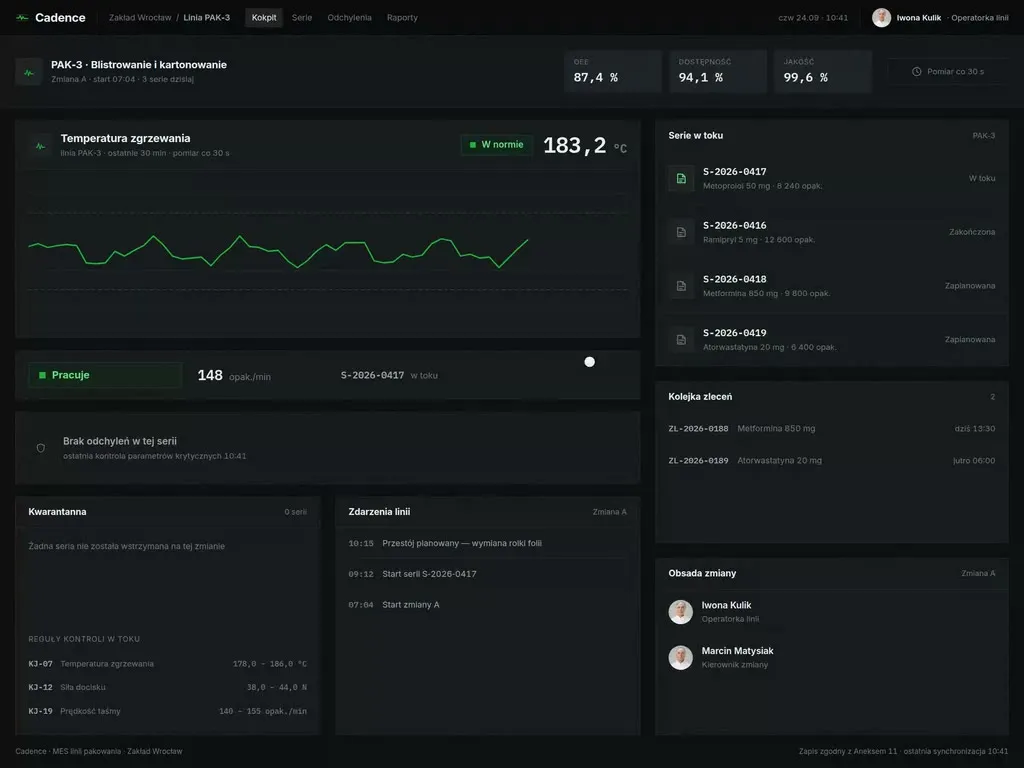
We open the manual page a step needs straight from the task card, with one tap on the tablet at the aircraft. The card always brings the revision in force on the day of the work, so a printout no longer saves anyone time.
Scope of services
Our approach
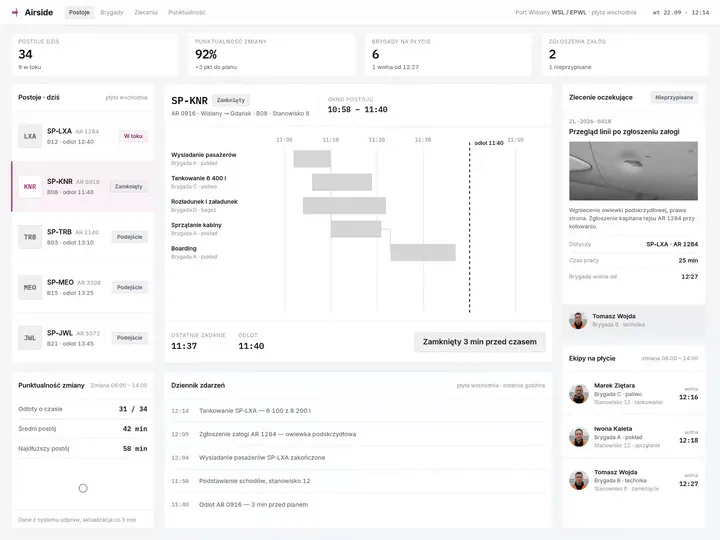
On the turnaround timeline we place the tasks together with their dependencies and a vertical departure line. When someone adds a task at the last minute, the coordinator sees at once which others will shift and how far the turnaround will run past departure, and changes the order or calls in a second crew before the aircraft starts waiting.
Scope of services
Our approach
For the technician we open the documentation by the serial number of the unit in front of them, so they read only the steps for that configuration, without variants from other versions of the equipment. Next to each step sits a drawing of the part with its catalogue number, and the question the technician would have phoned the service desk about goes out with one button, together with the place in the manual.
Scope of services
Who it is for
Which aerospace and defense companies do we design software for?
Ground handling apps
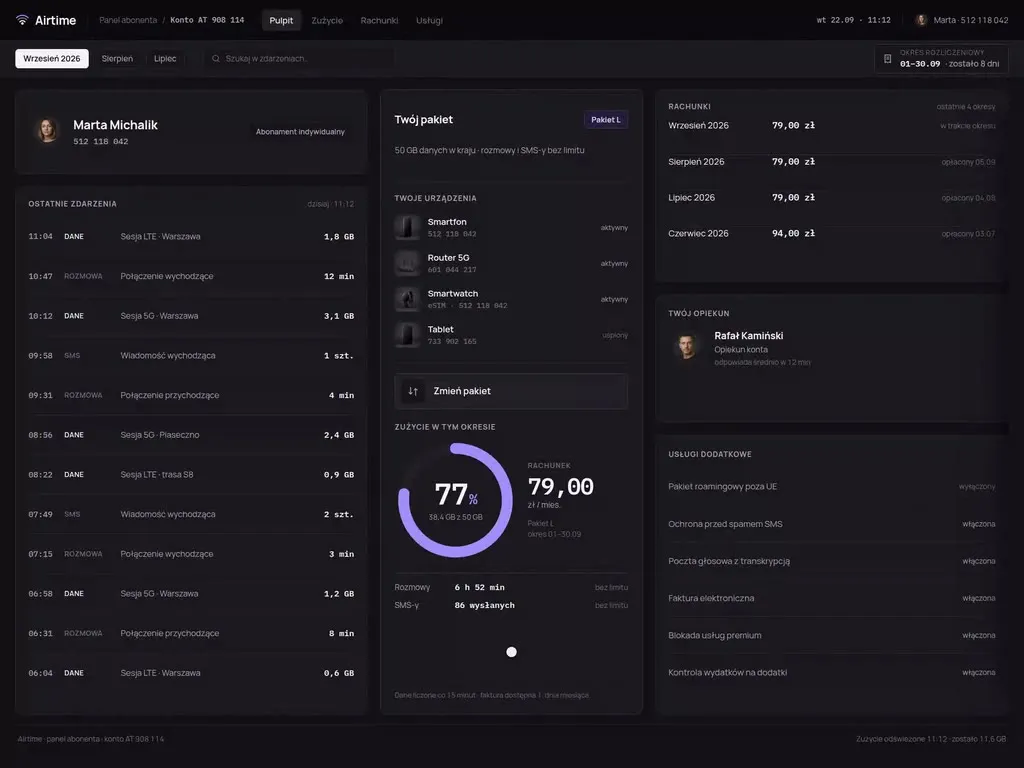
Airports and ground handling agents plan turnarounds, staff and equipment in them, and a turnaround coordinator runs several aircraft at once from a desk by the window onto the apron. In the Airside ground handling panel a single added task rearranges the whole turnaround at once. When designing a panel like this, we first answer the question the coordinator asks most often: will this flight still leave on time.
MRO and CAMO systems
Maintenance organisations and aircraft operators run inspections, task cards, parts and fleet airworthiness in them, and a mechanic uses the system on a tablet that is often taken from a locker at the start of the shift and shared with others. For a device like that we plan the start of work around scanning a code on the airframe or the work order, instead of logging in and searching.
Interactive electronic technical manuals (IETM)
Manufacturers of aerospace and defense equipment hand it over to users together with the documentation a technician reads at the equipment itself. A technician usually starts from a symptom, not from a chapter number, which is why we open the documentation from the fault: an error code or a description of the symptom leads to the troubleshooting procedure, and from there to the part replacement.
Crew planning and the operations control centre
Airlines and aircraft operators build their crew schedules in these systems, and a controller in the operations control centre rebuilds them during the day when an aircraft lands at another airport or waits for a part. We show the controller the effect of each change on the following sectors: which flights lose their crew and whose duty time runs out.
Command and control systems and operations centres (C2)
Manufacturers and integrators of software for the defense sector build a common operational picture in these systems, from which an operator makes decisions under time pressure, often outdoors and on a weak connection. Together with the operator we design and test the layer they see, on scenarios with fictional data, because the operator judges the system by the operational picture, not by what runs underneath.

Why us?
Why choose our UX agency?
-
Maintenance records complete at sign-off
An organisation approved under Part-145 records the details of the maintenance work it carries out within the scope of its approval and keeps the records needed to show that the requirements were met when the certificate of release to service was issued. We lay out the fields of those records in the task card in the order of the mechanic's work, so the records are complete at the moment of signing, not after the shift at a desk.
-
A shorter start for a new mechanic
A new mechanic does not yet know by heart the way to the right card, manual and part, and a large inspection can involve hundreds of task cards. When the system guides them from the aircraft and the work order in front of them, they spend their first shifts on the work, not next to a senior colleague explaining the screens.
-
Faster decisions during disruption
A crew planner who sees the reserve crews and their duty time the moment a disruption starts proposes a replacement in minutes, not after a round of phone calls. The change of plan reaches each crew member as a single message with the new sector, with no separate confirmation from the operations centre.
-
A senior team
A team of senior UX designers who have been designing interfaces for nine years, today for large organisations, SaaS companies and software houses. Seniors will take on your MRO system or ground handling app, from talks with mechanics to sign-off.
-
Proven client trust
We have designed for 115 brands, and most of them come back to us with their next project.
-
Higher quality with AI
A designer with AI tools checks more variants of a task card or a turnaround timeline than they could draw by hand and picks the one that works. What reaches you is a tested version, not the first one that came out.
Process
How will we design your aerospace and defense system, step by step?
-
A conversation with your team

We set the goals and list the systems you work on today
We sit down with the people responsible for maintenance, operations and quality. Together we pick the process to change, for example the path of a defect from report to certificate of release to service, and agree how you will know the project has worked.
Key steps
- Conversations with the technical director, the operations manager and the person responsible for quality
- A review of the systems: MRO, parts store, technical documentation, airport systems
- Choosing the process we start with
- Agreeing the measures: task card closure time, gaps in the records, late turnarounds
Deliverables
- Project brief
- Map of systems and their owners
- List of measures
- Scope of the first stage
-
Discovery in the hangar and on the apron
We study the work where mechanics and coordinators actually make decisions
For discovery we come to the hangar and to line maintenance, the night shift included, and sit with the turnaround coordinator and in the operations control centre. We note every workaround of the system: a printed manual page, a whiteboard with a marker, a notebook of registration numbers, a phone call to the warehouse about a part.
Key steps
- Observing a shift in the hangar and on line maintenance, the night shift included
- A session at the turnaround coordinator's desk
- Interviews with mechanics, planners and crew controllers
- A review of task cards closed with gaps
- A conversation about the shift handover
Deliverables
- Research report
- Map of the defect's path showing where people work around the system
- Prioritised list of problems
-
Interactive system design
A design your mechanics and coordinators click through on their own devices
The screens are designed straight for the target device, from a mechanic's tablet to a workstation in the operations centre. We test the prototype with users on scenarios with fictional aircraft and work orders, prepared together with your team, and refine it before it reaches the developers.
Key steps
- Screen architecture by role: mechanic, planner, turnaround coordinator, technician at the equipment user
- Interactive design of the task card, the turnaround timeline and the technical documentation
- Exception states: a missing part, a deferred defect, a revision change during a task, lost connection
- Prototype tests on scenarios with fictional data
Deliverables
- Interactive design of every screen
- Component library
- Description of behaviour in exceptions
- Prototype test report
-
Build or design hand-off
The new screens reach your system together with the integrations
The build is carried out by our team, your developers or the system vendor, and for each of those routes we prepare the same package. It holds a map of the fields with the source of each one in the MRO system, the parts store, the S1000D documentation database or the airport operational database, a description of permissions and how the screen behaves when one of those systems stops responding.
Key steps
- Screen and field specification for developers
- Integration map: MRO system, parts store, S1000D documentation database, AODB and A-CDM, crew system
- Description of permissions and the activity log
- Pre-launch tests on fictional data
Deliverables
- A working system or a package ready to build
- Integration and permissions specification
- Pre-launch test report
-
Measuring after launch
We check against hangar and apron data whether the change worked
After launch we compare the time from defect report to task card closure, the number of cards closed with gaps in the records and the turnarounds finished late for handling reasons with the measurement taken before the change. On that basis we agree with you the order of the next improvements.
Key steps
- Measuring task card closure time
- A review of cards with gaps and late turnarounds
- Conversations with mechanics and coordinators after launch
- Plan for the next improvements
Deliverables
- Measurement report
- Prioritised list of improvements
- System development plan
Methods and technologies
Systems, standards and regulations we work with in aerospace and defense
-
Part-145
Point 145.A.45 of Part-145 requires an approved maintenance organisation to hold and use the applicable current maintenance data needed for its work, including modifications and repairs. When a new revision comes in mid-job, the card flags it at the step the change affects, before that step is signed off.
-
MRO systems
Organisations that run maintenance in MRO systems such as AMOS, TRAX or Maintenix keep task cards, work orders and parts in them, while the vendor changes the screens at its own pace. In that case we create a separate app for mechanics or planners, which pulls work orders and parts from the system and sends the result of the work back to it, without replacing the system itself.
-
S1000D
S1000D documentation is only as readable as the data modules the viewer assembles it from. So we design the viewer together with the module authors, not after them, because how the content is split into modules decides how much the technician scrolls at the equipment.
-
A-CDM
At an airport that has implemented A-CDM to the EUROCONTROL specification, the ground handling agent may update the TOBT, the target off-block time, if the aircraft operator has delegated that task to it. We place the TOBT on the turnaround timeline as the limit the coordinator plans every job against, and where the agent holds that task, the coordinator sends a TOBT change from the same screen.
-
AODB
The airport operational database (AODB) holds the daily flight plan, delays and stand changes and feeds them to the airport's other systems. We connect the coordinator's app to it so that a delayed arrival or a new stand shifts the coordinator's timeline without anyone retyping anything.
-
Fictional data instead of fleet data
Fictional data instead of fleet data is how we test a prototype: we prepare aircraft registrations, task cards and turnaround scenarios together with your team, close to the real ones but made up. Your fleet data, equipment documentation and information about your units then stay with you.
Selected work
Our work for the space sector and industry
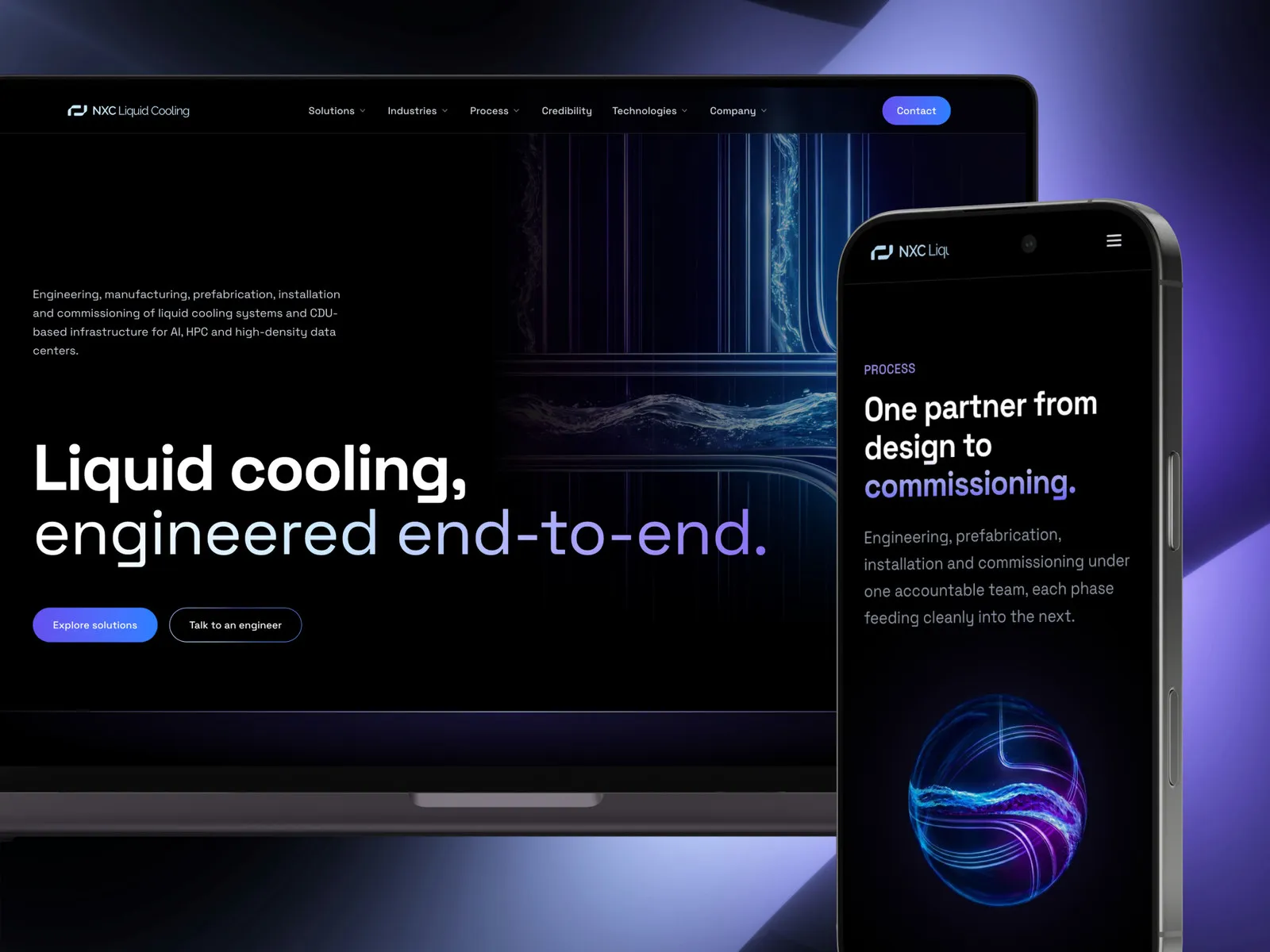
The website for a space sector company is a project from this industry, and the others are websites for industrial companies.
-
Aerospace & Defense
Thaliana Space
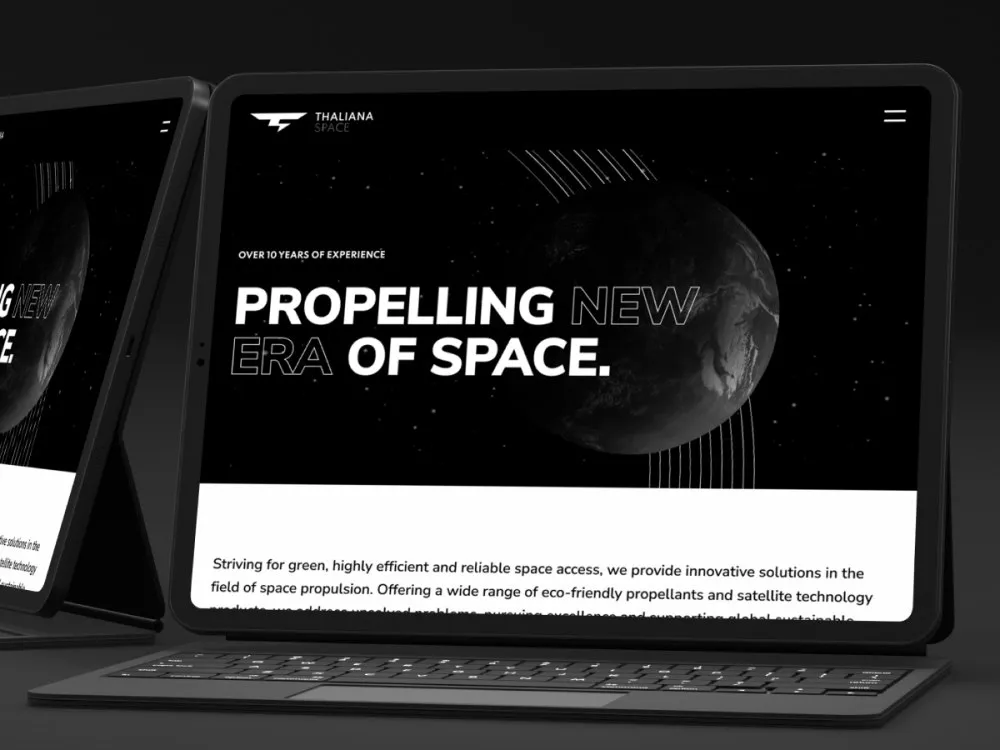
View projectThe Thaliana Space website - a space-sector company working on green rocket propellants and satellite technology. A dark, technical site with a "Propelling new era of space" hero, the product offer, a green alternative to hydrazine and a contact form. Desktop and mobile.
-
Industrial Manufacturing
Swish
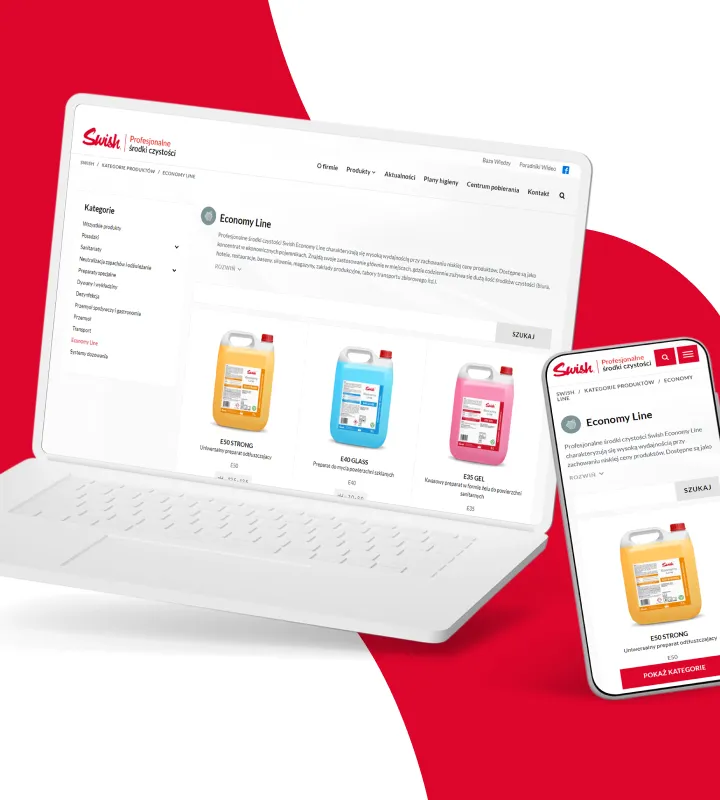
Read case studyWe delivered the UX/UI design for Swish's online product catalogue, focusing on process automation and a no-code WordPress implementation.
-
NXC Liquid Cooling
A liquid cooling systems website
- See what else we build Projects
Start your aerospace and defense software project
One team designs your ground handling app, MRO system or interactive technical documentation, from research in the hangar to the build.

Client voices
What our clients say
 Maja Wieloch-Silecka Operations Director, Bosfor Group

“Working with the Wzór team was a genuinely great experience! They always answered our questions quickly and were flexible about our comments. They have no shortage of creative ideas and are at the same time thoroughly reliable and on time. The end result fully met our expectations; we recommend them to anyone looking for professionals who care.”
 Piotr Alberski Chief Operating Officer, Agencja XO Media

“Our clients expect us to act fast and effectively across a very wide scope - from building a brand, through a website with a store, to running an effective sales campaign. Not an easy task, but doable when you have a tight-knit team and partners who take on challenges on the fly. For us, quality, accountability and commitment are key, and working with UX Agency Wzór gives us that 100%.”
 Mateusz Swół Chief Operating Officer, Sellace

“Our cooperation with UX Agency Wzór started with our own website. We really liked the way they work, so we decided to subcontract projects for our clients to them on a White Label basis. We loved their workflow, the way they hand projects over to our team, their documentation and their work on the design system. Now we can take on bigger risks.”



























The team
Who will design your aerospace and defense system?
-

Aleksandra Bondar
Senior UX/UI Designer
View profileHow can I help you?
“I will design the task card for the mechanic's tablet and the coordinator's timeline, then walk through them with those users on a scenario with a fictional aircraft before they reach the developers.”
-

Katarzyna Adamczuk
Prezes, Analityk Biznesowy
View profileHow can I help you?
“I will map out with your planners the path of a defect from the report to the certificate of release to service, and mark who signs at each point.”
-
Patryk Korycki
CEO, Analityk Biznesowy
View profileHow can I help you?
“I will agree the scope and budget with you, and during the build I will see to the integrations with the MRO system, the parts store and the airport operational database, and to who has access to which data.”
-

Tadek Wadas
Senior UX/UI Designer
View profileHow can I help you?
“I will come to the hangar for the night shift and sit with the turnaround coordinator to see where your people work around the system.”
FAQ
Frequently asked questions about aerospace and defense software
What is MRO software?
MRO (Maintenance, Repair and Overhaul) software is the system in which a maintenance organisation plans and carries out inspections, repairs and part replacements on aircraft, together with task cards and the records of the work done. Mechanics often use it on a tablet at the aircraft, while the planner and the parts store use it at a desk. That is why the screen for mechanics gets its own design, because a mechanic looks at a single card, while the planner looks at the whole inspection.
What is a CAMO in aviation?
A CAMO is an organisation holding a continuing airworthiness management certificate under Annex Vc (Part-CAMO) of Commission Regulation (EU) No 1321/2014: for each aircraft it manages it ensures, among other things, that an aircraft maintenance programme is developed and checked, and it contracts maintenance, oversees it and coordinates it. Where needed, it entrusts the aircraft to an appropriately approved maintenance organisation. A CAMO engineer works across an entire fleet at once, so what helps them most is a view in which the due date of every inspection sits next to the aircraft's availability in the flight schedule.
What is Part-145?
Part-145 is Annex II to Commission Regulation (EU) No 1321/2014, setting out the requirements an organisation must meet to be issued or to keep a certificate of approval for the maintenance of aircraft and components. Its points cover, among other things, facilities, personnel, maintenance data and record-keeping. In such an organisation's system those requirements show up above all in the task card, at the moment of sign-off.
Is AMOS an MRO system?
Yes, AMOS by Swiss AviationSoftware is an aircraft maintenance and engineering system used by airlines and maintenance providers, covering maintenance, engineering and logistics processes. Choosing such a system is your decision, not a UX agency's. With an organisation that already works on it, we start by listing the screens mechanics and planners open every day and the ones they avoid.
What is S1000D?
S1000D is an international specification for producing technical publications from a common source database (CSDB): documentation is built from data modules, each with its own code and information on which equipment configuration it applies to. The specification does not describe what a viewer for that documentation should look like. We design that part from how a technician looks for a procedure, not from how the modules sit in the database.
What is an IETM?
An IETM (Interactive Electronic Technical Manual) is interactive electronic technical documentation: an operating and repair manual for equipment stored as data that the technician browses and searches on a screen instead of leafing through a book. It is used at the equipment, on a tablet or a laptop. That is why it has large buttons, a step-by-step procedure and a way back to the point where the technician stopped.
What is A-CDM?
A-CDM (Airport Collaborative Decision Making) is a way for the airport, airlines, ground handling agents and air traffic control to make decisions together, described by EUROCONTROL and focused on the aircraft turnaround and the pre-departure process. The progress of a turnaround is tracked through a sequence of milestones, and each airport decides on implementation itself. A turnaround coordinator sees the next milestone best beside the aircraft itself, not in a separate table.
What is an EFB?
An EFB (Electronic Flight Bag) is, according to the EASA document AMC 20-25, an information system for flight deck crew members which allows storing, updating, delivering, displaying and computing digital data to support flight operations. In practice it is usually a tablet. In EFB app projects we involve the EFB administrator, whom the operator appoints to run the system within the company.
What is aircraft ground handling?
Ground handling is the work on the aircraft, baggage and passengers at the airport between arrival and departure, carried out by the staff and equipment of a ground handling agent. The whole turnaround is run by the turnaround coordinator, also called the ramp coordinator. In an app for that person everything revolves around the turnaround timeline, with its tasks and their dependencies.
Related services
Services related to aerospace and defense software
You know your mechanics work around the MRO system, but not where.
Let us start by following one task card at the aircraft and finding the step where the tablet gets put down.
You are introducing new equipment with its documentation or replacing a maintenance system.
Before anyone starts coding, we will check with technicians and planners what they need in their daily work, and in what order.
You have screen designs and want to test them before they reach the hangar or the apron.
We will talk them through with you or build a prototype that mechanics and coordinators go through on a scenario with a fictional aircraft.