

Healthcare
At Wzór UX agency you receive an interactive design of your healthcare software, be it a hospital information system, a practice management system with electronic medical records or a patient portal, and either our team or your own developers can then build it. For practices in this sector we designed, among others, the websites of the DentAg dental practice and the Pro Sensum psychology practice.







Challenges
What challenges do we help solve in healthcare?
Our approach
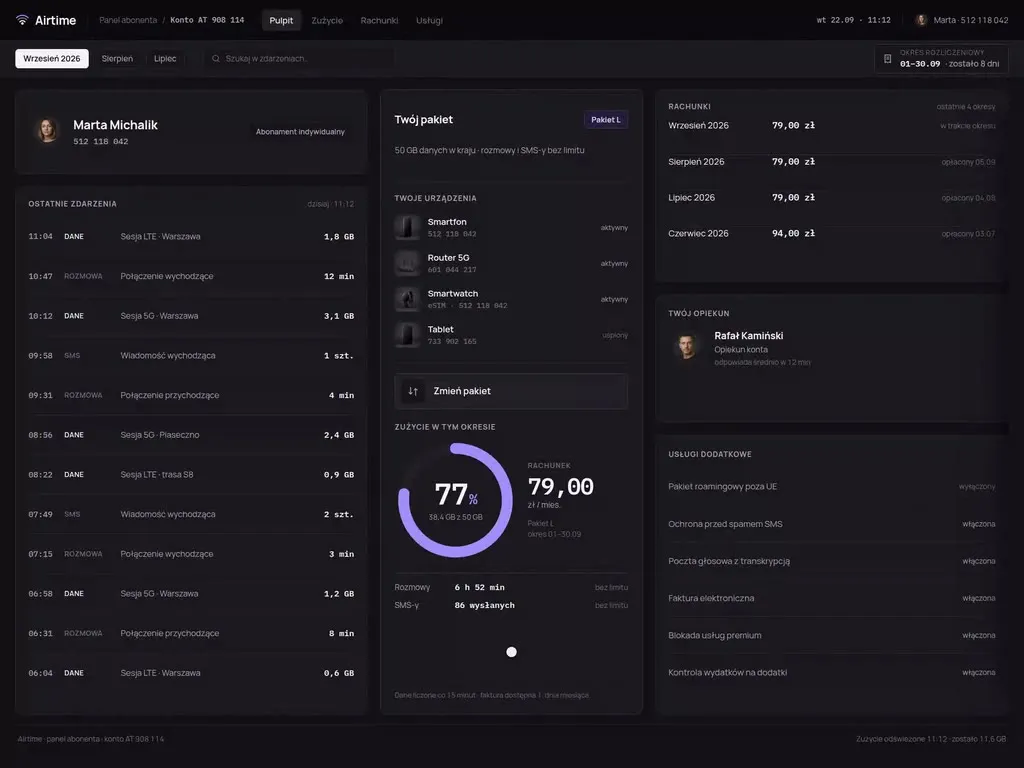
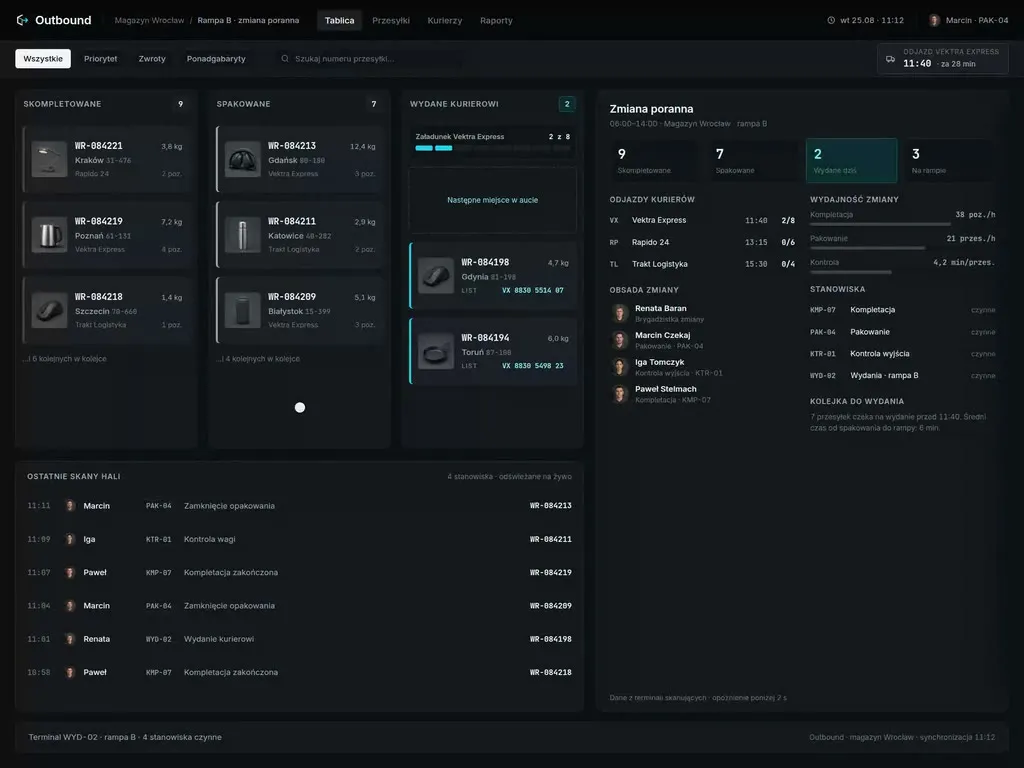
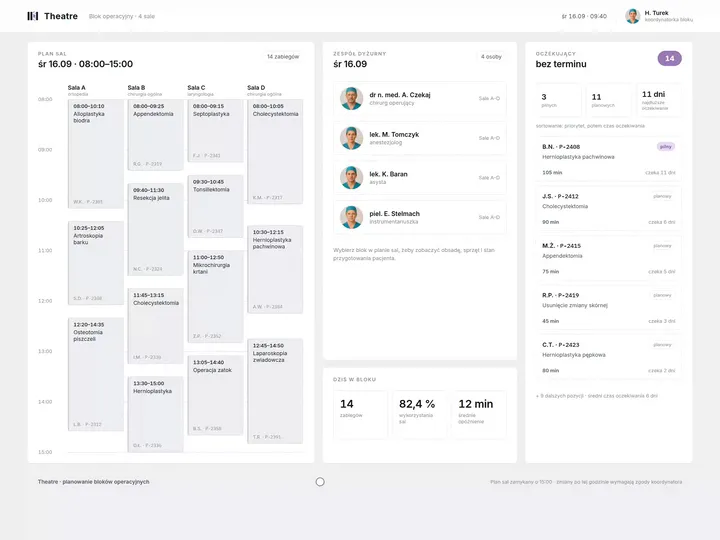
In the operating theatre schedules we design, a cancelled procedure turns straight into a free window showing its minutes. Next to the window the coordinator sees the patients on the waiting list whose procedure fits into it, together with whether they are prepared, and decides whom to call in before the team leaves the theatre.
Scope of services
Our approach
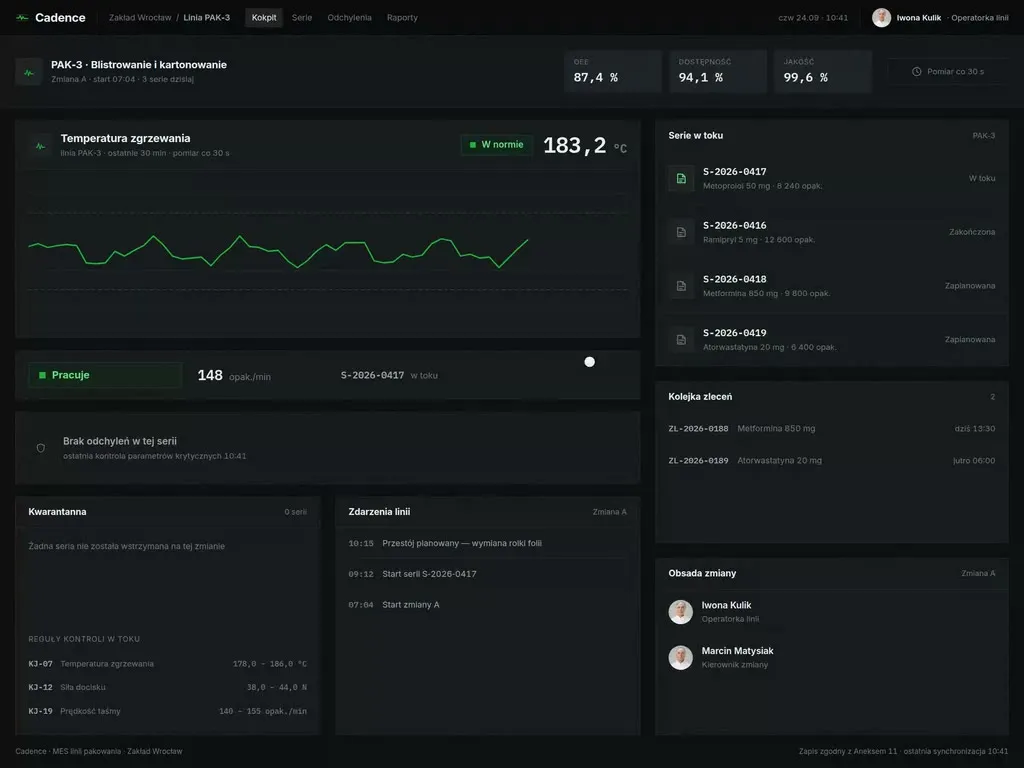
In the practice management systems we design, the visit screen follows the order of the conversation with the patient: history, examination, diagnosis, recommendations. The doctor issues the e-prescription and e-referral from the same view, and data known from earlier visits is already in the fields, ready to be checked.
Scope of services
Our approach
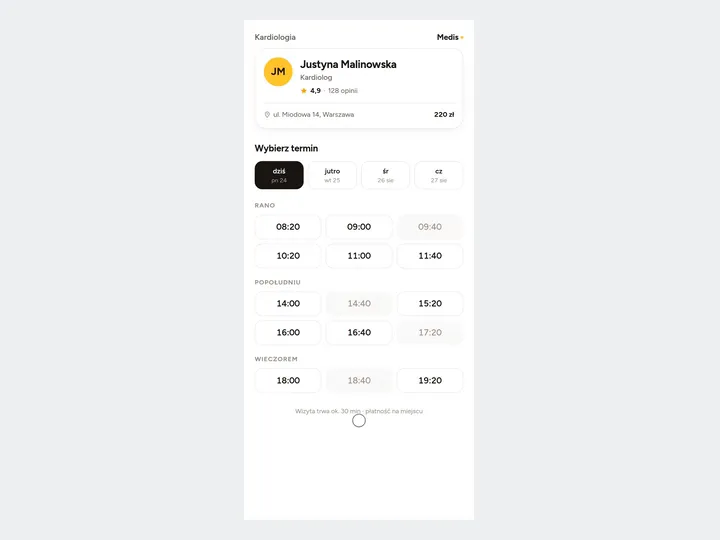
In the patient portals and apps we design, the visit reminder carries a cancel button, and cancelling takes one step. The freed slot goes back to the reception schedule at that very moment, so the receptionist offers it to the next patient who wants an earlier date.
Scope of services
Who it is for
Which healthcare companies and institutions do we design software for?
Online booking and patient portals
Clinics, networks of medical centres and private practices book patients through their website, an app and the phone, while patients want to book a visit themselves, without waiting to get through to reception. For the Pro Sensum psychology practice we designed a website with online booking, and for a physiotherapist and massage therapist who travels to her clients, the Przystanek Masaż website with a form to request an appointment. A patient portal with an account, visits and results is a different job, and there we also think of the carer who books visits and collects results on behalf of a parent.
Hospital information systems and theatre schedules
Hospitals run wards, orders, results and the operating theatres in their hospital information system, and doctors, nurses and coordinators work in it around the clock. Each role gets hospital system screens built around its own task: a nurse on duty sees the orders for her shift, and the theatre coordinator sees the theatre, team and equipment for every procedure, without switching modules.
Electronic medical records and practice management systems
Clinics and medical practices run their whole day of appointments in a practice management system, from booking a patient to the entry in the medical records. Receptionists, nurses and doctors work in the same system, each on a different part of the same visit. We lay it out so that what the receptionist entered at booking and the nurse at the measurements is in front of the doctor when the visit begins.
Teleconsultations and telemedicine
Family doctors' clinics, medical networks and online consultation platforms give advice remotely, by phone or video. In Polish primary care, no contact with the patient at the agreed time cancels the teleconsultation, but before that the clinic makes at least three attempts to reach them, at least 5 minutes apart. So the teleconsultation schedule we plan leaves room for those attempts, so that an unanswered call does not push back the whole day.
Software that is a medical device
Companies that make software intended for diagnosing and monitoring diseases place a medical device on the market, not an ordinary app. Doctors and nurses use it, and in monitoring so does the patient at home. When designing such software, we separate the doctor's screen from the patient's, because the same measurement is assessed by one and only read by the other.

Why us?
Why choose our UX agency?
-
Test results in one view for the doctor
The laboratory, the imaging department and the image archive run on separate systems (LIS, RIS and PACS), which the hospital connects to its hospital information system. We design a view in which the results of those systems stand side by side, with their date and source, so that a doctor on the ward round does not switch between programs.
-
Test records laid out for device documentation
We record prototype tests with doctors, nurses and patients so that a medical software maker's team can fold them into its own usability documentation: who tested, which task, which error and what we changed. The maker then does not have to rewrite our report in its own template.
-
New reception staff up to speed sooner
Reception keeps the doctors' schedule, answers patients' calls and, for some services, also looks after the appointment schedule in central e-registration. We lay out the reception screen by the tasks of the day and name the clinics the way the facility names them, so a new person learns the job at the desk rather than from a manual.
-
A senior team
A team of senior UX designers who have been designing interfaces for nine years, today for large organisations, SaaS companies and software houses. Seniors will take on your hospital system or patient portal, from research in the hospital and at reception to sign-off.
-
Proven client trust
We have designed for 115 brands, and most of them come back to us with their next project.
-
Higher quality with AI
A designer with AI tools checks more variants of a theatre schedule or a visit screen than they could draw by hand and picks the one that works. What reaches you is a tested version, not the first one that came out.
Process
How will we design your healthcare software, step by step?
-
A conversation with your team

We set the goals and look at the systems you work on today
At the first meeting we sit down with the medical director, someone from the operating theatres or reception, IT and the data protection officer, because the system processes patients' health data. Together we choose the process we start with and the measure that will show after launch whether the change worked.
Key steps
- Conversations with medical management, the theatres or reception, IT and the data protection officer
- A review of the systems: hospital, practice management, reception, patient portal
- Choosing the process we start with
- Agreeing the measures: free theatre hours, visit entry time, slots lost without cancellation
Deliverables
- Project brief
- Map of systems and their owners
- List of measures
- Scope of the first stage
-
Discovery on the ward and at reception
We study the work in the theatres, in the consulting room and on the phone
We carry out discovery where the system is used: at the morning theatre planning, in the consulting room during appointments, at reception during peak hours, and with the patient at a teleconsultation at home. We work with the consent of the facility and the patients and do not copy their data. We note every workaround, because it shows what the software does not provide: a paper plan of the rooms on the door, a notebook of bookings next to the schedule, a call to the ward asking about a result.
Key steps
- Observing the morning theatre planning
- A shift at reception during peak hours
- Observing visits in the consulting room, with patients' consent
- Interviews with doctors, nurses and patients
- A review of staff requests to IT
Deliverables
- Research report
- Process map showing the workarounds
- Prioritised list of problems
-
Interactive system design
A design that staff and patients go through
We design the screens straight for the devices they will be used on: a monitor at the nurses' station, a computer in the consulting room, a tablet at the bedside, the patient's phone. We fill the prototype with sample data rather than data from medical records, and test it with staff and patients, including older patients and with a screen reader.
Key steps
- Screen architecture by role: doctor, nurse, theatre coordinator, reception, patient
- Interactive design for the target devices
- Exception states: a cancelled procedure, a missing result, a patient who does not answer the phone
- Prototype tests with users, including with a screen reader
Deliverables
- Interactive design of every screen
- Component library
- Description of behaviour in exceptions
- Prototype and accessibility test report
-
Build or design hand-off
We connect the new screens to the systems already running
The build is carried out by our team, your developers or the system vendor, and we spell out for them how the new screens connect: to the P1 platform, to documents in HL7 CDA formats, to the central e-registration schedule, to the laboratory and to the imaging department. We agree the launch with the wards so that it does not fall on a day with a full list of operations, and the staff work the first shift with us.
Key steps
- Screen and field specification for developers
- Integration map: P1, HL7 CDA, central e-registration, LIS, RIS, PACS
- Support for the implementation team
- Tests on the target devices before launch
Deliverables
- A working system or a package ready to build
- Integration specification
- Pre-launch test report
-
Measuring after the first weeks
We check against the facility's data whether the change worked
After the first weeks we compare free theatre hours, visit entry time and slots lost without cancellation with the measurement taken before the change. We discuss the results with the theatre coordinator, doctors and reception, and put the fixes in the order in which they will be released.
Key steps
- Measuring free theatre hours and visit entry time
- A review of cancellations and lost slots
- Conversations with staff after launch
- Plan of fixes
Deliverables
- Measurement report
- Prioritised list of fixes
- System development plan
Methods and technologies
Systems and standards we work with in healthcare
-
P1 and the Internetowe Konto Pacjenta
A facility places e-prescriptions and e-referrals in Poland's Medical Information System in real time, and the patient sees them in the Internetowe Konto Pacjenta, the online patient account, and in the mojeIKP app. When designing a facility's portal, we show next to each prescription that it has already reached P1, so nobody calls to ask whether they can go to the pharmacy.
-
HL7 CDA
The Polish national implementation of HL7 CDA describes how to record an e-prescription, an e-referral, a hospital discharge summary or an operation report so that the document can be processed or found in P1 and exchanged with another facility. The document screen carries the fields the template requires, so the doctor does not return to an entry after the system rejects it.
-
AMMS
In a hospital on AMMS, the wards, the operating theatres and billing already have their own modules in it. When designing a new screen alongside AMMS, we agree from the first meeting which data it takes from that system, so no one enters the same thing twice.
-
mMedica
mMedica is a modular system for running clinics and medical practices, which also handles the exchange of electronic medical records. For a booking portal or app alongside mMedica, we start with where a free slot comes from, so that the portal shows the same times as reception.
-
Central e-registration
Since 1 January 2026, a clinic that provides services covered by central e-registration makes its appointment schedule with free slots available in P1 and keeps it up to date; once it enables central applications, the patient applies through the online patient account or directly at the facility, and until then dates are set under the previous rules. In the clinic's schedule we mark which slots sit in central e-registration and which are booked the usual way, so the receptionist sees both at a glance.
-
IEC 62366-1
IEC 62366-1 describes a process in which a medical device manufacturer analyses, specifies, develops and evaluates usability as it relates to safety, including the errors users make in normal use. So the prototype test scenarios start from the tasks where such an error would harm a patient.
Selected work
Our work for healthcare and related industries
The healthcare projects are websites for practices, visual identities for a rehabilitation practice, a dental ceramics studio, a medical mask brand together with its packaging and a medical software brand, advertising materials for an eye clinic and a brochure for an orthopaedic centre. Next to them stand product catalogues for pharmaceutical and diagnostics companies and identities for laser cosmetology and massage studios, which belong mainly to pharma and services.
-
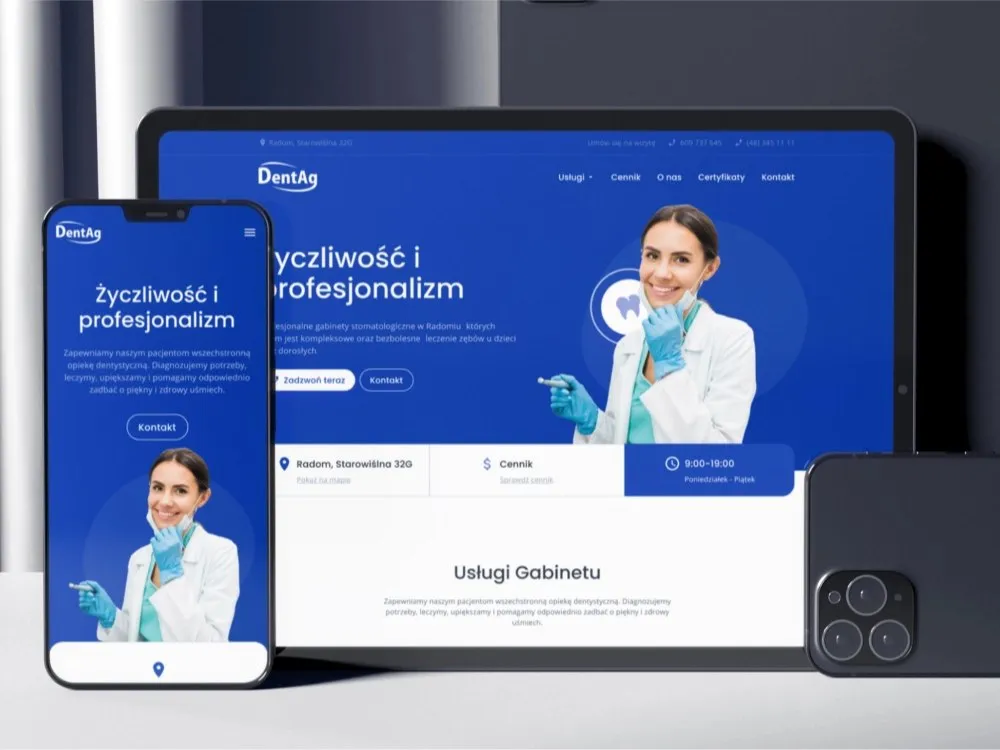
Healthcare
DentAg
View projectThe website for the DentAg dental clinic in Radom - a site that guides the patient from the services through treatment stages and pricing to contact and booking a visit. Patient reviews, a location map and a certificates section. Desktop and mobile.
-
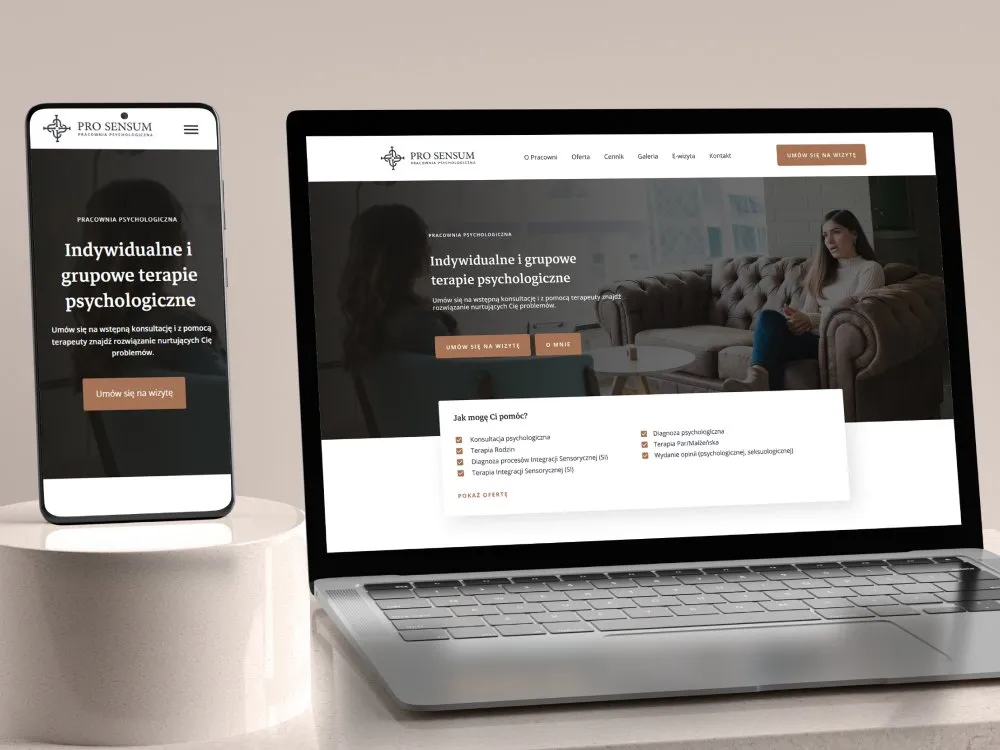
Healthcare
Pro Sensum
View projectThe website for the Pro Sensum psychology practice - a site that invites people into therapy: individual and group psychological therapy, diagnosis and sensory integration, the therapist bio, reviews and online booking. A muted, warm identity. Desktop and mobile.
-
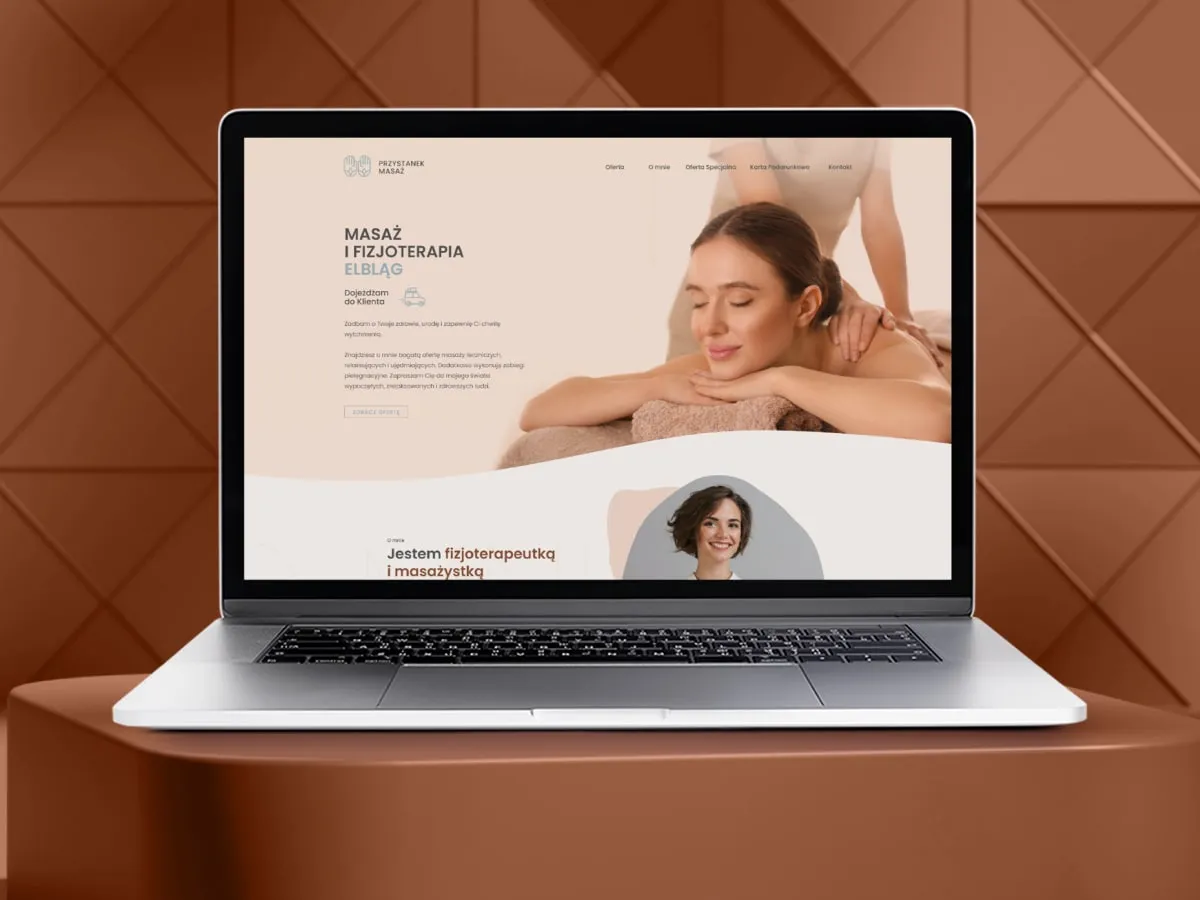
Przystanek Masaż
Website for massage and physiotherapy
-
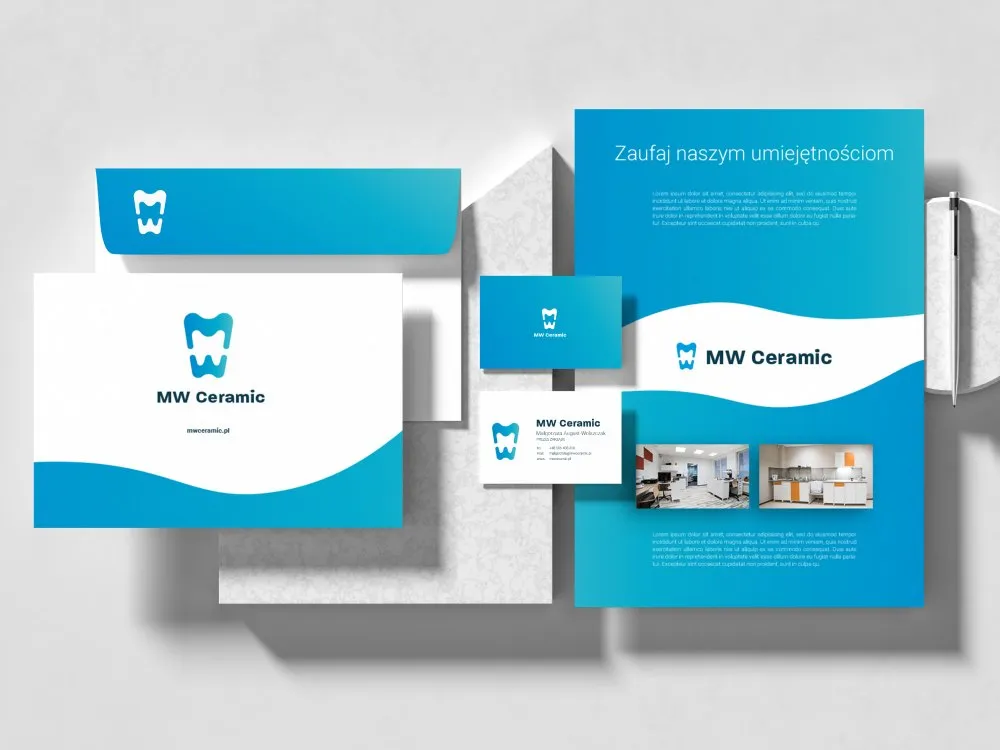
MW Ceramic
Visual identity for a dental ceramics lab
-
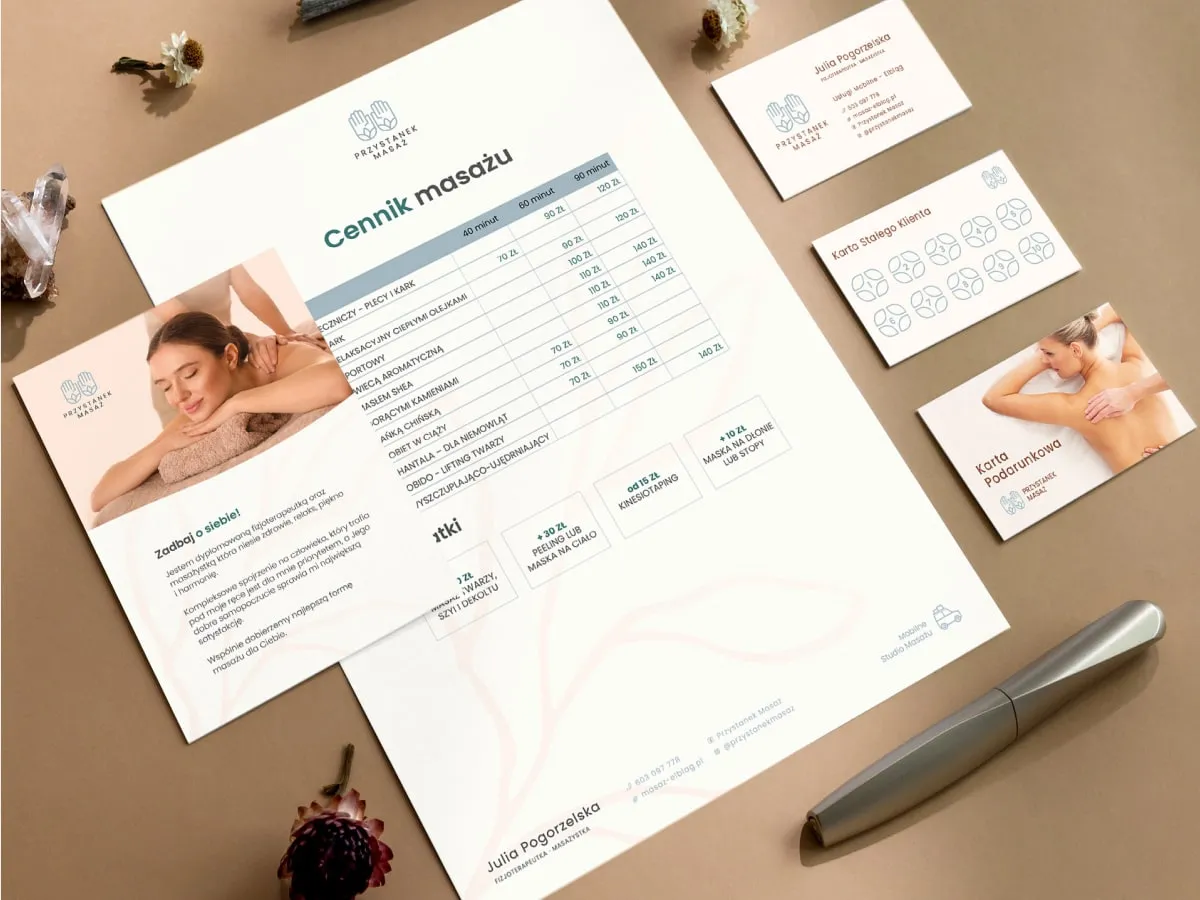
Przystanek Masaż
Visual identity for a massage studio
-
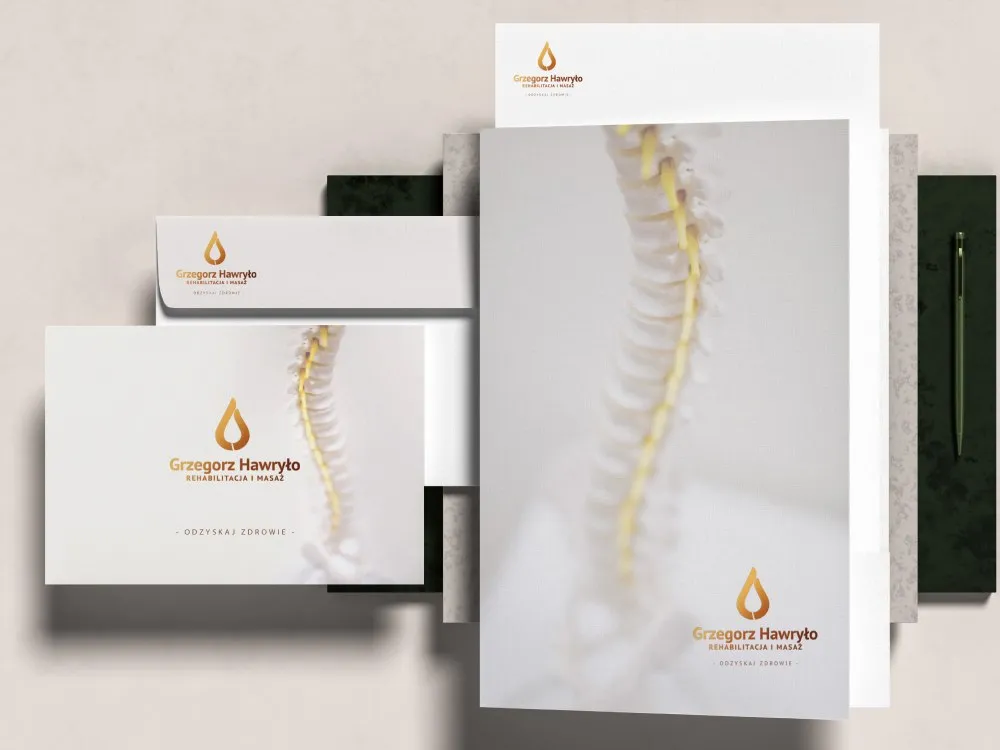
Grzegorz Hawryło
Brand for a rehab and massage clinic
-
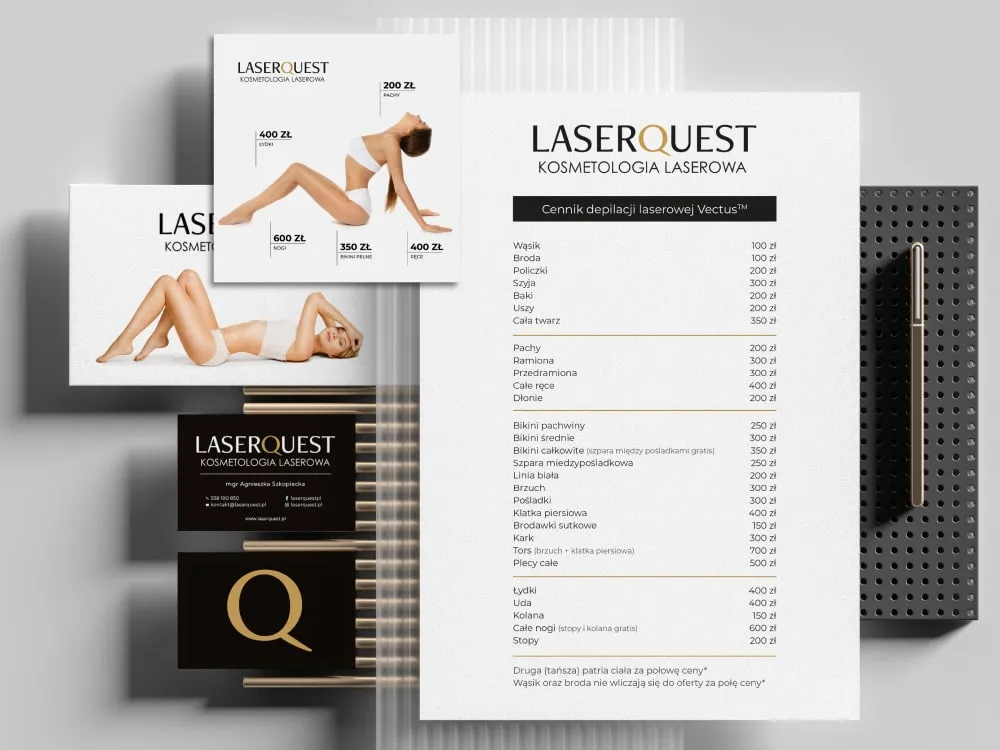
LaserQuest
Visual identity for a laser clinic
-
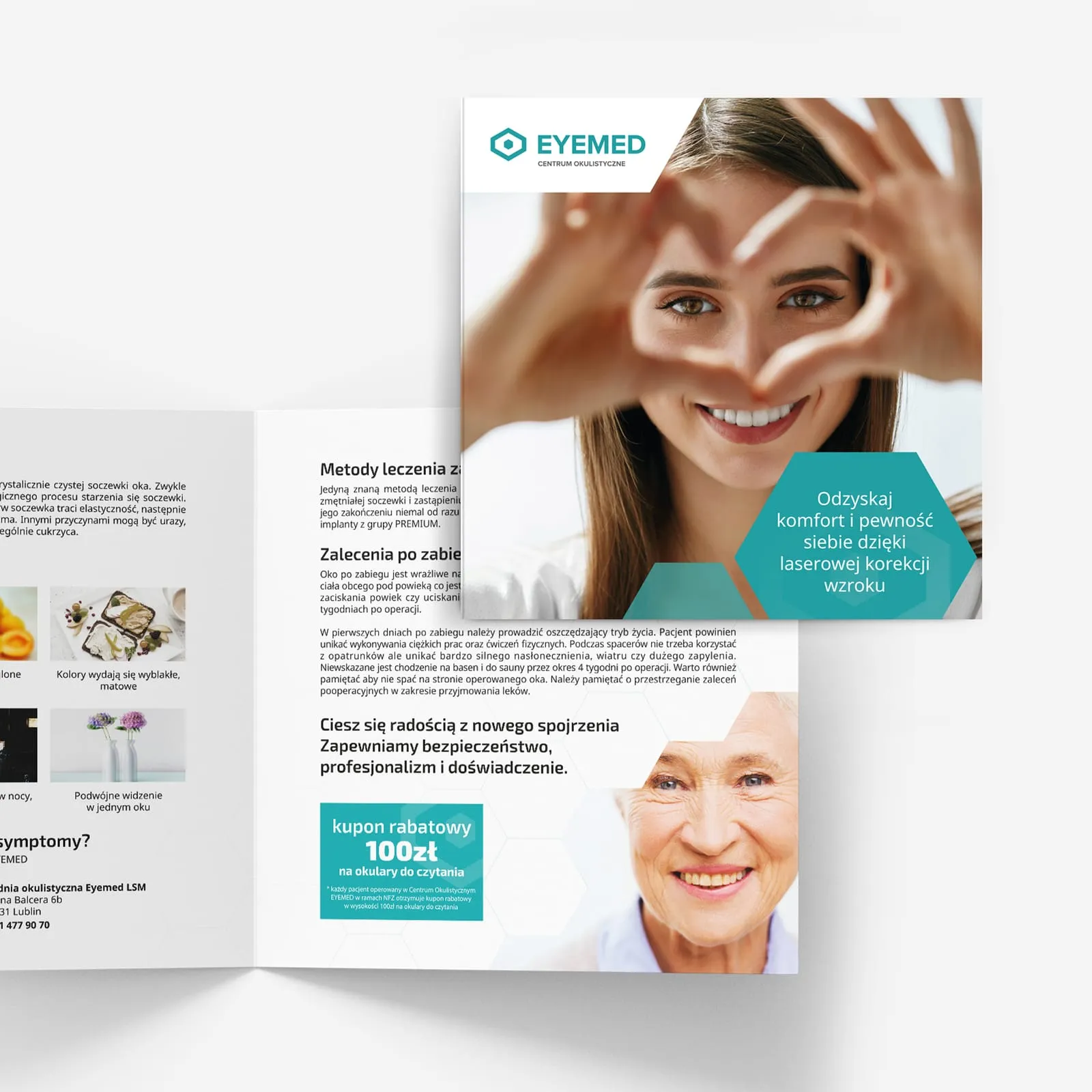
EYEMED
Advertising materials for an eye clinic
-
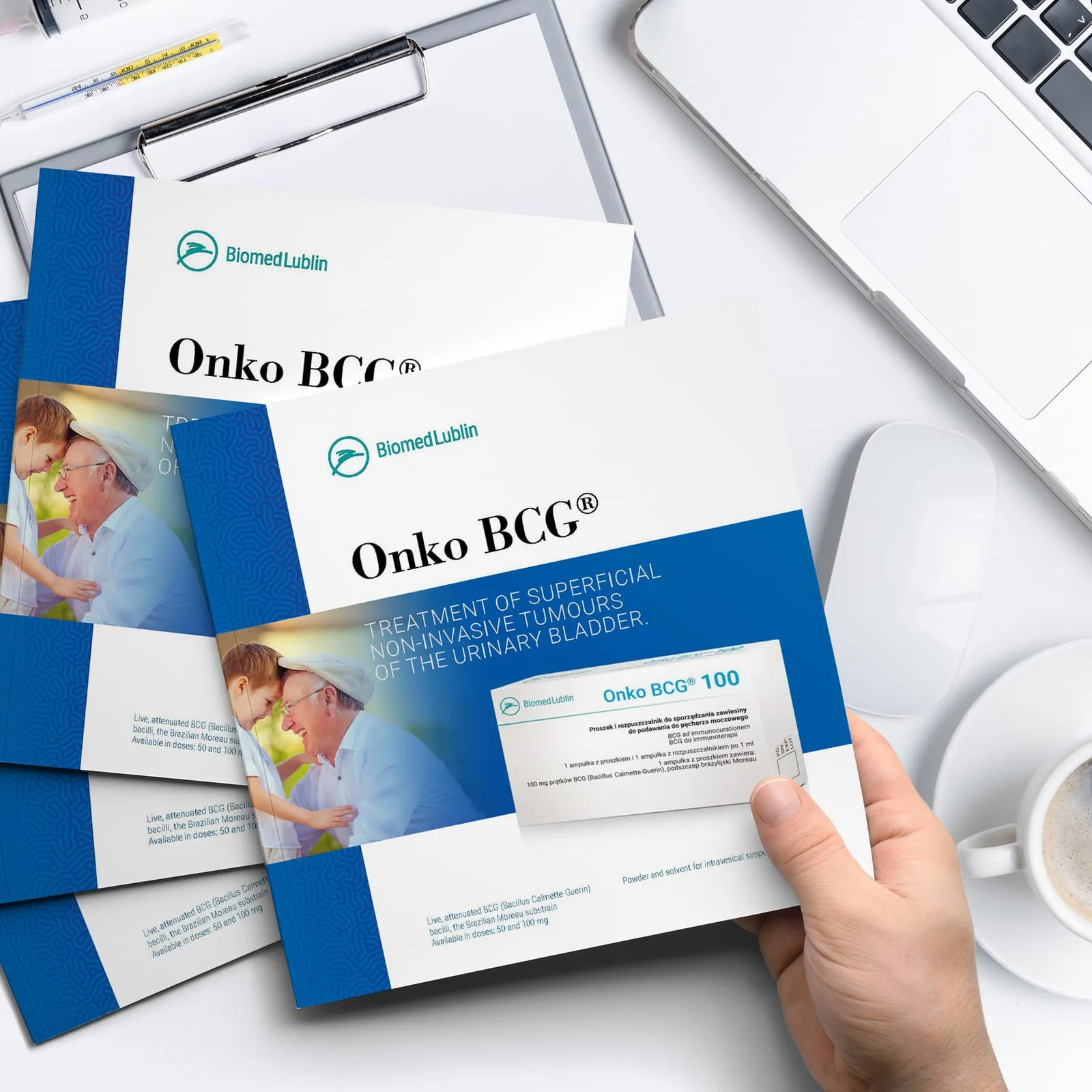
Biomed Lublin
Catalogue for the Onko BCG immunotherapy
- See what else we build Projects
Start your healthcare software project
From observation in the theatres and at reception to the build: hospital system, practice management system and patient portal in the hands of one team.
Client voices
What our clients say
“I have worked with UX Agency Wzór for over 3 years, and in that time we have delivered several projects together covering promotional materials such as leaflets, posters, product catalogues and packaging designs. On the strength of that experience I can sincerely recommend the services of UX Agency Wzór. I will add that contact with the agency staff is always quick and highly professional.”

“After our meeting with Wzór, our site literally came back to life. We got a fresh design, and every comment we made was implemented promptly. The walkthrough video on running the site made our work distinctly easier. We are very happy with this collaboration.”
 Maja Wieloch-Silecka Operations Director, Bosfor Group

“Working with the Wzór team was a genuinely great experience! They always answered our questions quickly and were flexible about our comments. They have no shortage of creative ideas and are at the same time thoroughly reliable and on time. The end result fully met our expectations; we recommend them to anyone looking for professionals who care.”





























The team
Who will design your healthcare software?
-
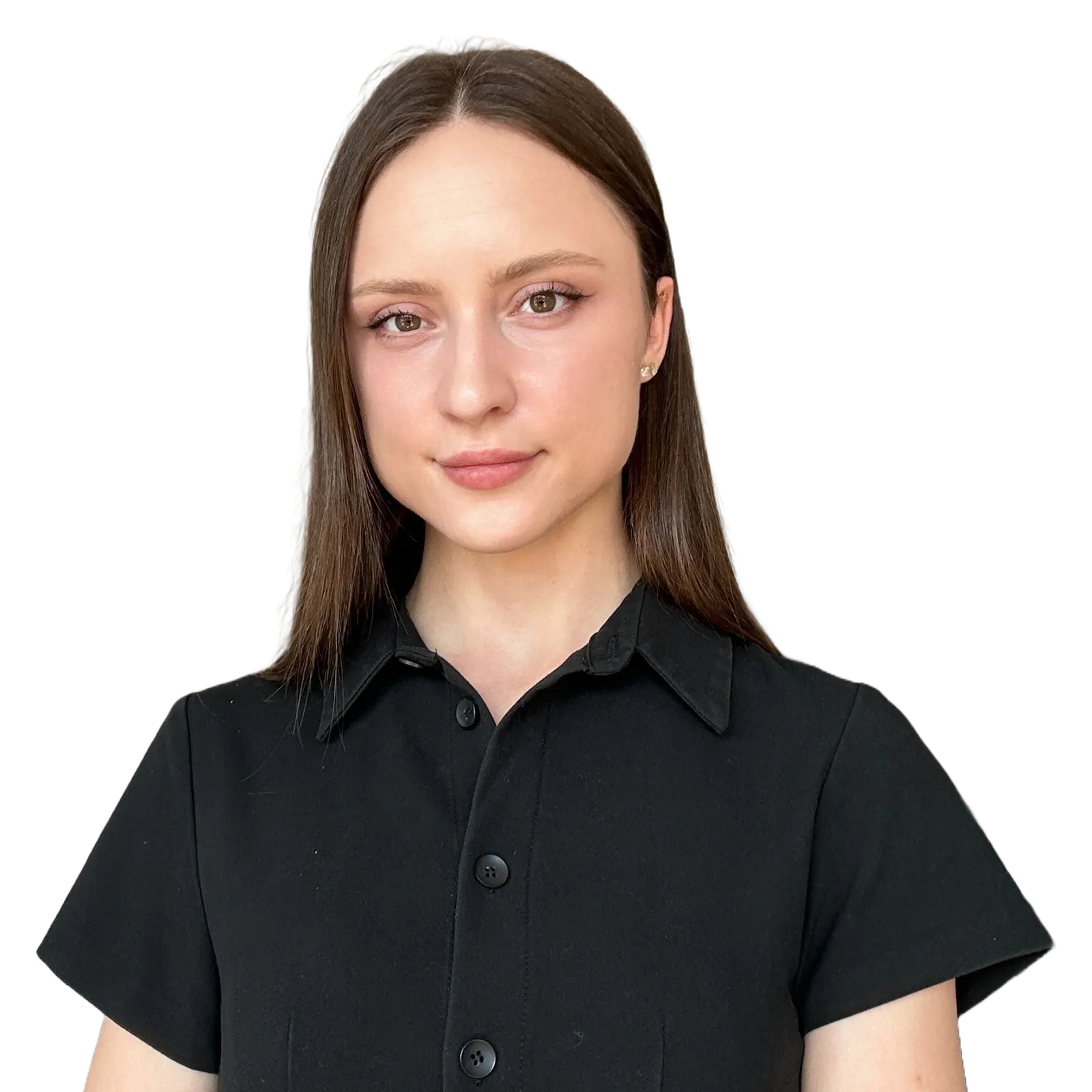
Aleksandra Bondar
Senior UX/UI Designer
View profileHow can I help you?
“I will design the theatre schedule and the visit screen so that the coordinator and the doctor get through them in the prototype without my help, before they reach the developers.”
-

Katarzyna Adamczuk
Prezes, Analityk Biznesowy
View profileHow can I help you?
“I will map out with you the path of a referral from the consulting room through reception to a slot in the schedule, so that no step needs a phone call or a slip of paper any more.”
-
Patryk Korycki
CEO, Analityk Biznesowy
View profileHow can I help you?
“I will agree the scope and budget with you and plan the build so that the connections to P1, the laboratory and central e-registration work from day one.”
-

Tadek Wadas
Senior UX/UI Designer
View profileHow can I help you?
“I will test the patient portal with older people and with a screen reader, and for software that is a medical device I will record every user error and what we changed after it.”
FAQ
Frequently asked questions about healthcare software
What are electronic medical records (EDM) in Poland?
Electronic medical records (EDM, elektroniczna dokumentacja medyczna) are documents created in electronic form and signed with a qualified electronic signature, a trusted profile signature or a personal signature, or confirmed in the free system provided by ZUS, among them prescriptions, referrals and histopathology results. The Polish act on the health information system requires service providers to keep EDM in the formats published by the health minister. We keep the doctor's working note apart from the document that becomes part of the EDM once signed.
What is a HIS?
A HIS (hospital information system) is a hospital's information system in which doctors and nurses keep ward patients' records, orders and results, and the administration keeps statistics and billing with the National Health Fund. It is made up of modules, and in a hospital several professions work in it at once on different shifts. Our starting point for a HIS is the role and the time of day, not the list of modules.
What is a practice management system?
A practice management system is the program in which a clinic or medical practice keeps its schedule, visits and electronic medical records, and from which the doctor issues e-prescriptions and e-referrals. Regardless of the practice management system, every doctor in Poland can issue e-referrals in the free gabinet.gov.pl app of the Ministry of Health. We begin a rebuild of such a system by observing a few days of appointments in one clinic.
What is the P1 platform?
The P1 platform is the e-health system run by Poland's Centrum e-Zdrowia, which collects and shares data on patients' medical events and indexes of electronic medical records from all medical providers, whatever the source of funding for their services. E-prescriptions and e-referrals pass through P1, and a provider sends the data of each medical event to the Medical Information System so that another provider can retrieve the data from medical records needed for diagnosis or continuity of treatment. When P1 fails, a provider must place the medical event data in the Medical Information System no later than 3 days after the failure is fixed, not counting its days off, so we give a document waiting to be sent its own visible status on screen.
What can patients do in the Internetowe Konto Pacjenta?
In the Internetowe Konto Pacjenta, Poland's online patient account, patients check their e-prescriptions, e-referrals, visit history and vaccinations, authorise a close person to see their records and change their primary care doctor, nurse or midwife. They can also order an e-prescription for regular medicines there, if the facility accepts such requests, and log in with a trusted profile, an e-ID card, the mObywatel app or their bank. When designing a patient portal, we do not duplicate these functions and instead send the patient to the online patient account for matters that are settled there.
Is a medical app a medical device?
A medical app is a medical device when its manufacturer intends it for a medical purpose listed in the definition of the EU Medical Device Regulation (MDR), for example diagnosing, monitoring or treating a disease. The regulation explains that software for general purposes, even when used in a healthcare setting, and software intended for lifestyle and well-being purposes is not a medical device. The intended purpose follows from the manufacturer's information on the label, in the instructions for use and in promotional materials, so we agree the descriptions of features in the app with the person responsible for MDR compliance at the manufacturer.
How does a teleconsultation with a family doctor work?
A teleconsultation with a family doctor is a health service provided remotely through an ICT or communication system, and in Polish primary care it takes place no later than the first working day after the patient gets in touch, or at a later date agreed with them. The first visit with the doctor, nurse or midwife chosen in the patient's declaration and a visit over a suspected cancer take place in person, and during a teleconsultation the patient can say they want to meet in person. In the clinic schedule we therefore place teleconsultations next to in-person visits, so that reception knows at once which slot to offer.
Does a hospital website need an accessibility statement?
The website and mobile app of a hospital operating as an independent public healthcare institution (SP ZOZ) need an accessibility statement, because such institutions belong to the public finance sector, whose units are covered by the Polish digital accessibility act. The statement is prepared for each language version of the website and app and reviewed every year by 31 March. The same act requires WCAG 2.1 success criteria at levels A and AA to be met, which is why we check accessibility already on the prototype, with a screen reader and a keyboard alone.
What is the Domowa Opieka Medyczna system?
The Domowa Opieka Medyczna (home medical care) system is a module of Poland's Medical Information System intended to collect a patient's data from medical devices and wellness apps, together with measurements they enter themselves, and to monitor their health on that basis. It was introduced by the act of 15 May 2026 amending certain acts in connection with the development of e-health services, and the system will be launched within five months of the act coming into force. Entities that have placed wellness apps on the market may pass data to it only at the patient's request and with their consent, after meeting the conditions set by the act. We design that consent as a separate step rather than a small note in the terms.
Related services
Services related to healthcare software
You know patients give up partway into online booking, but not at which step.
Let us start by following that path as they do, including with a screen reader.
You are choosing a system for a hospital or a clinic network and wonder whether an off-the-shelf one will do.
We will write down with you what ward and clinic staff need and compare it with what a ready-made system offers.
You have a design for software that may be a medical device and want to test it with doctors before the build.
We will discuss it at a consultation or check it on a prototype with staff and patients.