


Grocery Retail
At Wzór UX agency you receive an interactive design of your grocery retail software, whether a grocery delivery store, a picking app or a meal prep delivery system, and our team or your own developers can then build it. Our work for companies in this sector includes the SPEC Food delicatessen online store and the WygodnaDieta diet box app.







Challenges
What challenges do we help solve in grocery retail?
Our approach
We put the consent to a substitute next to the product already in the basket, and in the picking app we show it the moment the shelf turns out to be empty. If the customer does not want a substitute, the product comes off the order and off the bill before the bag leaves the store.
Scope of services
Our approach
We give the store manager a ready order proposal that they only correct, and with every correction they pick a reason: a late delivery, the weather, a promotion at the competitor next door. From those reasons head office can finally see which stores order by eye and what pushes them to do it.
Scope of services
Our approach
We design the exclusion the customer enters to travel on with no retyping: into the dietitian's menu plan, into the kitchen report and onto the label of their box. The packer sees it next to the customer's name at the very moment they reach for the dish.
Scope of services
Who it is for
Which grocery retail companies do we design software for?
Online grocery stores and chain shopping apps
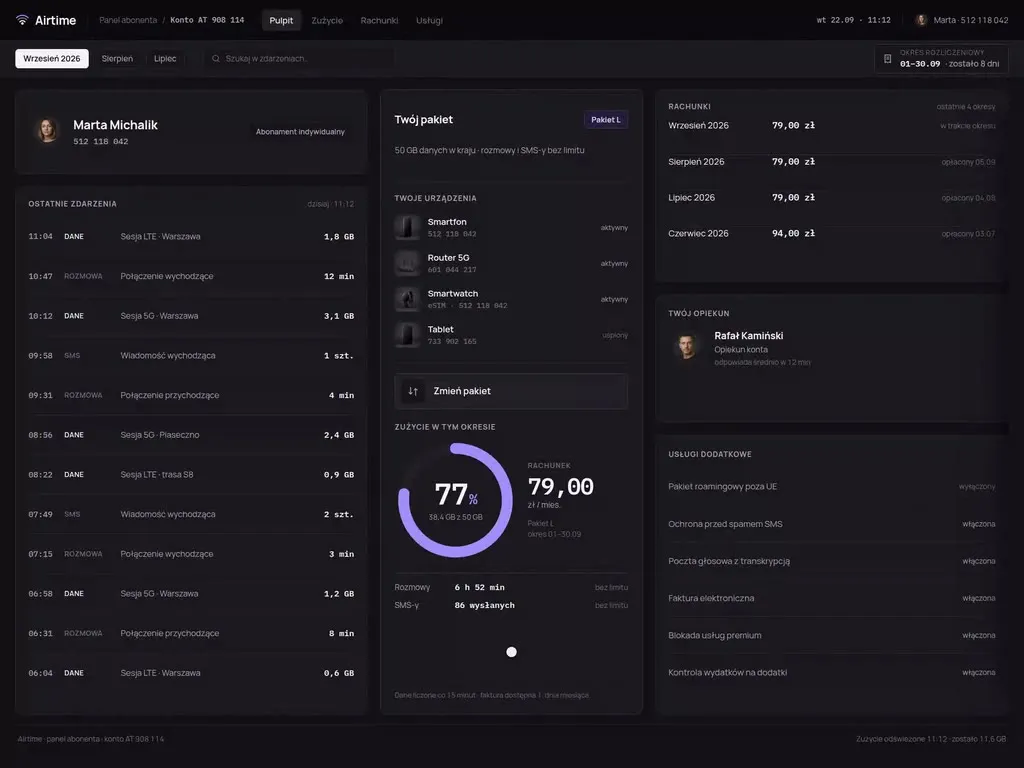
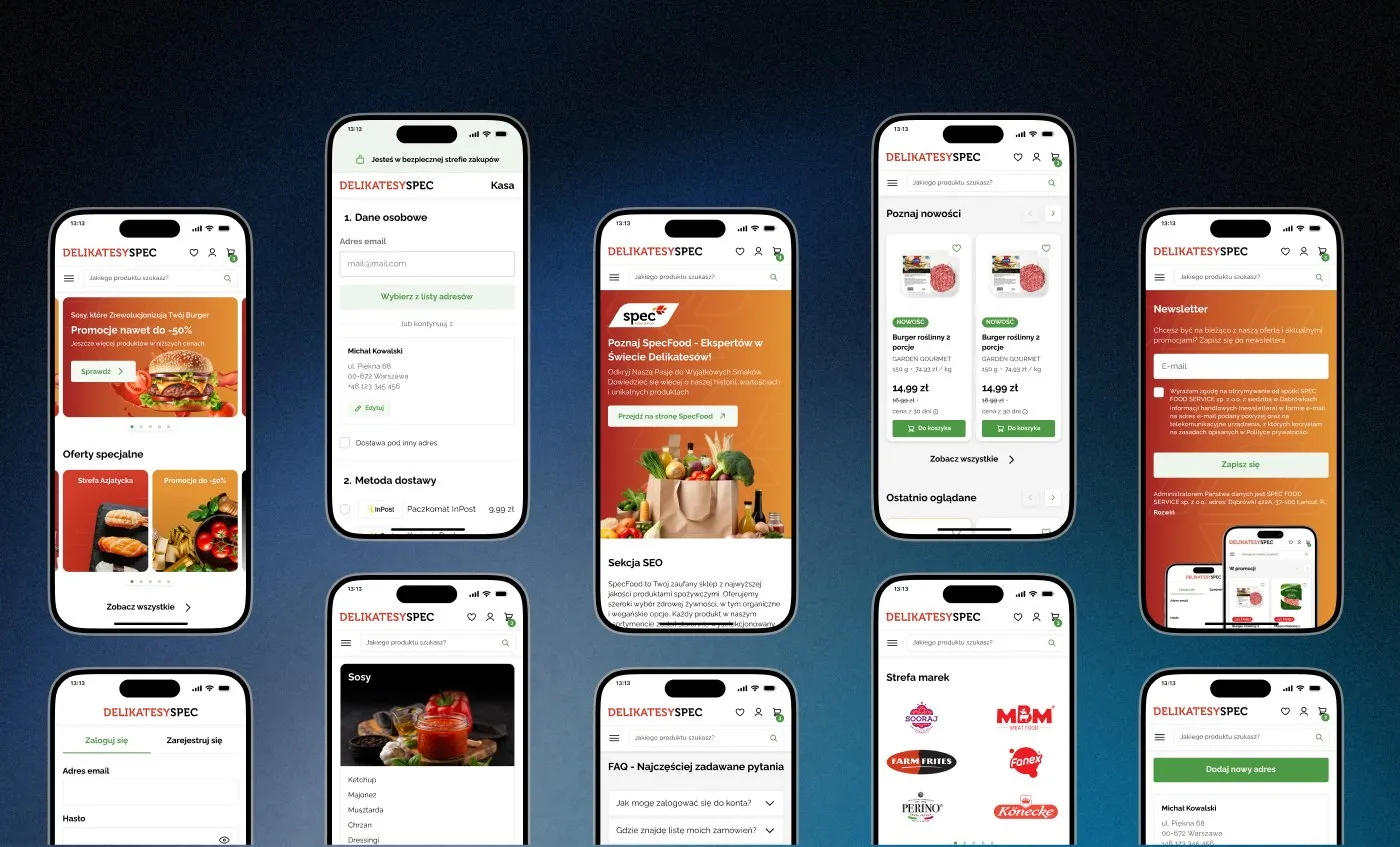
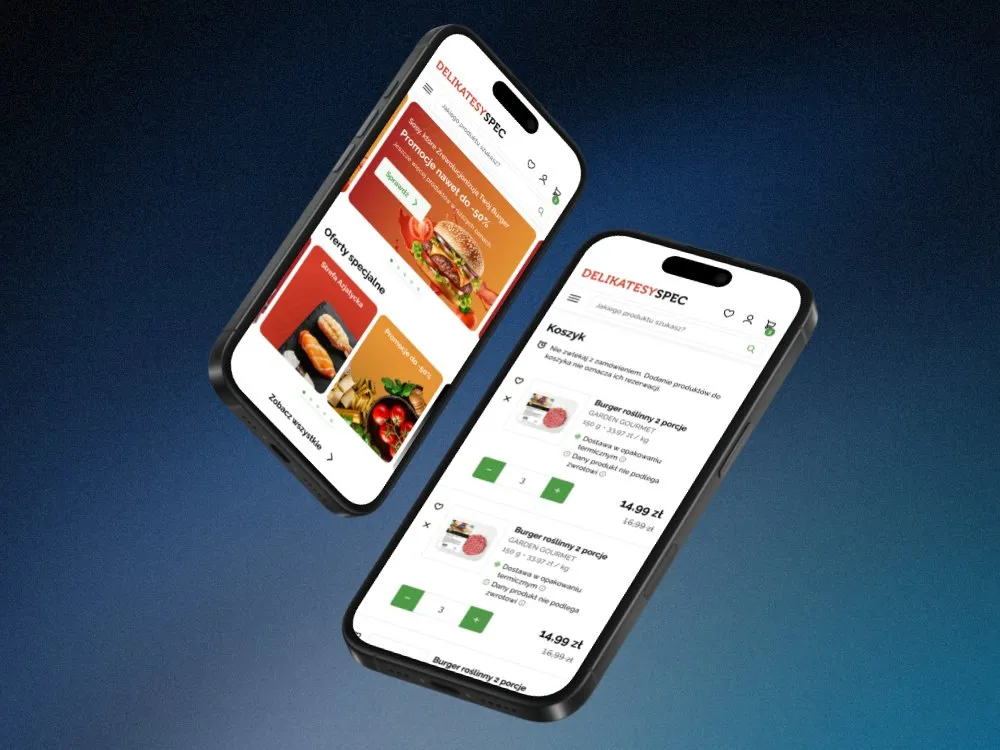
Chains and delicatessens selling online serve a customer who orders groceries for a specific day and time, and who shows a loyalty card code at the till in a physical store. In the online store we designed for the SPEC Food delicatessen, the customer places an order in a few steps, moving from the basket to choosing delivery and then payment, the same way on a phone as on a computer. When designing a chain's app and store, we give them a single customer account, because the same person orders for delivery one day and stands at the till with their phone the next.
Meal prep delivery and diet boxes
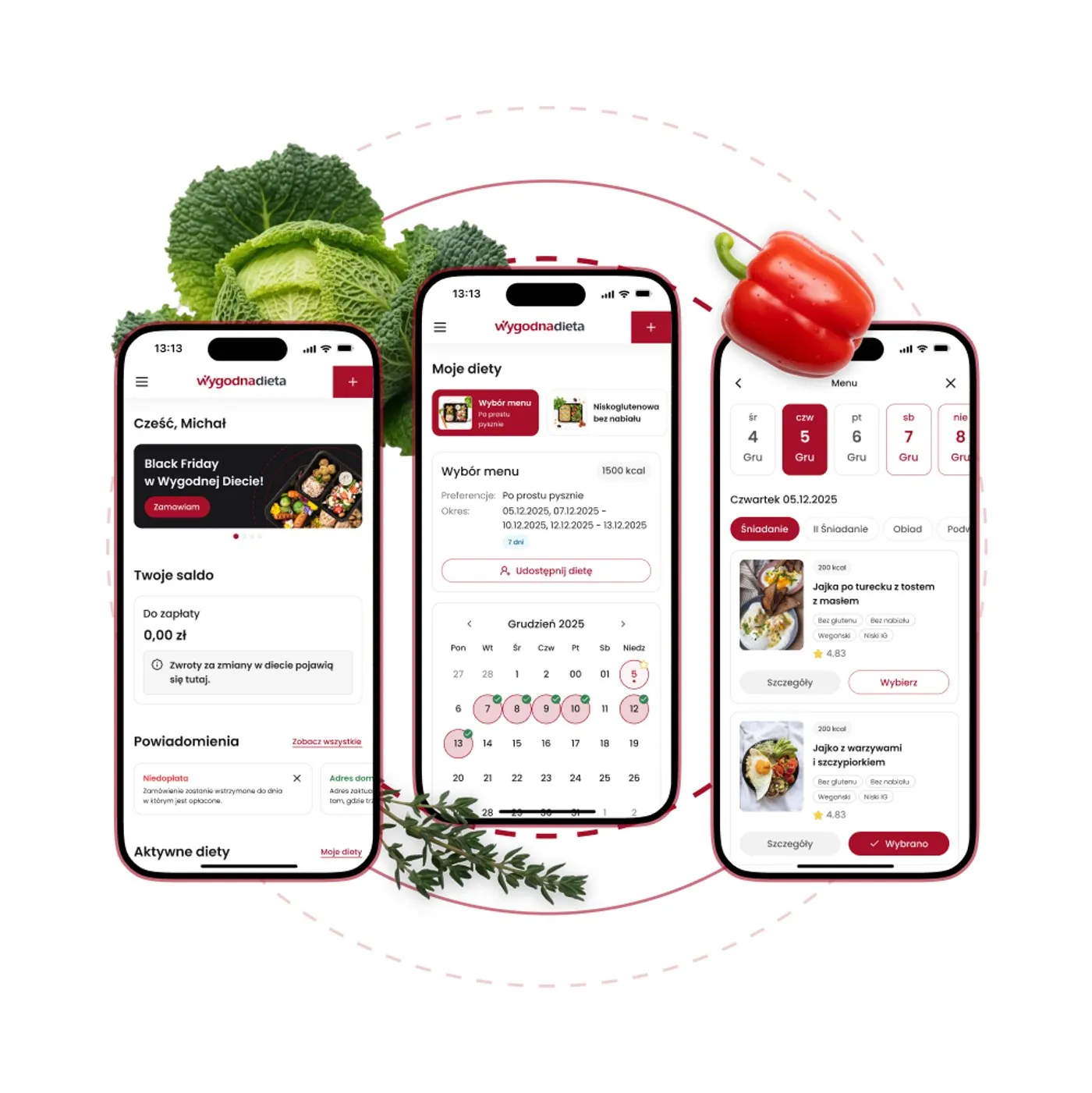
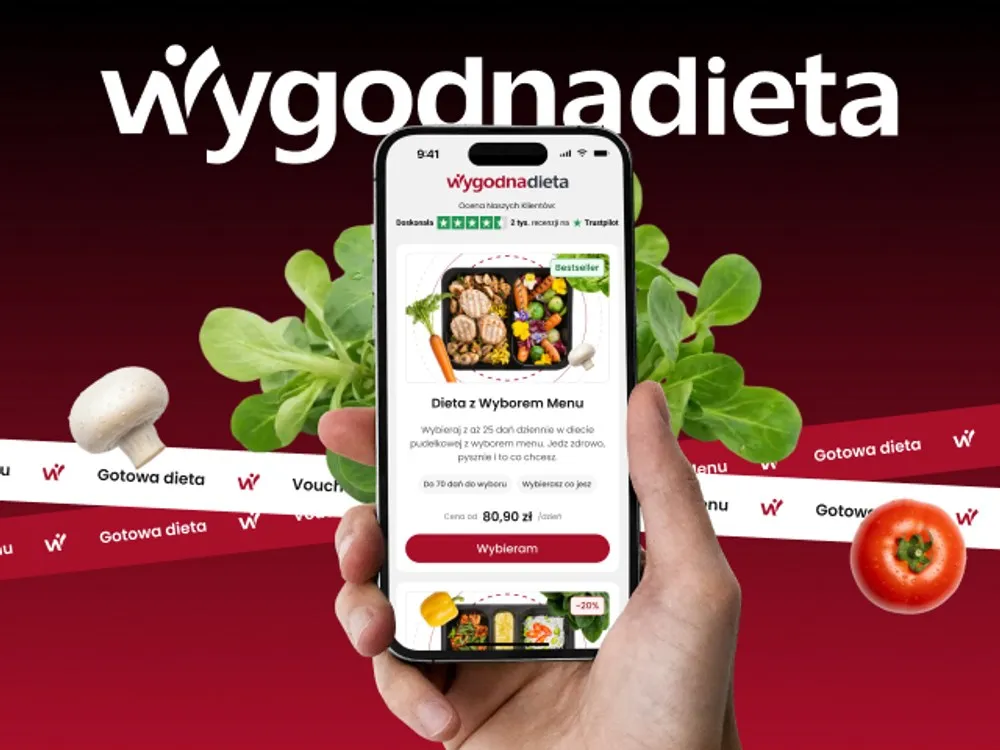
Catering companies run three groups in one system: the customer choosing meals for the coming days, the dietitian building the menu plan and the kitchen packing boxes from a report. In the WygodnaDieta app and online store we designed two routes to an order: a ready-made diet and a diet with menu choice, in which the customer picks a day in the calendar and sees a sample menu for that day. Meal choice sits on a specific delivery day: the customer plans a week, not a list of dishes.
Wholesale ordering for foodservice
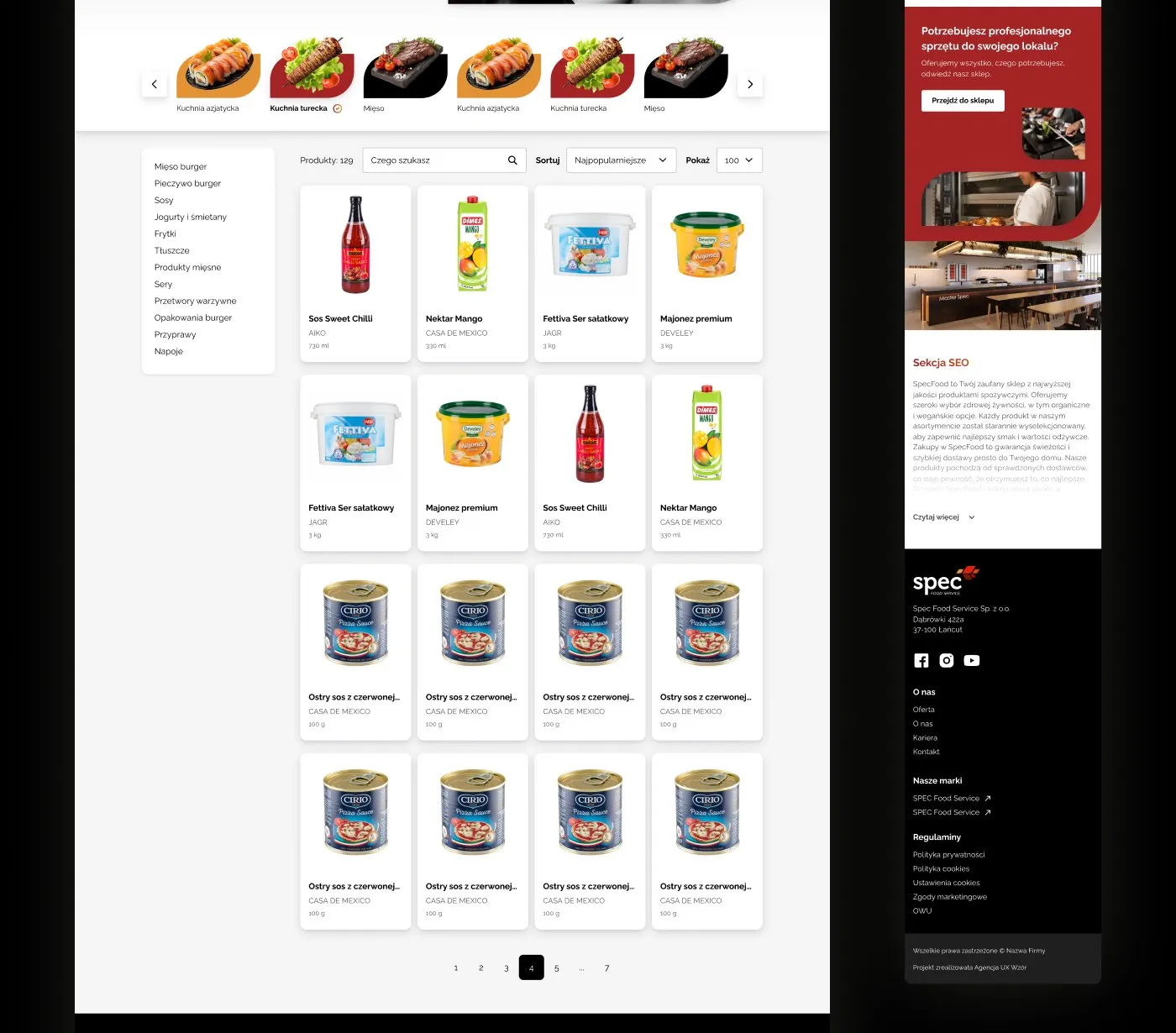
Wholesalers supplying foodservice take orders from restaurants, canteens and hotels for fresh and ultra-fresh goods, with a minimum order value and for a specific delivery. For SPEC Food, a foodservice supplier, we designed the SPEC Food Service website with a company site, culinary training, a B2B section and a product catalogue with filters. In a foodservice order we show the amount still missing to the minimum in the basket from the first line, not only at the summary.
Picking apps in stores and dark stores
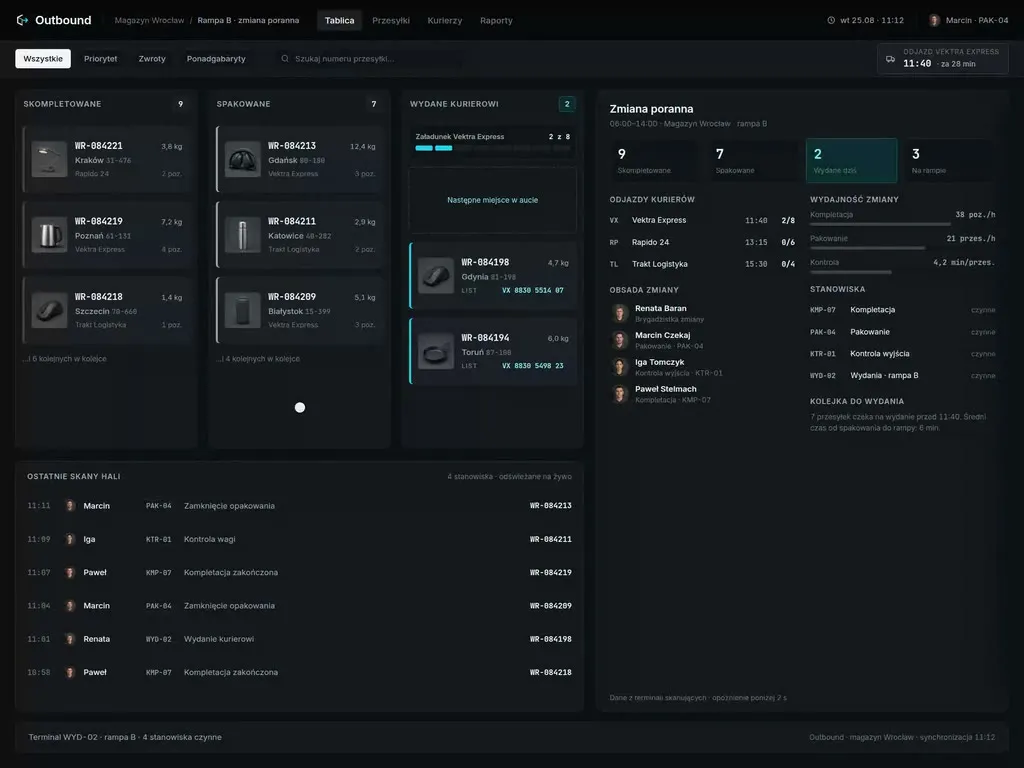
Chains that pick online orders in stores or in dark stores rely on pickers who spend the whole shift walking between shelves of fresh, frozen and drink products with a scanner. We design the screens of that app for one hand: the other one holds a product or the trolley handle.
Store ordering and replenishment for chains
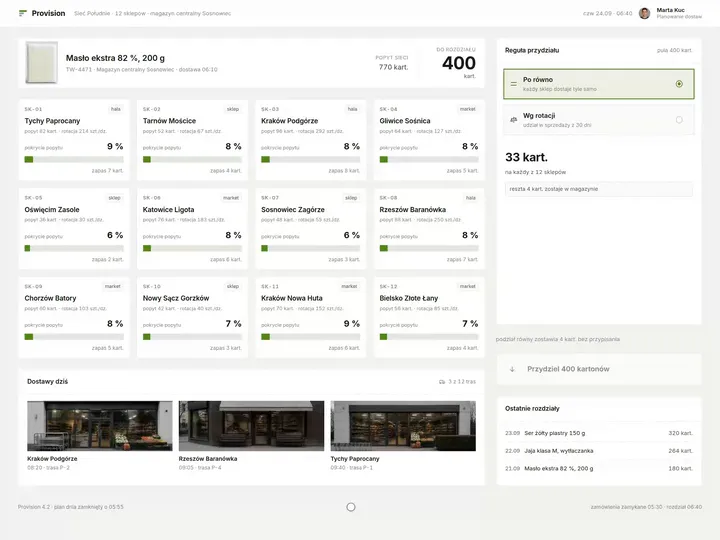
Grocery chains stock their stores from head office, where a planner splits a batch of goods between stores and store managers approve orders every day. For the planner we mark, next to each store, how much of its demand the allocation will cover before they approve the split of the whole batch.

Why us?
Why choose our UX agency?
-
More orders per shift
The picker follows a route laid out along the aisles of their own store and never walks back for a product they have already passed. The same team picks more orders in one shift without adding people.
-
Customers come back to your app
The customer builds the next basket from a list of previous orders in the chain's own app, instead of looking for the same products in a third-party delivery app. Every such order stays in your channel, along with what it tells you about the customer.
-
Fewer write-offs of fresh goods
Fresh goods leave the shelf before their date runs out, because the store orders as much as it sells on that day of the week. There are fewer write-offs, so less stock ends up in the bin.
-
A senior team
A team of senior UX designers who have been designing interfaces for nine years, today for large organisations, SaaS companies and software houses, and in grocery retail the SPEC Food delicatessen store, the WygodnaDieta diet box app and the SPEC Food Service foodservice website, among others.
-
Proven client trust
We have designed for 115 brands, and most of them come back to us with their next project.
-
Higher quality with AI
A designer with AI tools checks more variants of a picking screen or a delivery slot picker than they could draw by hand and picks the one that works. What reaches you is a tested version, not the first one that came out.
Process
How will we design your grocery retail system, step by step?
-
A conversation with your team

We set the goals and trace how an order travels from the customer to the bag
We sit down with the people responsible for online sales, the stores, logistics and customer service. We list the ways you fulfil orders and the systems they pass through, pick the process to change and agree how you will know the project has worked.
Key steps
- Conversations with the e-commerce director, store managers and customer service
- A review of fulfilment methods: delivery, store pickup, delivery partners
- A list of systems: store and app, ERP, tills and the loyalty programme, picking
- Agreeing the measures: picking time, substitutes, complaints, write-offs
Deliverables
- Project brief
- Map of fulfilment methods and systems
- List of measures
- Scope of the first stage
-
Discovery in the store, the back office and the kitchen
We study the work where an order moves from the screen to the shelf
We walk the store with a picker on the morning shift, sit with the manager while they order stock and stand by the packing line in a catering kitchen. We look for workarounds: a note of substitutes taped to the trolley, an order corrected from memory, a menu plan copied onto labels by hand.
Key steps
- Observing picking on a shift in a store or a dark store
- A session with a store manager while they order stock
- Observing packing in a catering kitchen
- A review of complaints and their reasons
- Interviews with customers as they receive their groceries
Deliverables
- Research report
- Map of the order's path, showing where people work around the system
- Prioritised list of problems
-
Interactive system design
A design your team clicks through with their own range and orders
The screens are built on your data: products with their unit prices, stores with their aisle layouts and orders from recent weeks. We test the prototype with pickers, managers and customers before it reaches the developers.
Key steps
- Screen architecture by role: customer, picker, store manager, planner, dietitian
- Interactive design on data from your product range
- Exception states: out of stock on the shelf, a product sold by weight, a delivery slot already taken, an excluded ingredient
- Prototype tests with store staff and customers
Deliverables
- Interactive design of every screen
- Component library
- Description of behaviour in exceptions
- Prototype test report
-
Build or design hand-off
The new screens reach your systems together with the integrations
Our team builds the design, or we hand it over to your developers or your system vendor. Either way, we spell out where each store's stock and prices come from, how a coupon from the app gets to the till, where the scale changes the bill and how the deposit moves from the basket to the receipt, so that on day one the stores do not go back to paper.
Key steps
- Screen and field specification for developers
- Integration map: ERP, tills and the loyalty programme, scales and variable measure barcodes, payments, delivery routes
- Support for the implementation team
- Trial orders picked in a store before launch
Deliverables
- A working system or a package ready to build
- Integration specification
- Pre-launch test report
-
Measuring after launch
We check against store and order data whether the change worked
After launch we compare picking time, the share of orders with a substitute, complaints after delivery and write-offs with the measurement taken before the change. The result of that comparison tells us which screen to improve next.
Key steps
- Measuring order picking time
- A review of complaints and substitutes
- Conversations with pickers and managers after launch
- Plan for the next improvements
Deliverables
- Measurement report
- Prioritised list of improvements
- System development plan
Methods and technologies
Systems, standards and regulations we work with in grocery retail
-
Regulation (EU) No 1169/2011
Regulation (EU) No 1169/2011 requires the ingredients, allergens and nutritional values of prepacked food sold online to be available before the purchase is concluded, not only on the label after delivery. So we put them on the product page before the add-to-basket button, and emphasise allergen names in the ingredients list with the typeface or background colour.
-
Polish Act on informing about prices
The Polish Act on informing about prices requires the unit price to be shown at the point of sale, and for a price reduction on goods that spoil quickly or have a short use-by date, the price before the first reduction, without the 30-day period of the general rule. We design both prices as fields calculated from product data and price history, so marking down a yoghurt with a short date does not require anyone to check what it cost before.
-
Deposit return scheme
The Polish deposit return scheme has been in operation since October 2025 and covers drinks in plastic bottles up to 3 litres, metal cans up to 1 litre and reusable glass bottles up to 1.5 litres. In the basket, on the order summary and on the receipt we show the deposit as a separate line next to the price of the drink, so the customer can see how much they will get back after returning the container.
-
HACCP
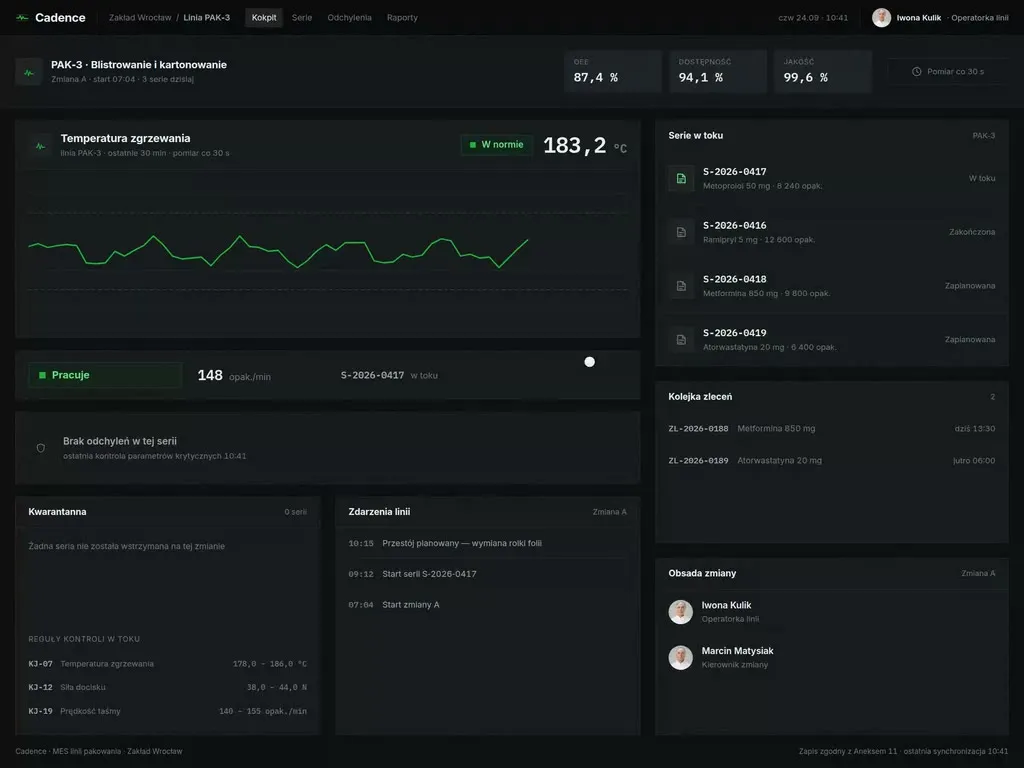
Regulation (EC) No 852/2004 requires food business operators to run procedures based on the HACCP principles, with monitoring at critical control points and records showing that the procedures are applied effectively. When your HACCP plan covers picking or a catering kitchen, we place the record field in the step of the app where the person confirms their work anyway.
-
GS1 variable measure barcodes
A GS1 variable measure barcode on goods sold by weight can come from a national catalogue or from the retailer's own numbering, so before the design starts we check which method your chain uses. Once the weight label is scanned, the app recalculates the customer's bill straight away, so the picker at the shelf can see whether the cheese weighs much more than was ordered.
-
Tills and self-checkouts (POS)
Staffed tills and self-checkouts are where the chain's shopping app finishes its job: the reader scans the loyalty card code from the phone, and only then do the app's coupons apply. We keep the card code one tap from the home screen, because a customer in a queue does not dig through menus for it.
Selected work
Grocery retail projects we have delivered
These are projects for clients: delicatessen online stores, a diet box app and a foodservice website, alongside visual identities, labels, packaging and catalogues for brands in this industry.
-
Grocery Retail
WygodnaDieta
View projectThe WygodnaDieta.pl app and online store - a meal-box diet service with menu-choice diets, ready-made plans and gift vouchers. Diet selection and setup with a dietitian consultation, account management (delivery calendar, balance, notifications), picking add-ons for kids, and finalising an order with a choice of payment method (Blik, card, bank transfer, GooglePay), across mobile and web.
-
Grocery Retail
SPEC Food
View projectThe Delikatesy SPEC (SPEC Food) online store - e-commerce for a food delicatessen. A home page with promotions and special offers, a product listing with categories, a cart and a multi-step checkout (delivery, payment). A consistent system on desktop and mobile.
-
Kafezzo
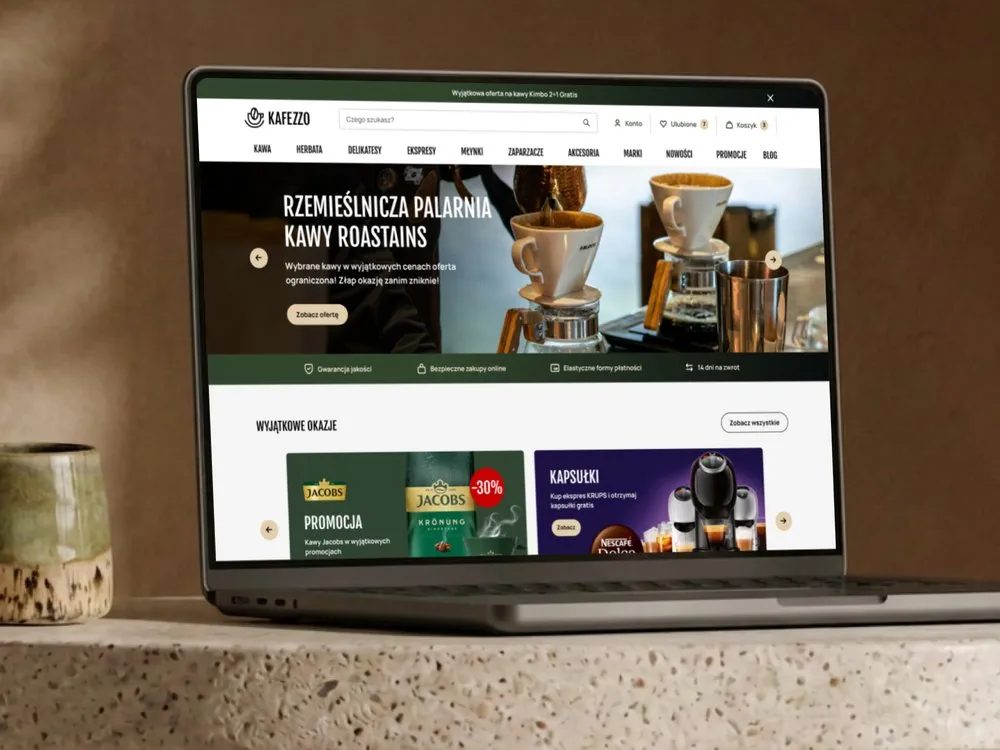
Online store for coffee and tea
-
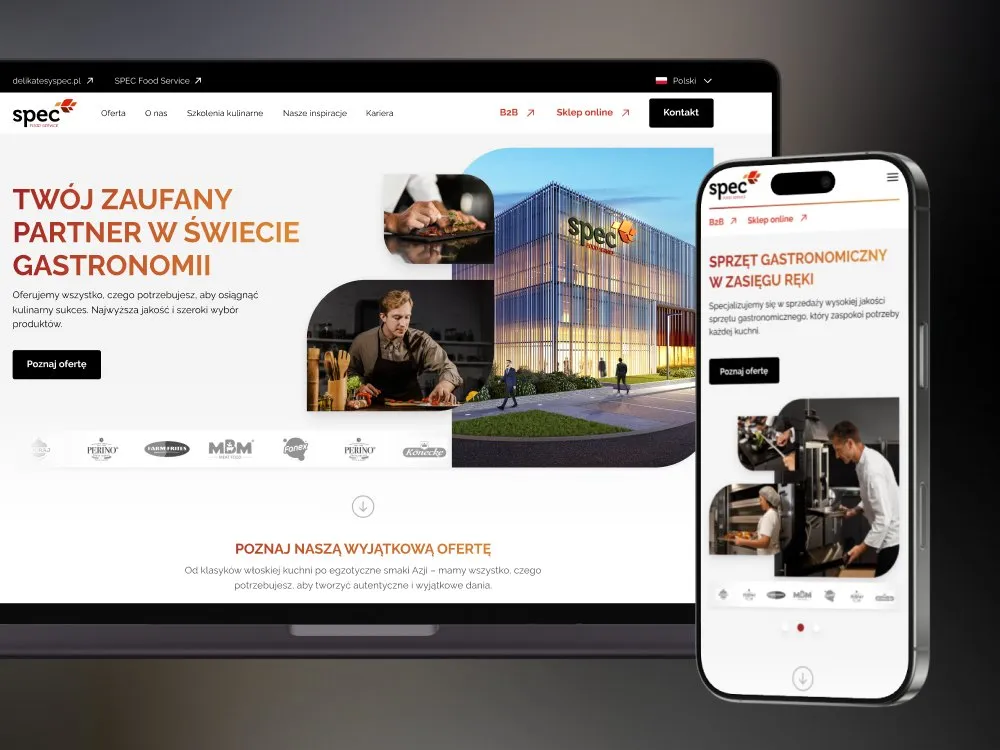
SPEC Food
Website for gastronomy - SPEC Food Service
-

BioSok
Visual identity for a juice brand
-
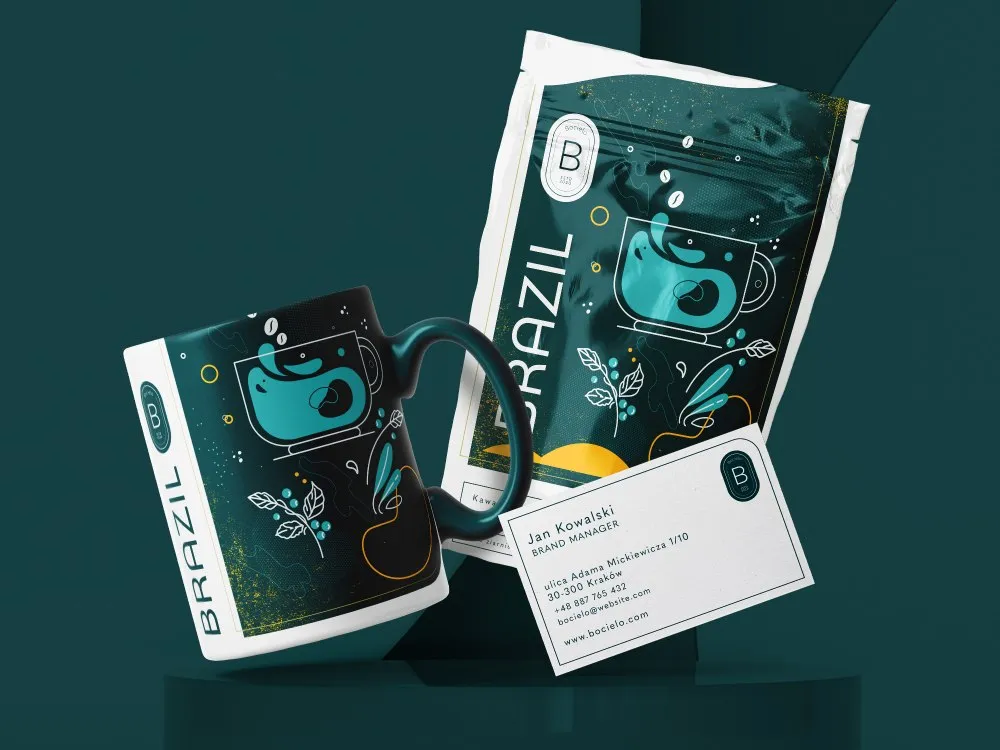
Bocielo
Visual identity for a coffee roaster
-
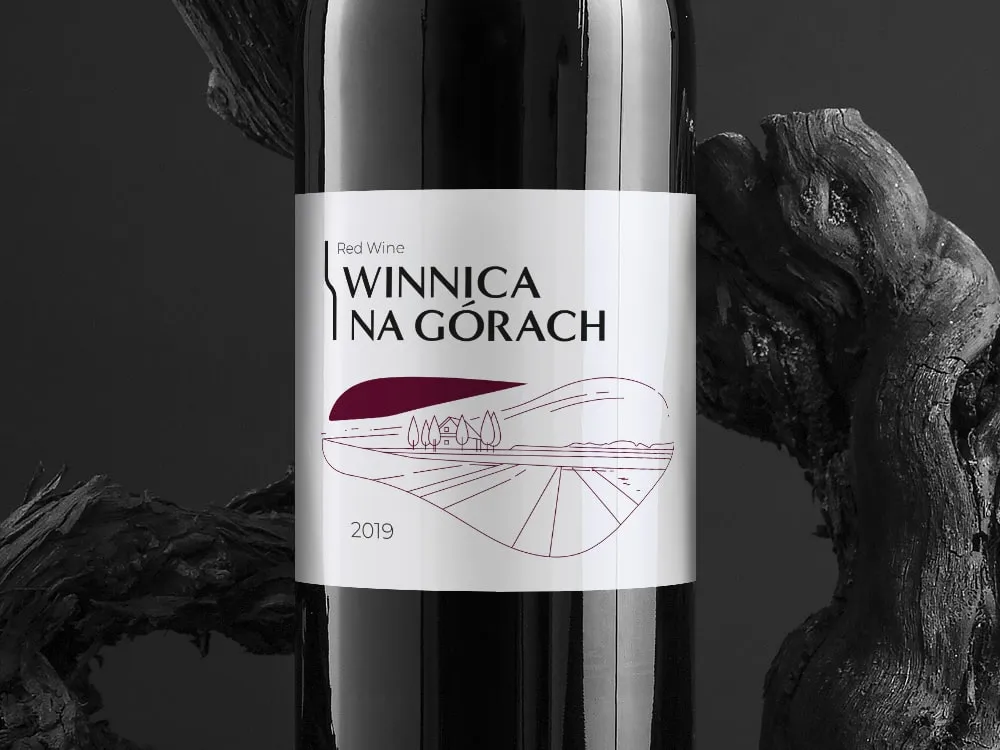
Winnica na Górach
Visual identity for a vineyard
-

Pasieka Litwin
Visual identity for an apiary
-
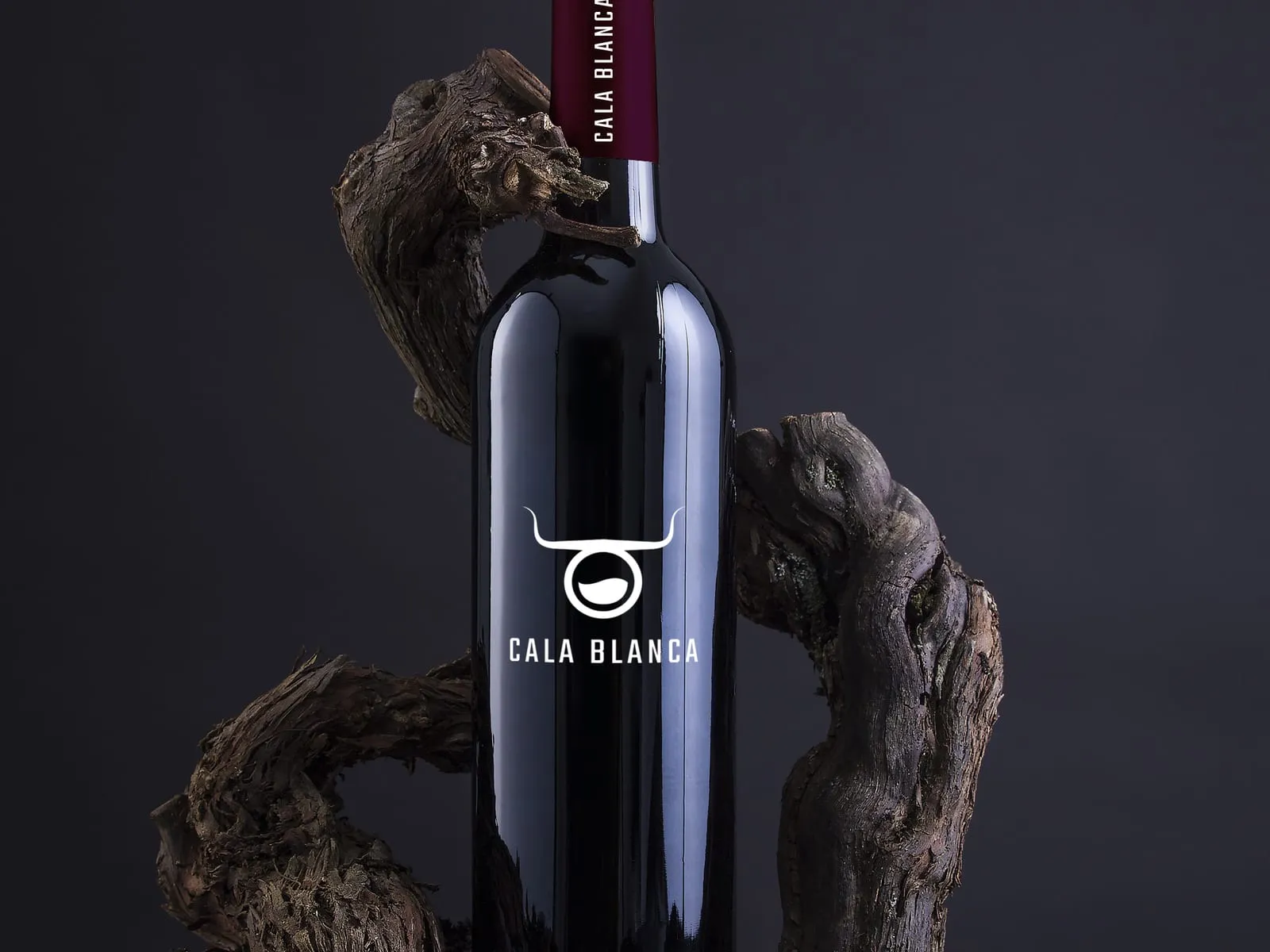
Cala Blanca
Wine label and brand identity
- See what else we build Projects
Start your grocery retail software project
Grocery delivery store, picking app, store ordering and meal prep delivery from one team, from research at the shelf to the build.
Client voices
What our clients say
“We were pleasantly surprised by how quickly the Wzór team responded to our comments and questions. They have very good ideas and on top of that they work fast and solidly. They always keep to the agreed dates, and the end result met our expectations.”
“Our collaboration with UX Agency Wzór on the new version of the WygodnaDieta.pl mobile and web app went perfectly. The designers truly understood our users and turned that into concrete decisions, simplifying the most complex processes so the user journey is now shorter and clearer. The team responded flexibly to our feedback and proposed thoughtful UX/UI solutions. We wholeheartedly recommend Wzór to anyone looking for experts with passion!”
 Maja Wieloch-Silecka Operations Director, Bosfor Group

“Working with the Wzór team was a genuinely great experience! They always answered our questions quickly and were flexible about our comments. They have no shortage of creative ideas and are at the same time thoroughly reliable and on time. The end result fully met our expectations; we recommend them to anyone looking for professionals who care.”

































The team
Who will design your grocery retail system?
-

Aleksandra Bondar
Senior UX/UI Designer
View profileHow can I help you?
“I will design the picking app and the customer's basket so that an empty shelf and a substitute look the same on both sides.”
-
Patryk Korycki
CEO, Analityk Biznesowy
View profileHow can I help you?
“I will agree the scope and budget with you, and during the build I will make sure the connections to the ERP, the tills and the loyalty programme pass trial orders before the first day of sales.”
-

Katarzyna Adamczuk
Prezes, Analityk Biznesowy
View profileHow can I help you?
“I will map out with you where each store's stock and prices come from and how an order travels from the basket past the shelf to the till, so that no product goes missing on the way.”
-

Tadek Wadas
Senior UX/UI Designer
View profileHow can I help you?
“I will test the prototype with pickers on a morning shift and with customers receiving their groceries at the door, and turn the results into a list of fixes.”
FAQ
Frequently asked questions about grocery retail software
What is q-commerce?
Q-commerce, or quick commerce, is the sale of goods, usually groceries, with delivery taking no longer than an hour. Orders are picked in dark stores or in the stores of chains that already have the infrastructure and suppliers. We design the opening view of such a service around what is available nearby, before anything goes into the basket.
What is a dark store?
A dark store is a site for fast fulfilment of online orders that looks like an ordinary convenience store but is not meant for customers from the street. Only couriers and the staff who pick the orders go inside. We lay out the picking screens in a dark store to follow the route between its shelves.
How does online grocery shopping with home delivery work?
Online grocery shopping with home delivery works like this: the customer fills a basket in an online store or an app and picks a delivery slot, and a store or warehouse worker picks the order from the shelves and hands it over for delivery. When a product is missing, the store offers a substitute or removes the line, depending on its rules and the customer's consent. Together with you we settle where that consent is given: per product, for the whole order or not at all.
What food information must an online store provide?
An online store selling prepacked food must make the mandatory information under Regulation (EU) No 1169/2011 available before the purchase, other than the best-before or use-by date, and all mandatory particulars at the moment of delivery. These include, among others, the name, the list of ingredients, allergens, the net quantity and the nutrition declaration. We feed this data into the online shop from a single data source, so the description on the page never drifts from the label on the pack.
What is a unit price?
A unit price is the price set per unit of measure of the goods, for example per kilogram or litre, which the Polish Act of 9 May 2014 on informing about prices of goods and services requires to be displayed at the point of retail sale in addition to the price. It lets the customer compare a 370 g yoghurt with a 400 g one without doing sums in their head. We place it beside the price on listing pages as well, not only on the item page.
What are variable measure barcodes?
Variable measure barcodes are EAN-13 barcodes on goods of variable quantity, such as dairy or vegetables sold by weight, assigned either from the national catalogue of GS1 Poland or from the retailer's internal numbers. Goods sold by weight and ordered online have to be weighed during picking, so the order total only changes at that point. Next to such goods we give an approximate price and a note that the final amount will be known after weighing.
How does a meal prep delivery app work?
A meal prep delivery app lets the customer choose a diet or meals for the coming days, set the delivery address and days, enter exclusions and pay for the order. On the catering side the same data goes to the dietitian who builds the menu plan, to the kitchen and packing team as reports and labels, and to the drivers as routes. We connect both sides so that a change entered in the account reaches the kitchen report with nobody retyping it.
What obligations do stores have in the deposit return scheme?
Stores that sell drinks in containers covered by the Polish deposit return scheme charge the deposit to the customer at purchase, and stores with a sales area over 200 m² also refund the deposit and collect empty containers. A store of up to 200 m² inclusive must at least charge the deposit. The deposit is refunded without a receipt. Smaller stores do not always have to collect containers, so we add a list of the stores that accept them to the chain's app.
What is HACCP?
HACCP stands for hazard analysis and critical control points, the principles on which food business operators base their permanent procedures under Article 5 of Regulation (EC) No 852/2004. They include, among others, identifying hazards and critical control points, critical limits, monitoring, corrective actions and documents proportionate to the nature and size of the business. We start the design for pickers or a kitchen from your HACCP plan, to know which steps are a control point.
Related services
Services related to grocery retail software
You know orders come back with complaints, but not at which stage things go wrong.
First we will check with customers and pickers where the app stops helping them.
You are choosing a ready-made system for store replenishment or catering, or want to build your own.
We will write down what the people who will work in it need, and which part makes sense to start with.
You want customers to order in the chain's app more often.
We test the path from shopping list to payment against data before you change anything for good.