Table of Content
Looking for a way to avoid burning through more of your graphic design budget? More and more entrepreneurs and marketers are having similar thoughts and you know what, as many as 80% of them have opted for Design System. That's why today I'm going to take you through the most important issues related to this solution. You will be able to decide whether this is the system you need.
Design System what is it?
It is a recipe for speeding up work and reducing the cost of designing and implementing corporate digital products (e.g. websites, applications, services). The system contains design rules, ready-to-use elements to be combined and code snippets. No more chaos, misunderstanding and creating the same solutions over and over again.
Have you heard of Single Source of Truth (SSOT)? It's a Single Source of Knowledge that everyone in the company can use. It gathers all the data needed to make important company decisions in one place. The Design System plays the role of SSOT in terms of design. Ready-made standards and components make project management much simpler and more efficient.
What's more, although the system is mainly dedicated to digital products, the entire communication and promotion of the brand benefits from it. Social media posts, printed materials, catalogues, business presentations and billboards are just a few examples of places where you can confidently use the system. In fact, it becomes the basis of the entire company design.
Elements of the System Design
The system consists of 3 main parts: design language, component library and documentation. The design language is the basis for creating components. This includes colour schemes, typography, fonts, etc. Components, on the other hand, are ready-made elements created on the basis of design language, e.g. navigation, contact form, footer. Documentation, on the other hand, is a guide to using the system. It defines the specific rules, guidelines and definitions necessary so that everyone involved in projects knows exactly what to use where.
What exactly each of the 3 parts of the system will contain depends on the needs of the company. Remember that as your brand grows, the system will grow. Here are the most popular elements of the Design System:
- colouring (hues, gradients, tones);
- typography;
- fonts;
- proportions, objections;
- photos;
- icons;
- logos;
- buttons (buttons);
- navigation elements;
- pop-up windows;
- animations;
- tables;
- models;
- templates;
- code snippets.
Who benefits most from the Design System?
For large organisations that launch and develop multiple digital products within a brand, this system becomes a necessity. It powerfully streamlines their workflow. That doesn't mean at all that smaller companies don't need it. If you feel that everyone in your organisation has a different idea about design, chaos is created and the end result still does not satisfy you, think seriously about the Design System.
Main benefits
- New products become more competitive by optimising their time and cost to market;
- different professionals working on projects in the company have one clear point of reference;
- communication within the team benefits from this;
- working on and managing projects is easier;
- new products are seamlessly integrated into the overall brand image;
- fit in with the habits and knowledge of how to operate that users have acquired when using other brand products;
- design and programming costs are reduced.
What does the implementation of System Design look like in a company?
The easiest way for you to understand the process of creating a design system is to imagine a chemical element. Rest assured, we won't go into complicated equations. Just remember that the smallest building block of any matter is the atom. An atom can no longer be broken down into smaller parts. Atoms can combine to form molecules (molecules), which in turn build whole organisms. What does this have to do with design? It turns out a lot. The Design System is based on similar principles (Atomic Design).

Atomic Design distinguishes between five levels of design:
- Atoms - the smallest elements of the interface, e.g. font, colours, typography, proportions, spacing, photographs.
- Molecules - a simple combination of 2 or more atoms, e.g. a button with an icon, a newsletter sign-up form.
- Organisms - more complex combinations of atoms and molecules, e.g. footer with navigation, logo and button; product list; individual sections on a website.
- Templates - a combination of organisms that create a finished page layout, such as a mockup.
- Pages - the final view that will be displayed to the user, including all graphical, textual and navigational elements.
The Design System comprises the first 4 levels which, when combined, form the finished project (level 5): website, application or service. We will now follow the different stages of building the system.
Stage 1: Developing the style (atoms)
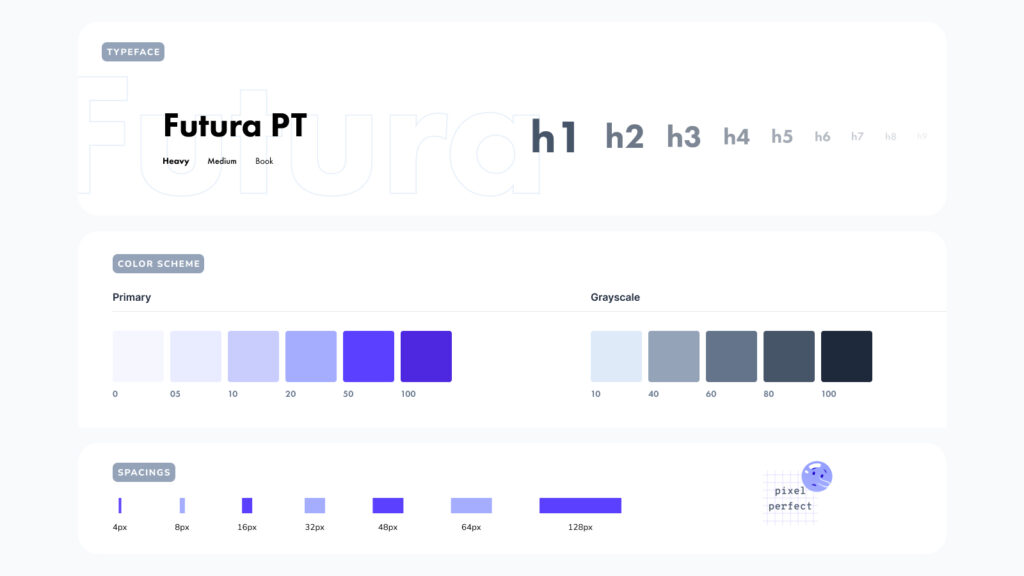
It is worth starting by analysing those graphic elements you already have. Check that the colour scheme, typography, fonts, spacing, header size, icons, images, etc. are consistent with each other. For example, you may find that you are using different shades of the primary colour and this is not structured in any way.
The task at this stage is to unify the entire style. Think about what basic elements you are still missing. This is the place to design them.
Step 2: Building a component library (molecules and organisms)

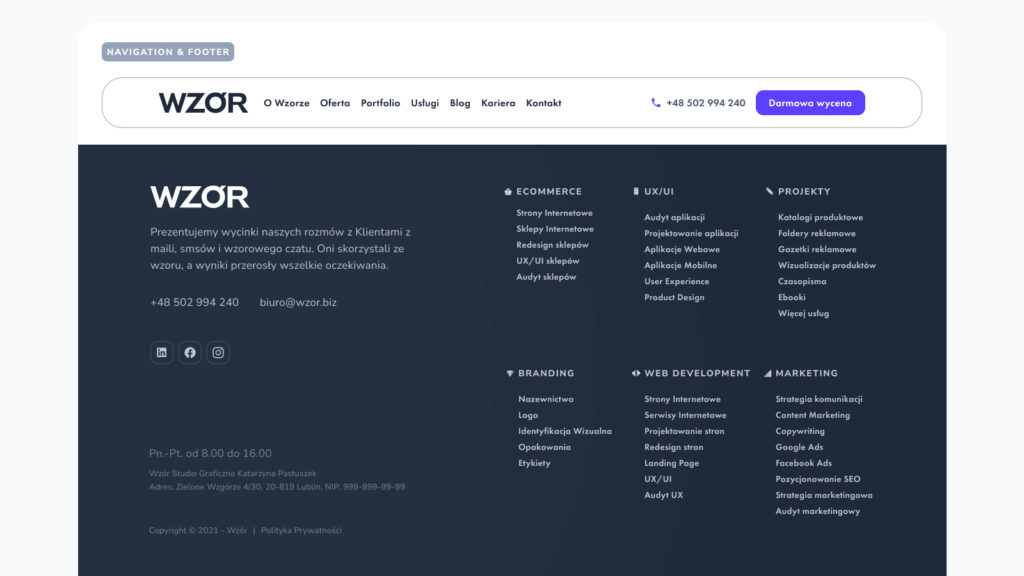
Once you have a base, you can start combining style elements into finished components. These will be simple combinations for now, i.e. a search engine with a "Search" button, and more complex ones, e.g. full footers, whole sections, navigation or a product grid in an online shop.
Step 3: Template design
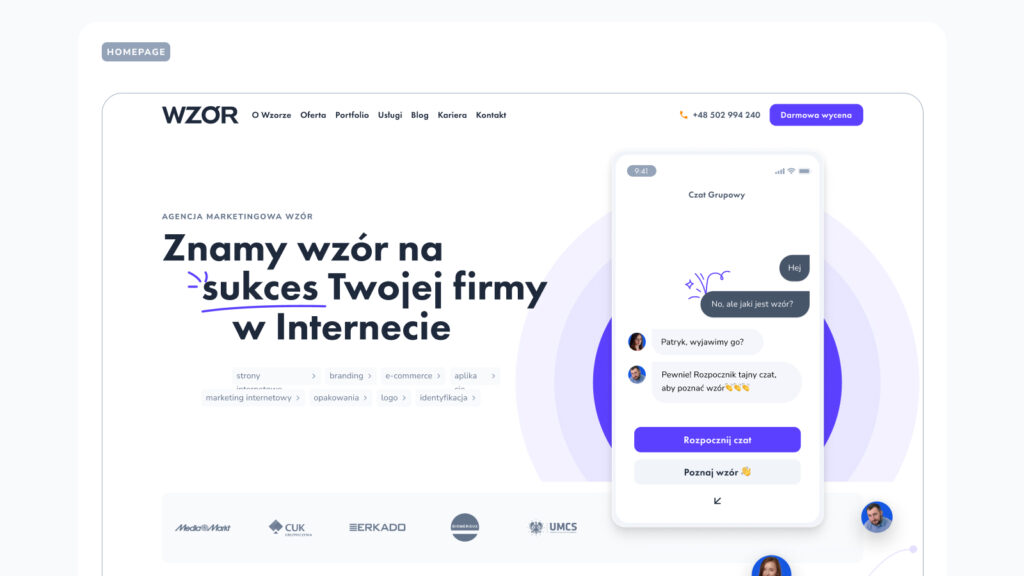
It is time to prepare the page templates, tabs and screens. At this stage, the components link together and create a finished sub-page structure. You can already see the layout, which, when supplemented with content, will create the finished project or digital product.
Stage 4 QA testing
It is still worth testing (with users) the elements of the created Design System. Check that they adequately fulfil their task and are comprehensible to the audience.
Step 5 Formulation of the dossier
You can create the documentation on the fly or get down to it at the end. It contains guidelines and the permissible and impermissible combinations of elements. The documentation also specifies where to use them and explains concepts without which the system cannot be properly understood.
Stage 6 Update
A good design system grows with your business. There is no need to expand it to a huge size right away if the basic version is enough for the moment. However, when you find that your demand grows and the system does not include an important component, add it.
The most common mistakes when setting up your own system
- Failure to regularly update the system. The development of the company's image, its offerings and changes in customer expectations mean that the system needs to be expanded and refreshed over time. If you do not do this, it will simply become too cramped for the brand and lose its power to facilitate your work.
- Complicated, ambiguous definitions or lack of explanation. It is important that the terms used in the system are clear and understandable. Definitions need to be given in any case that may be questionable.
- Assumption that everyone has the same knowledge. A programmer knows completely different concepts than a web designer or a business analyst. You need to take this into account when creating documentation.
- Gaps in the system. The most commonly overlooked element is documentation. Brands assume that it is not needed. They forget that there are so many possibilities for combining the various components of the system that it is easy to lose image consistency along the way.
Is it worth using the support of a UX agency?
The answer to this question depends on who exactly you have in your corporate team. Who has the most to offer you during system development? First and foremost, web designers, UX specialists, programmers, graphic designers, illustrators and branding experts.
It is worthwhile for you to calculate how much it will cost you to create a Design System in-house. Calculate roughly how many man-hours it will take and multiply by the hourly rate of the people you want to involve in the process. Also consider that if your team has never created a system before, they may need more time to build it than an agency. An external company also relieves the burden on your staff. If you choose a good agency, you can be sure that you will get a robust system ready for immediate use.
How do you know a good Design System?
The process of creating a system that actually improves the work in your company is complex, but using it should be as simple as possible. It is no longer a mystery to you what a Design System is, what a design language is and you already know how they are created. All that remains is for us to summarise the characteristics of a good design system.
You will recognise a good Design System by the fact that it can be easily used by all those involved in the design, implementation of projects, marketing and promotion of the company. It must therefore be very well described and clearly define how to use it. If you get your hands on a ready-made system and, having familiarised yourself with it, know exactly how to combine components and in which situations, it is a sign that the UX agency has done a solid job. Good luck!